Is ChatGPT private?
If you’re on a personal account (free or paid), other people can’t see your chats. OpenAI can, and by default your chats help train its models. Three switches change most of that, and they take about 2 minutes to change:
- Turn off training: Settings → Data Controls → turn off “Improve the model for everyone.”
- Review memory: Settings → Personalization → Memory. It’s a separate switch; turning off training doesn’t touch it.
- For one-off sensitive questions, use a Temporary Chat.
On a work account, assume your employer can see your chats. The details, the caveats each switch doesn’t cover, and where Claude and Gemini stand are all below.
The full answer depends on exactly two things:
- What you mean when you say private? Are you asking if other people can see your chats? If OpenAI (the company behind ChatGPT) can see them? Or if what you feed into ChatGPT is being used to train their models?
- Which ChatGPT are you actually using? Behind that one ChatGPT logo there are multiple versions, and they follow different rules.
Answer both of those questions and you know exactly what’s happening with your data. The same two questions then work on Claude and Gemini, and on any AI system after that.
Prefer to watch? This guide has a companion video: Is ChatGPT Private? (about 5 minutes).
Is ChatGPT Private? First, Private From Whom?
Can other people outside of OpenAI see your chats?
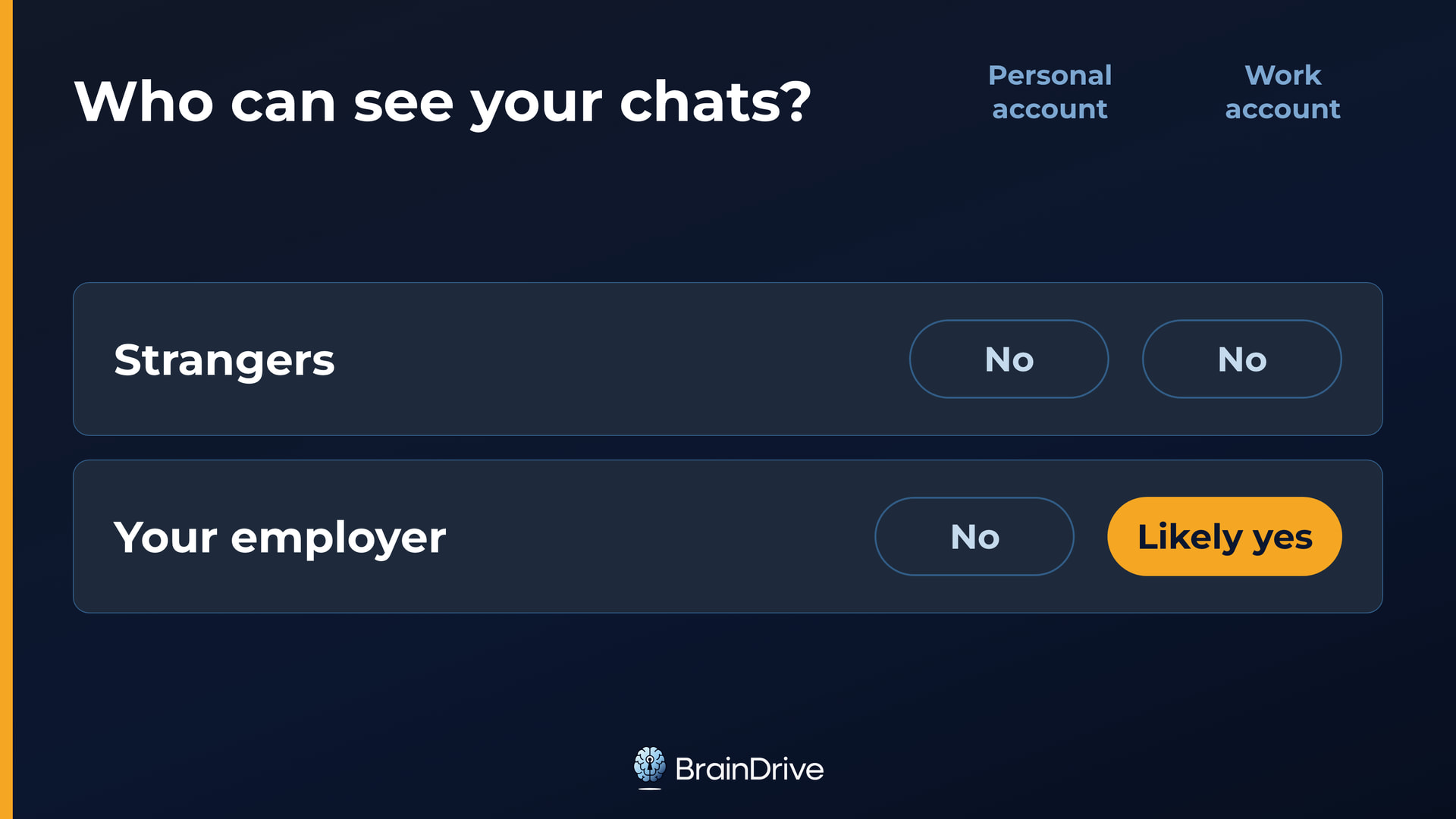
If you are on a personal ChatGPT account, the kind most people use, the answer here is no. So long as you don’t share a link to a chat or leave your account open on a shared screen, you are good.
If you use a ChatGPT account given to you by your employer, the answer changes. On business and enterprise plans, OpenAI states that workspace admins may be able to access, export, and delete conversations, and on Enterprise and Edu plans there is also a compliance platform that can export them in bulk.
That means generally if your employer wants your chats, they can get them. So treat work ChatGPT the way you already treat work email. It’s their workspace; keep the personal questions on a personal account. (As of August 2026, per OpenAI’s enterprise documentation.)
Can OpenAI see your chats?
Yes. There are three things they can do with your information once they have it, and every one of them has a setting, version, or account type that changes it. We’ll get to those in a minute.
- Keep it. ChatGPT saves your data by default, even if you delete it. Deleted chats are scheduled for permanent deletion within 30 days, but there are exceptions when OpenAI has to keep it longer for security or legal obligations.
- Look at it. Authorized staff and vetted contractors can access chats for abuse, support, legal, or model-improvement reasons. OpenAI’s own advice is not to enter sensitive information you wouldn’t want reviewed.
- Learn from it, and use it to train their AI models.
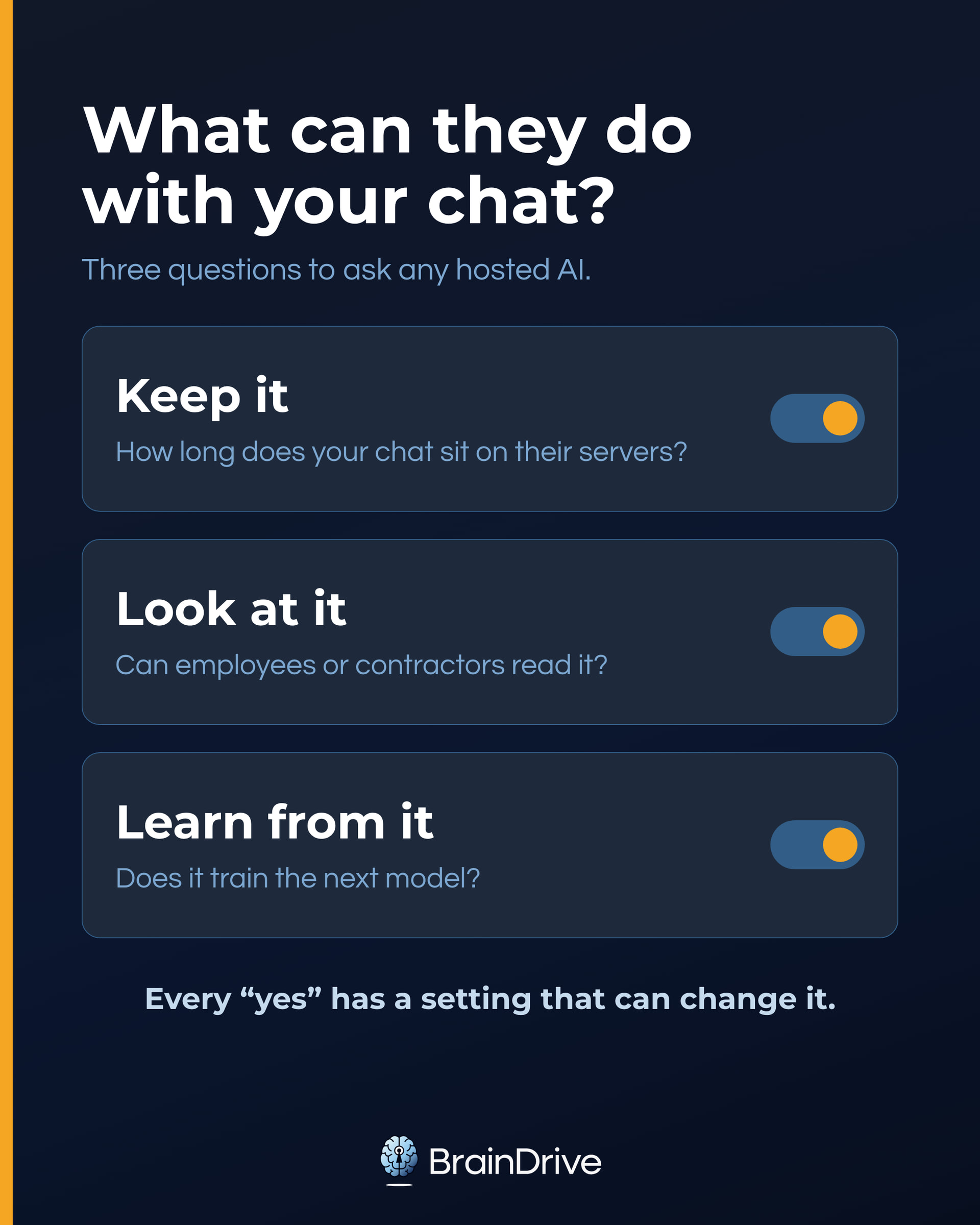
Whether they actually do depends on the settings you choose, the version you’re on, and the laws they have to follow. Which version you’re on decides most of it. There are four.
The Four ChatGPTs (Which One Are You Using?)
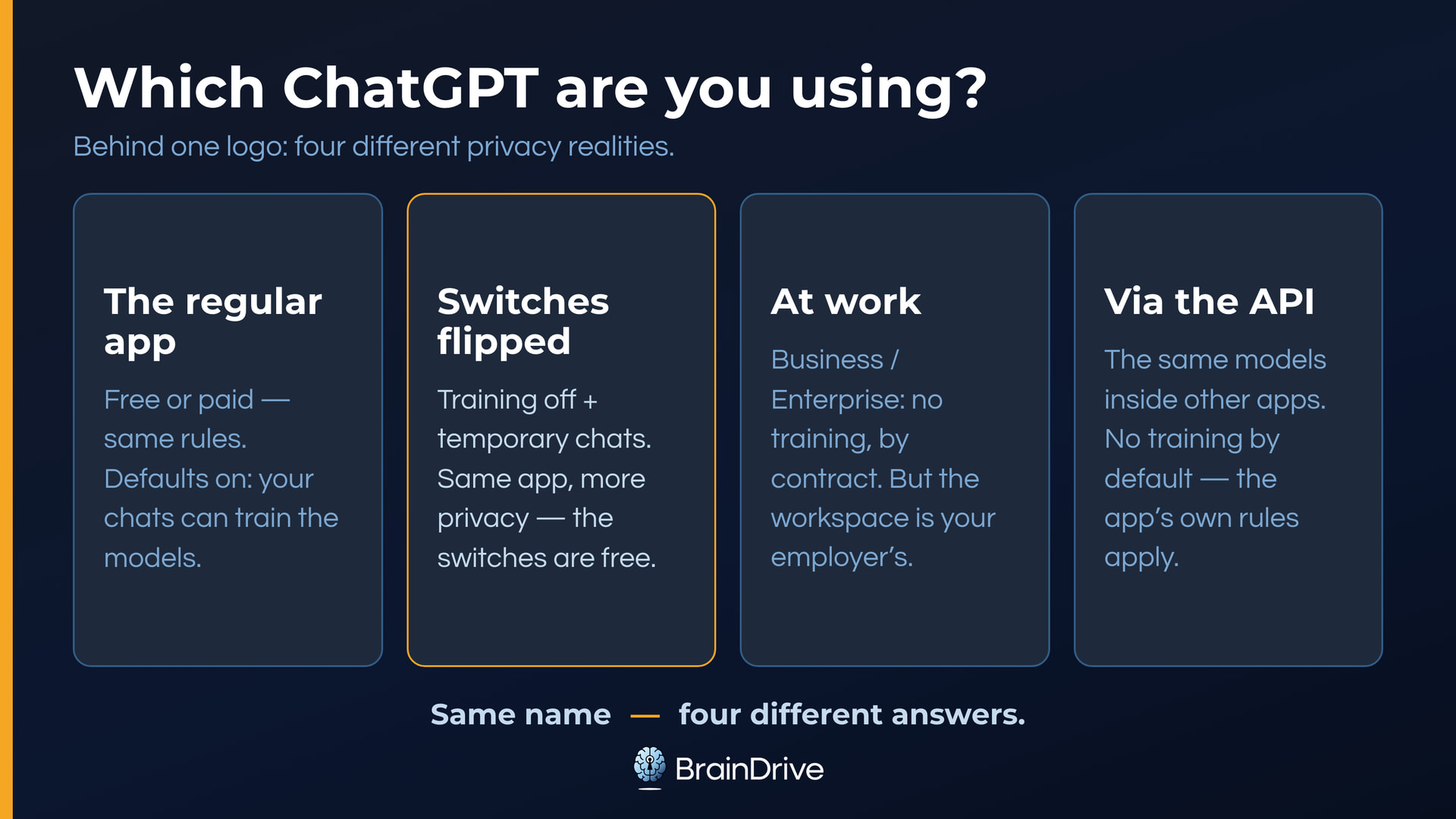
1. The regular ChatGPT most individuals use. It doesn’t matter whether you are on the free or paid version here; they have the same rules with the default settings. Strangers can’t see your data, but authorized OpenAI staff and vetted contractors can, and by default you are granting the company permission to train on your chats and data. (As of August 2026; the training default and its off switch are documented in OpenAI’s data-controls doc.)
2. The same ChatGPT with the switches flipped. You can turn training off so that OpenAI does not train on your chats or data, and you can turn memory off so it does not build a cross-chat understanding of you that it uses to personalize chats. You can also use temporary chats for one-off sensitive questions. The next two sections walk through every switch, click by click.
3. ChatGPT at work: business and enterprise accounts. Here OpenAI doesn’t train on your data by default, and it’s a contract holding that line rather than a toggle you have to find. But remember what we covered above: this protects you from OpenAI, not from your employer. It’s their workspace.
4. The same models, outside of ChatGPT, inside other apps. Other companies can build ChatGPT’s models into their own products through what’s called an API, which is just a way for one piece of software to use another. OpenAI doesn’t train on API data by default, but now there’s potentially another company in the middle (the one providing the software you are using), and their rules apply too. Software you run yourself gives the clearest answer here. An interface you own, like BrainDrive, keeps your chat history and memory on your computer, and how private the rest is still depends on which AI model you connect it to. Where any given setup falls on the privacy spectrum is the subject of our full AI privacy guide.
Here’s the whole picture in one table:
| Which ChatGPT | Keep it | Look at it | Learn from it |
|---|---|---|---|
| Consumer, default settings | Until you delete it (30-day clearance; security/legal exceptions) | Authorized staff and contractors can | Yes, by default |
| Consumer, switches flipped | Same keep rules; temporary chats clear after a brief safety window | Same access rules | No for future chats (one exception below) |
| Business / Enterprise | Workspace controls apply | Your employer may; OpenAI’s authorized staff can | Not by default (contractual) |
| API inside another app | The middle company’s rules decide | The middle company’s rules decide | Not by OpenAI by default; the middle company decides for itself |
ChatGPT Privacy Settings: The Five-Minute Walkthrough
No new tools, no new accounts. The switches below already exist in your account, and flipping them takes about five minutes. Paths are for the web app; on iPhone or Android, tap your profile icon and look for the same menu names. Current as of August 2026; menus move, so we re-verify this page quarterly.
Turn Off ChatGPT Training (Data Controls)
Profile icon → Settings → Data Controls → turn off “Improve the model for everyone.” Account-wide and reversible.
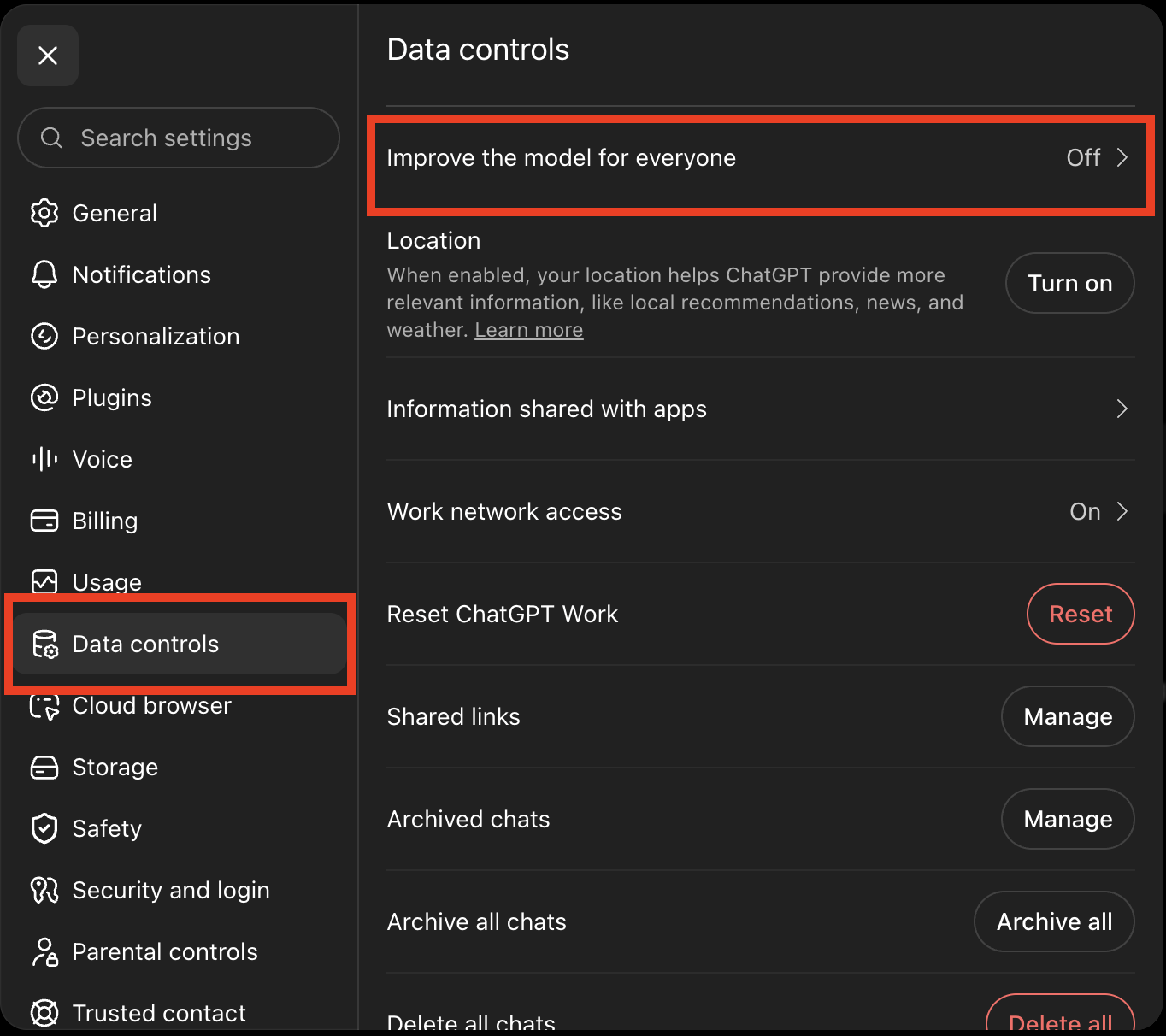
ChatGPT’s Data Controls screen with the training toggle. Captured August 2026.
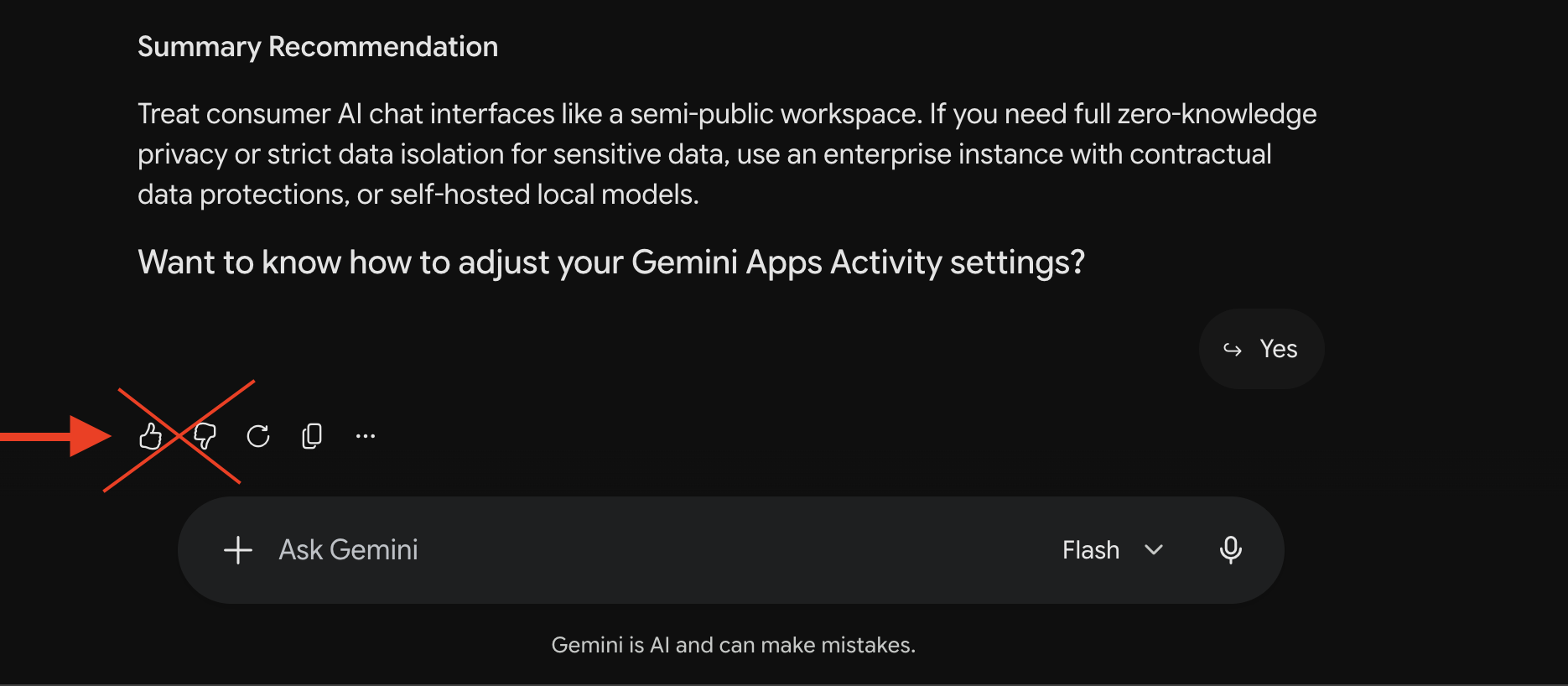
What it doesn’t cover: your chats are still kept until you delete them, and the toggle doesn’t limit access for abuse, support, or legal reasons. And one exception catches everyone: give a response a thumbs-up or thumbs-down and that whole conversation can be used for training anyway. If you’ve opted out, stop rating responses.
Review or Turn Off ChatGPT Memory
Settings → Personalization → Memory → turn off “Enable memory” (the toggle that lets ChatGPT personalize based on your chats, files, and connected apps).
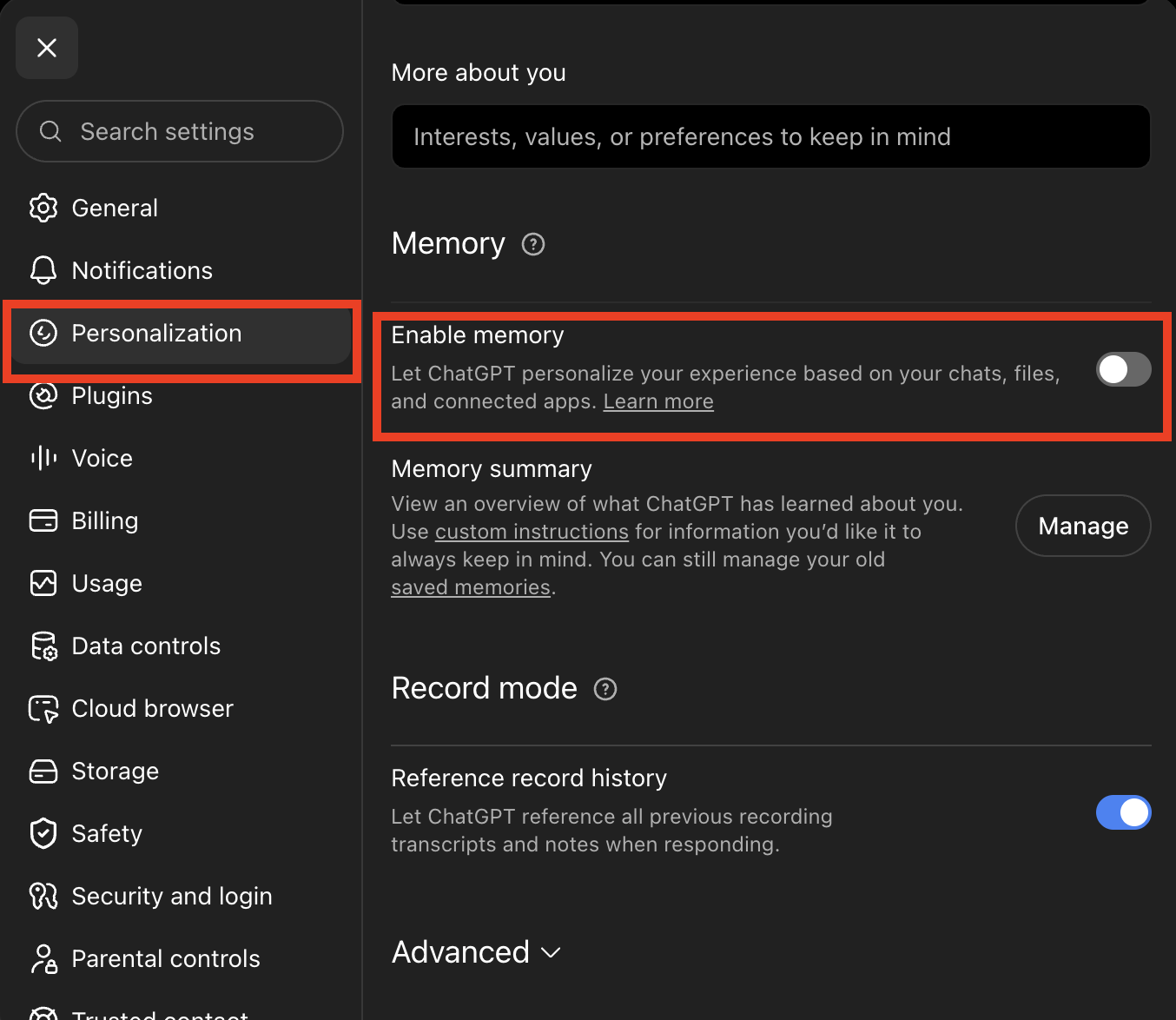
ChatGPT’s memory controls under Settings → Personalization. Captured August 2026.
Want to see what it holds before deciding?
Memory summary → Manage shows an overview of what ChatGPT has learned about you, though OpenAI’s own docs note the summary you can see may not include everything it remembers. To wipe what’s stored and switch it off in one move, open the memory summary’s three-dot menu and choose Delete and turn off memory. Turning off training does not turn off memory; they’re separate switches.
What it doesn’t cover: turning memory off doesn’t delete your past chats, and switching it back on later can rebuild memory from chats still in your history. Full erasure means deleting the sources too.
Delete (or Export) What’s Already There
Settings → Data Controls → Delete all chats. If you want a copy first, Export data in the same menu sends you an archive. Deleted chats clear within 30 days, with the security and legal exceptions covered above.
ChatGPT Temporary Chat: The Closest Thing to Incognito Mode
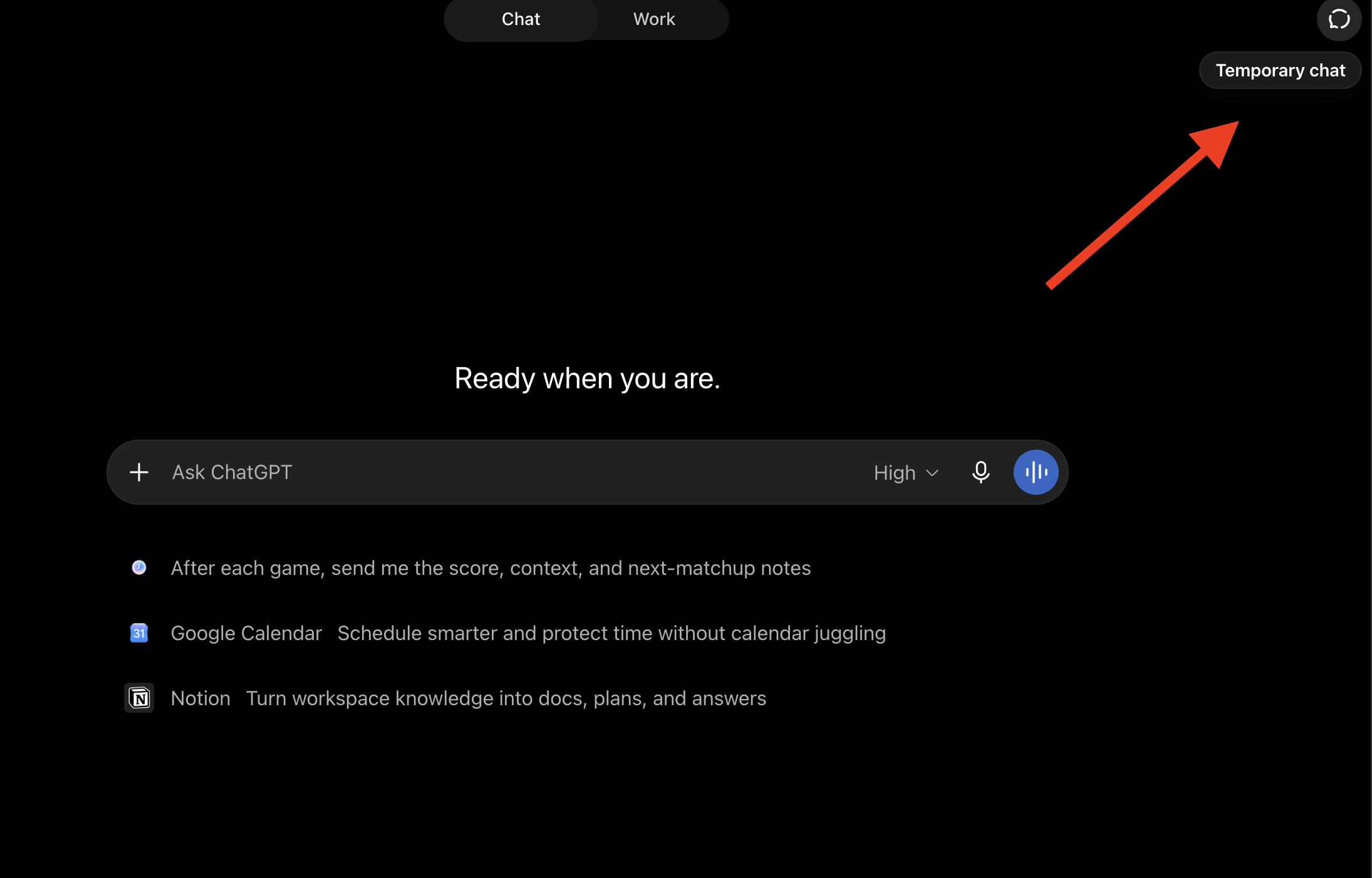
The Temporary chat button at the top right of a new ChatGPT chat. Captured August 2026.
There is no ChatGPT incognito mode, at least not under that name. The feature people are searching for is called Temporary Chat, and unlike your browser’s incognito window, it changes what OpenAI keeps, not just what your computer keeps.
A temporary chat doesn’t appear in your history, isn’t saved to memory, and isn’t used for training, regardless of your account-wide training setting. OpenAI may keep a copy for up to 30 days for safety reasons, then it’s deleted.
To start one, look for the Temporary chat button at the top right of a new chat.
Two caveats. It still follows your custom instructions, so it’s not a completely blank slate. And it’s the right tool for a one-off sensitive question, not for a pattern of them. If you keep reaching for it for the same topic, that topic belongs in a more private setup altogether; our full guide walks the options.
Is Claude Private? Is Gemini?
The same two questions work on every assistant. Here’s where the other two big ones stand on a regular consumer account, as of August 2026.
Claude. Whether Anthropic trains on your chats is controlled by a setting called “Help Improve our AI models” (Settings → Privacy), a choice you may never have opened. It applies to Free, Pro, and Max plans. Your choice also sets retention: five years if training is on, 30 days if it’s off. Turning it off stops future training, but anything already absorbed into a trained model stays there. Conversations flagged by safety systems can still be reviewed for trust and safety purposes even with training off. (Anthropic privacy settings documentation.) Claude also has its own memory feature with its own controls, separate from the training setting, in Settings → Memory.
Gemini. On consumer accounts, Google uses chats to improve its models by default, and a subset of conversations goes to human reviewers. Google says reviewed chats are disconnected from your account first, and also that reviewed chats are kept for up to three years even if you delete your activity. Activity auto-deletes after 18 months by default (you can set 3 or 36 months, or keep forever). The closest thing to a training opt-out is turning Keep Activity off: chats are then held 72 hours and aren’t used for training unless you submit feedback. There’s no zero-retention setting on consumer Gemini. Google’s own warning: don’t enter confidential information you wouldn’t want a reviewer to see. (Google’s Gemini privacy hub.) On a work Google account the privacy story belongs to the organization too, though the mechanism differs: Workspace admins get Gemini audit logs, which record who used which feature and when, not what you typed. Reading content is a separate enterprise compliance capability.
The pattern is the point: every one of these has the same three verbs (keep, look, learn), and every “yes” has a setting, mode, or account type that can change it. Ask private from whom, and which version, and any AI product will answer.
Frequently Asked Questions
(All answers as of August 2026.)
Does ChatGPT save your data?
Yes, by default: chats stay until you delete them, deleted chats clear within 30 days (with security and legal exceptions), and memory accumulates separately. Every piece has a control: delete your history, turn off memory, use temporary chats. The walkthrough above covers each one.
What if I use ChatGPT without logging in?
The consumer rules still apply, and there’s still a training toggle (the ? icon → Settings). You just have fewer controls and no way to review or delete anything later. A temporary chat on a logged-in account gives you more.
What about files, images, and voice chats?
Mostly the same rules. Files and images ride with the chat they’re in, under the same training setting and retention rules, and they can feed memory too. Voice conversations become transcripts that follow the same training toggle as typed chats; the audio recordings themselves aren’t used for training unless you turn on separate audio-sharing toggles, and clips are kept for 30 days (OpenAI’s Voice documentation). What adds new parties is connecting things: GPTs, apps, and connectors bring their own companies with their own policies. The full guide’s agents-and-tools section covers that layer.
What ChatGPT Knows About You Is a Different Question
So you know what happens to your chats in ChatGPT, and you have the two questions that unlock any other AI system: private from whom, and which version am I on?
If you do one thing from this page, make it the training toggle. It takes thirty seconds and it’s the only switch that’s account-wide.
But your chats aren’t the only thing worth thinking about. The other is the picture the system is building of you over time, who controls that data, and what they can do with it. What does ChatGPT actually know about you? That question gets its own guide: ChatGPT Memory Explained: What AI Knows About You.
And here’s where to go next, depending on what you want:
- If you want to understand everything about AI privacy, for any AI system (every level, from the app you already use to setups you can verify) read our full guide: AI Privacy: The Ultimate Guide for 2026 & Beyond.
- If you want something more private than ChatGPT (Venice, Duck.ai, Lumo, Maple, Kagi, and running it locally, compared by what actually protects your message): What Is the Most Private AI? Venice, Lumo, Duck.ai, Kagi, Local & More, Compared.
- If you want to run an AI system completely privately on your own computer, without even needing an internet connection, read our guide to getting there: Local AI for Non-Developers: The Complete 2026 Guide. No technical background needed.
Every claim on this page cites the vendor’s own current documentation and is re-verified quarterly. Policies change; check the linked docs before trusting any tool with sensitive work.