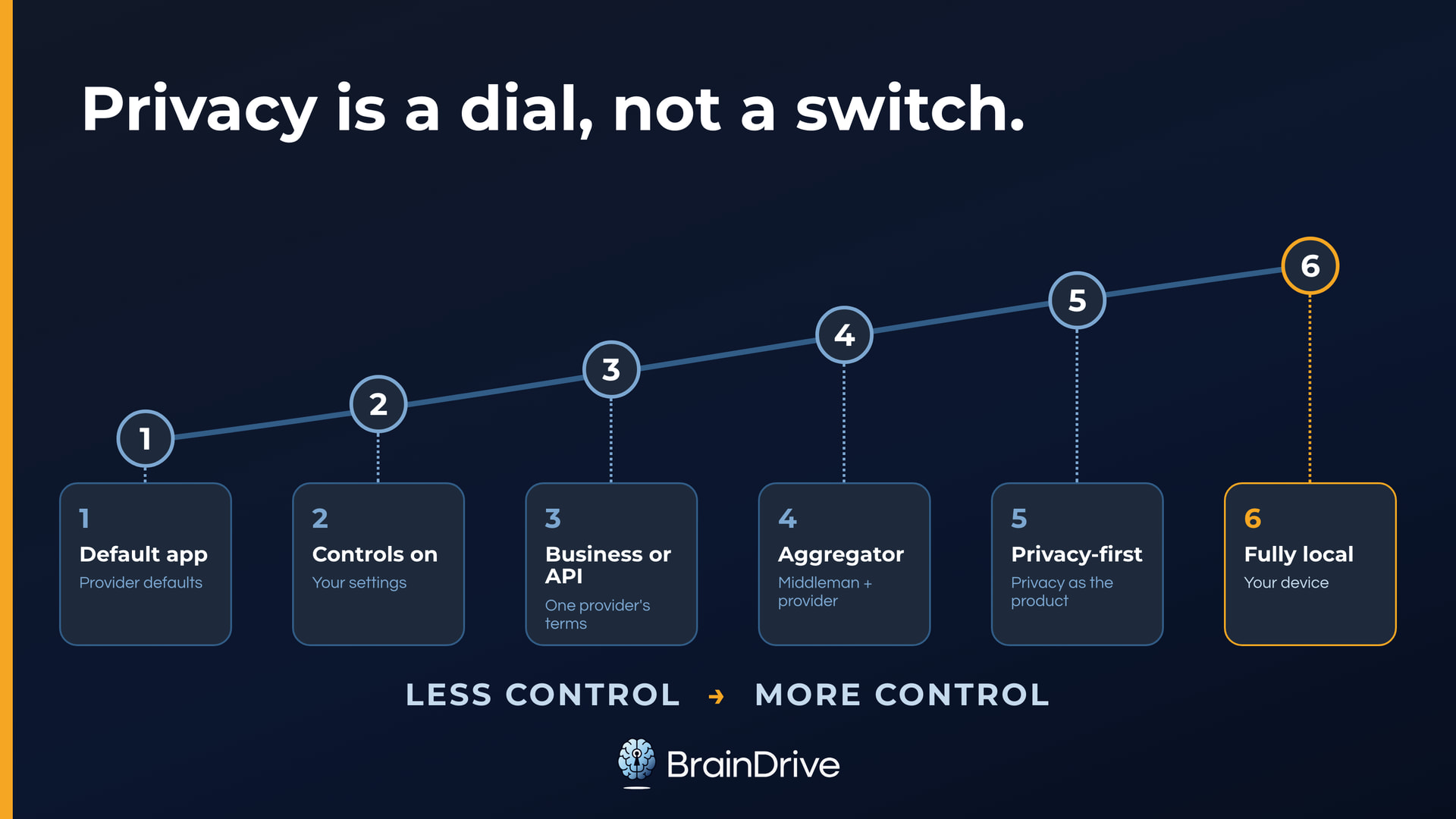
AI privacy operates on a spectrum.
At one end are consumer AI systems like ChatGPT, whose default settings often allow training, retention, or human review.
At the other is fully local AI, where the whole system can run on your computer without sending your data elsewhere.
And then there is everything in the middle.
Different points along the spectrum offer different tradeoffs between privacy and things like performance, convenience, cost, and control.
In other words, AI privacy is not an on/off switch.
It is a dial you can set deliberately.
TLDR: For everyday questions, the assistant you already use is usually fine once you review its privacy settings. For sensitive personal information, consider using a privacy-first service or keep the work local. For client, patient, or employee data, use an approved business setup with the right agreement, or keep it on your own machine.
In the full version below we’ll cover:
- The two things you’re protecting: what you share and your context
- The five parts of an AI system, and why privacy is decided part by part
- What a provider can do with a chat: keep it, look at it, learn from it
- The privacy spectrum and its practical middle
- The five-minute consumer settings check
- Business accounts, APIs, aggregators, and privacy-first services
- Fully local AI and its real boundary
- Agents, tools, and connected apps: the part that phones out
- HIPAA, client data, and other people’s information
- How to choose the right level for a task
The Two Things You’re Protecting: What You Share and Your Context
The first thing to protect is the obvious one. The things you share deliberately in the moment: the question you type, the file you upload, the task you hand over.
The second is your context: everything an AI system accumulates about you over time. Chat history. Memory. Uploaded files. Custom instructions. Connected apps.
Each piece seems small, but together they form a more complete picture of you than any single conversation ever could. If a stranger reading one of your chats would bother you, a stranger reading the synthesis of all of them should bother you more.
So when considering AI privacy, there are really two questions you need to ask:
- What happens to the information I share?
- Where does my accumulated context live, who can access it, and can I move it or delete it?
What you share and your context can sit in different places, under different rules. This is why it’s not just the AI model you need to think about when considering privacy, it’s all five parts of an AI system.
The Five Parts of an AI System
AI systems like ChatGPT feel like one thing. But under the hood they are actually five things. And the different ways you compose them have different privacy tradeoffs.
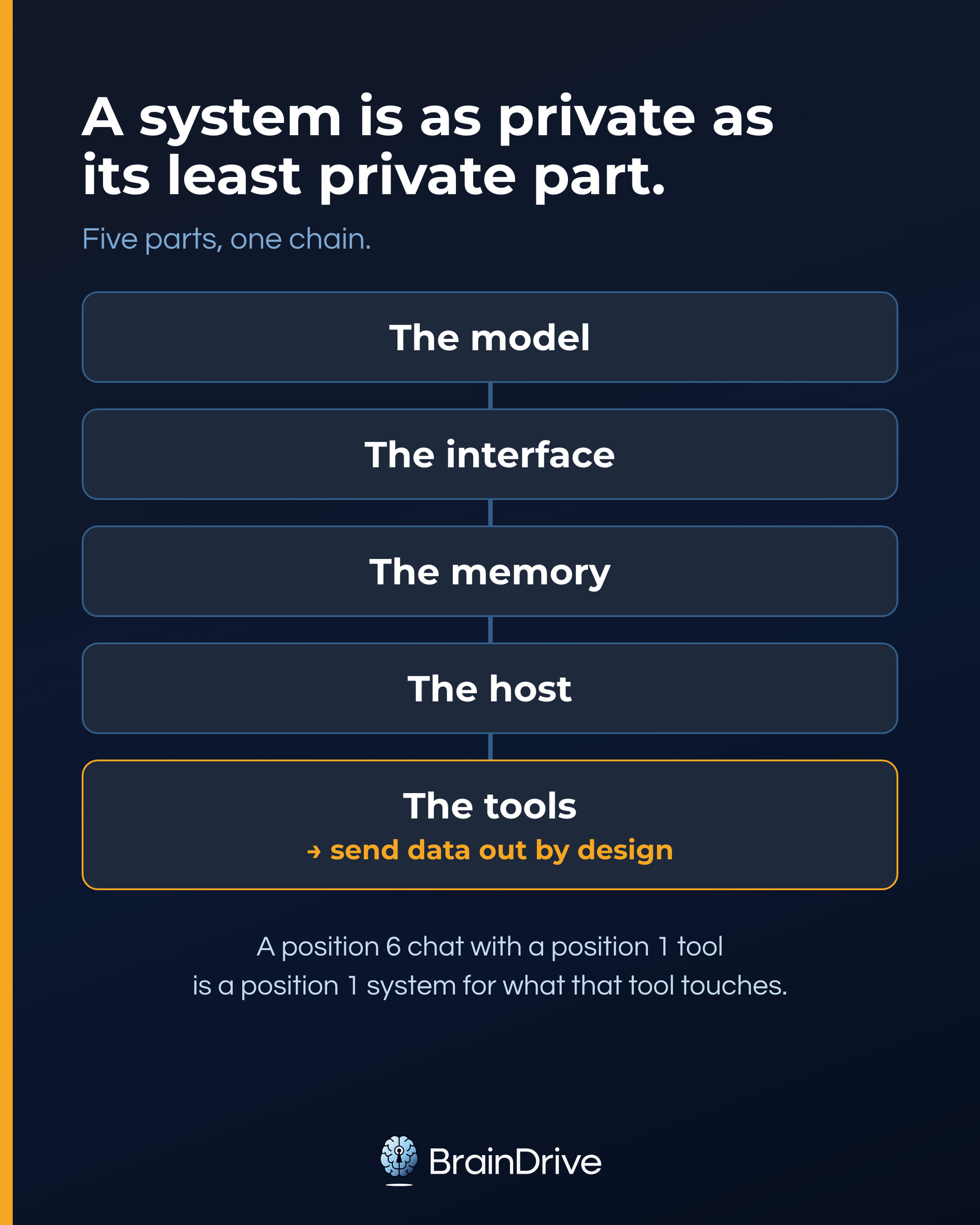
- The model. The engine that reads your words and writes the answer. To respond to your sentence, it has to see it.
- The interface. The app you type into. It holds your conversations, your settings, and your account.
- The memory. Where your context lives: the second thing you’re protecting, from the last section.
- The host. The computer or cloud environment where the AI system, or any of its parts, lives. One system can use several hosts: your device can hold the interface and memory, a provider’s servers can run the model, and outside services can run tools.
- The tools. Anything the system reaches beyond itself to use on your behalf: web search, connected apps, plugins, agents. These are often run by other companies entirely.
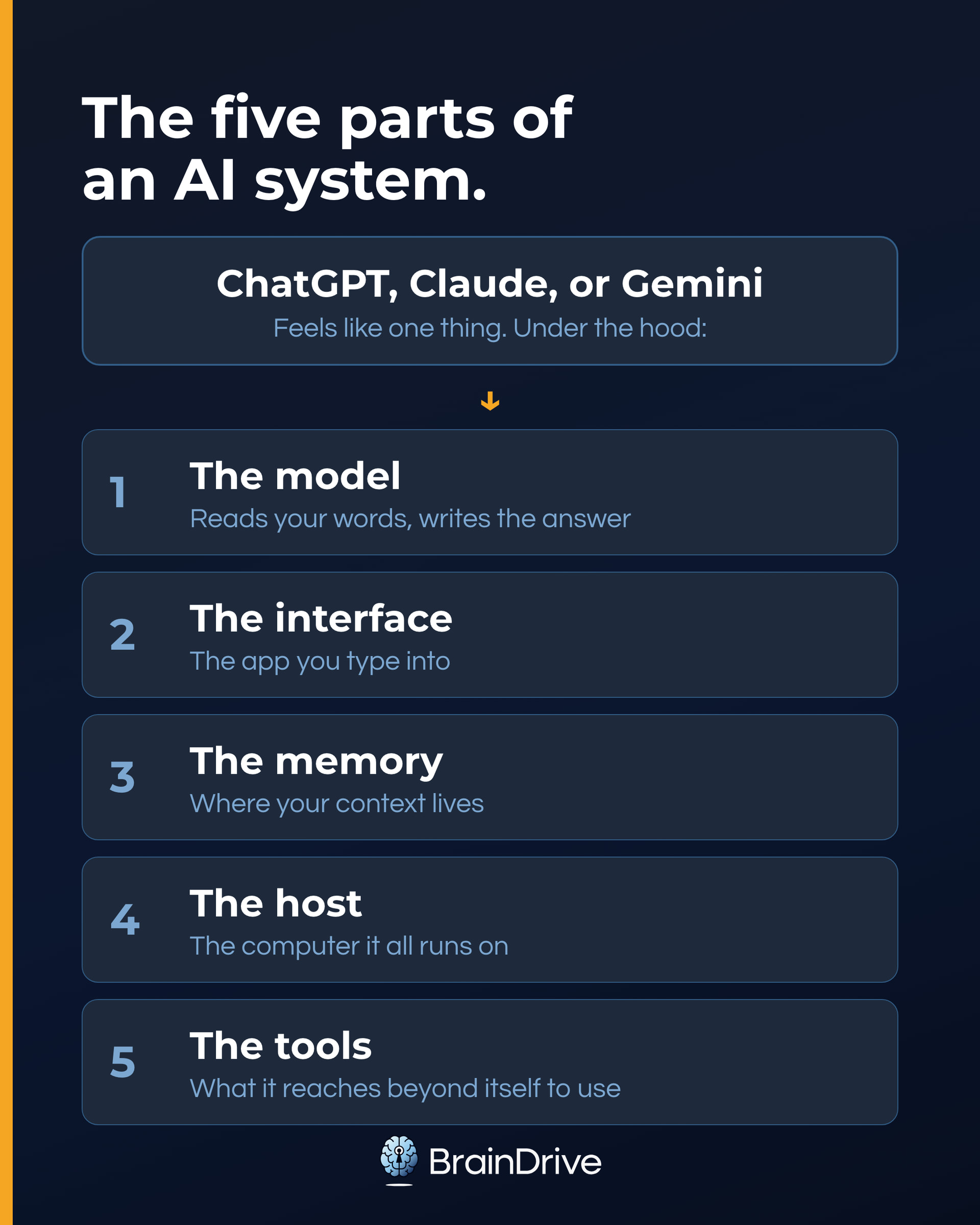
With ChatGPT, Claude, and Gemini, the first four parts come bundled from one company, which is why they feel like one thing. Because all four parts come from one company, they are governed by one privacy policy.
But the fifth part is different. When you connect your AI system to other systems so it can complete tasks on your behalf (searching the internet, sending an email, updating your project management system, etc.) you may be sharing data and building context in that system as well.
This is why tools get their own section later in this guide.
Bundled or Building Blocks
Using a system like ChatGPT where all the parts come bundled together is generally the easiest way to use AI.
But it is not the only way.
Every part is also available on its own, and systems like BrainDrive allow you to compose them in different ways:
- You can rent the model, still running on the provider’s computers, and bring your own interface.
- You can run the model on a computer you own, or inside hardware its operator can’t see into.
- You can keep the memory in your own app while the model runs in the cloud.
- You can grant tools, or not, one at a time.
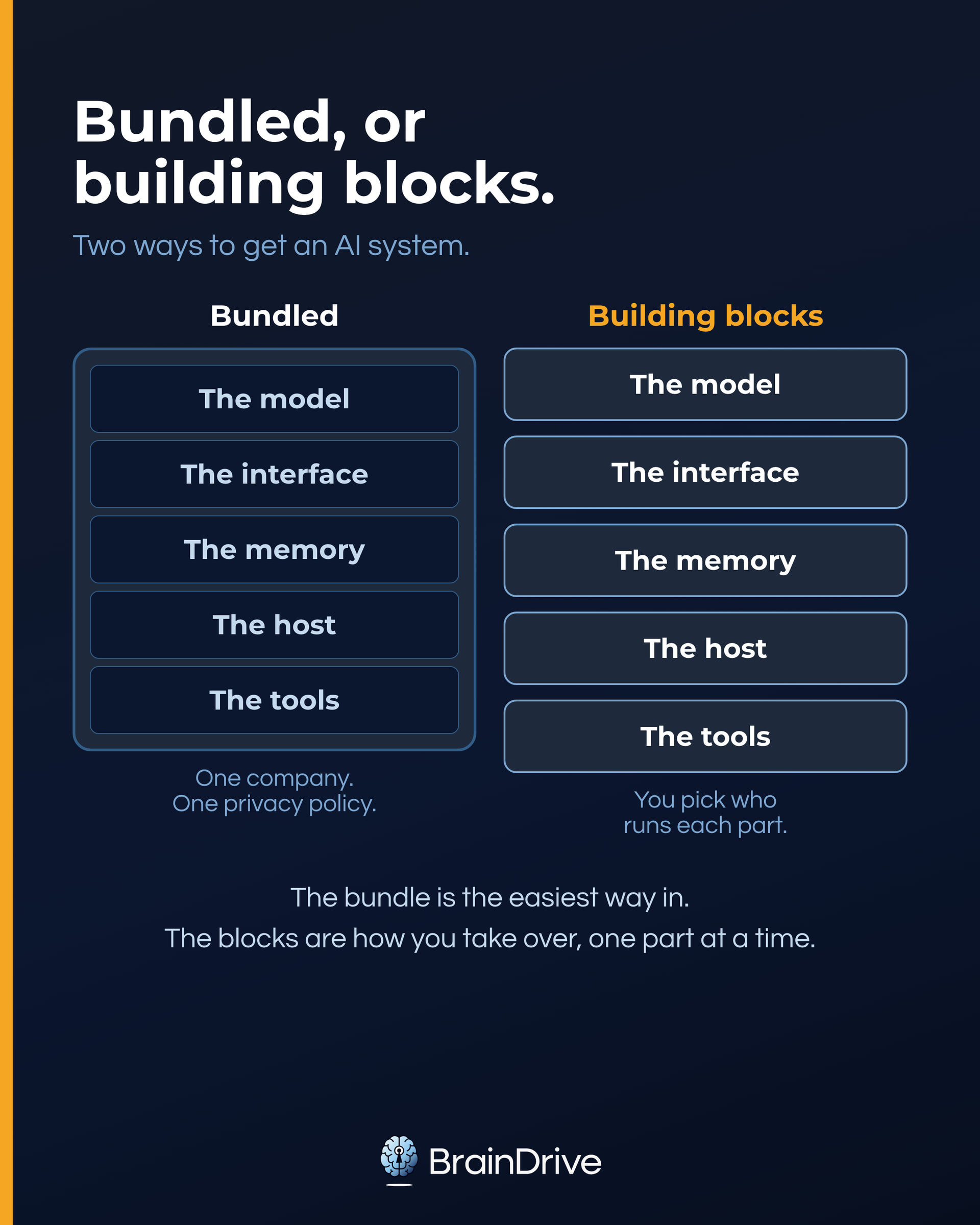
What you share can pass through several parts of the system, while your accumulated context lives mainly in memory. That is why you need to ask the two questions (what happens to what I share, and what happens to my context?) for every part, not just the model. Most of the confusing products and terms you’ll meet (APIs, aggregators, TEEs, local AI) are just different answers to who runs which part.
A system is as private as its least private part. A perfectly private model with a leaky tool is a leaky system for anything that flows through that tool. We’ll use that rule all the way down.
Local vs. Cloud
One of the first choices you will run into when researching private AI is where things run: on your own computer, or on someone else’s.
That question applies to every part of the system, and each part can answer it differently:
- The model and its host can live in a provider’s data center, in a private slice of the cloud, or on your own machine.
- The interface can be a website the provider runs, or software installed on your computer.
- The memory can sit on provider servers, in your browser, or on your own disk.
- Each tool brings its own answer: a web search is cloud by definition; a tool that reads a file on your desktop can be entirely local.
Fully local AI answers “my computer” for all of them. You download the software and model to your machine, and once installed, the system can run without an internet connection.
This means no one receives what you type, and makes local AI the strongest privacy boundary in this guide. (If you’re new to local AI, start with our Local AI for Non-Developers guide.)
While local AI is the most private, it comes with significant tradeoffs.
A model that runs comfortably on a typical personal computer will generally be slower, less capable, and missing features that polished cloud tools make easy. There is also more setup involved than just login and go.
Cloud AI runs on someone else’s computers, so it needs an internet connection. That gives you access to stronger models and useful features, but it also means another party is in the path between you and the task.
But not all cloud options are the same, and you don’t have to answer the same way for every part.
There is a big difference between using ChatGPT and running your own AI system on cloud hardware you rent. And some of the most practical setups mix their answers: an interface and memory on your machine, pointed at a model in the cloud, with tools granted one at a time.
So this is where the practical middle of the spectrum lives: settings, contracts, private cloud deployments, privacy-first services, and hardware-backed protections can each change what you are trusting and what you can verify, part by part.
The Six Positions on the Privacy Dial
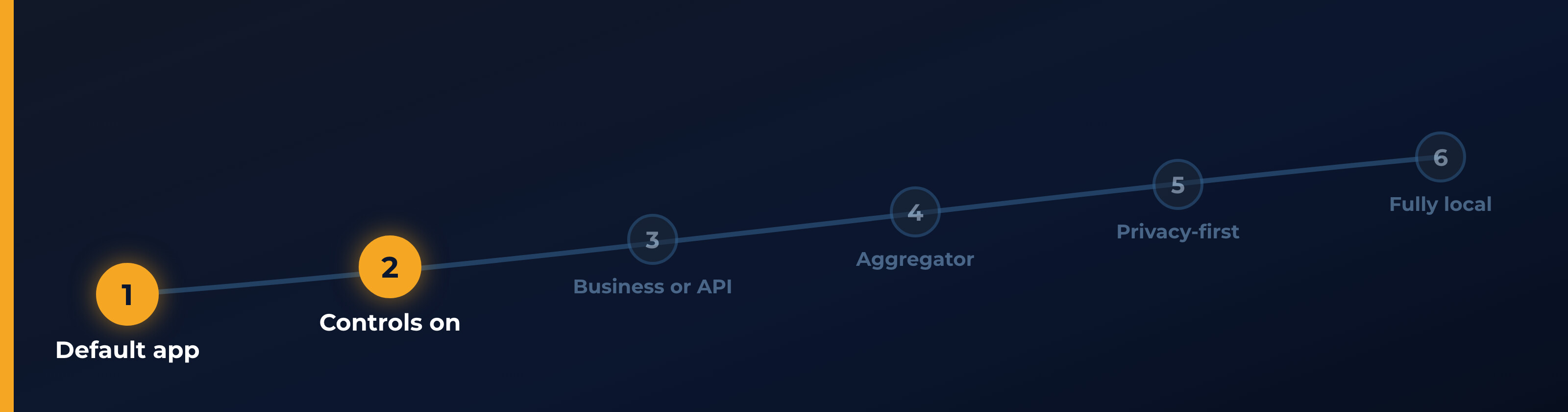
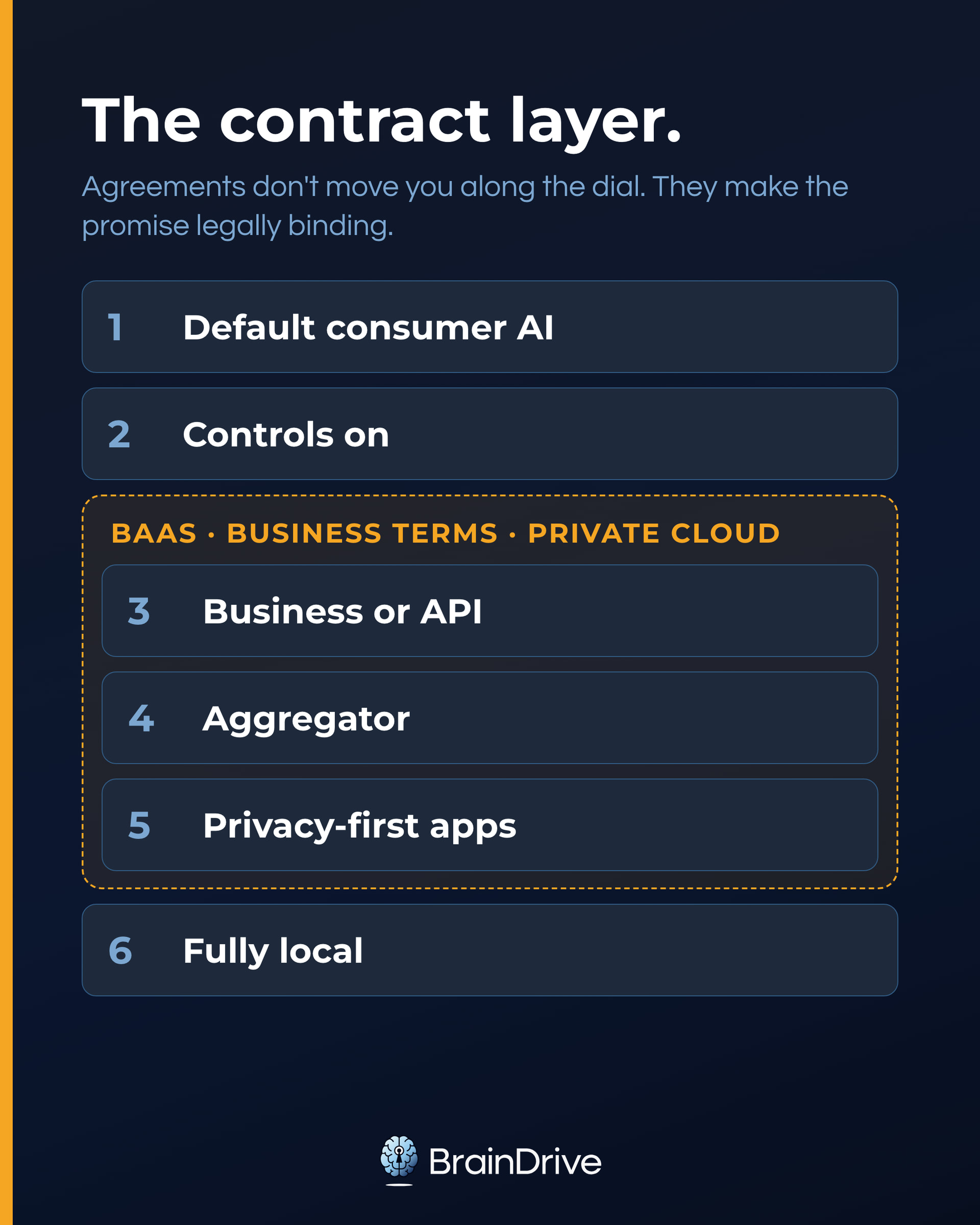
Each position on the dial is really a bundle: one particular answer to who runs the five parts.
| Position | What it looks like | What you’re trusting |
|---|---|---|
| 1. Consumer app, default settings | ChatGPT, Claude, or Gemini exactly as installed | The company’s policy, including its training defaults |
| 2. Consumer app, controls on | Training off, temporary chats, memory managed | The company’s policy and implementation, now set to your choices |
| 3. Business account or API with one provider | ChatGPT Business or Enterprise, or an API key in an app you point at one provider | One provider’s business terms, contractual and usually stricter than consumer defaults |
| 4. An aggregator in the middle | OpenRouter and similar services: one account, many models | The middleman and the provider behind it, with additional routing controls |
| 5. Privacy-first providers | Venice, Proton’s Lumo, Duck.ai | A company whose business is the privacy promise; some add verifiable hardware protections |
| 6. Fully local | The whole system runs on your computer; nothing needs to leave it | Your own device, the software you choose, and the tools you grant |
Positions 3, 4, and 5 are choices, not a strict ranking. A well-configured business account can be more private than a privacy-first app, and the reverse. Compare what each setup asks you to trust.
To place a new product on the dial, ask who keeps, looks at, and learns from your data, and which promises you can verify. Then ask where your history and memory live and who can reach them.
Moving right on the dial can buy you privacy and control. It can also cost money, setup time, speed, model quality, battery, and conveniences such as web search and memory. The goal is not to live at the far right. It is to understand the trade before you type. At position 1, the provider runs everything. By position 6, you do. The middle positions give you ways to take over parts one at a time.
One part never appears as a position on this dial: the interface. Systems like BrainDrive are not a position. They are how you set one. Point the interface at a hosted provider and you are at position 3; use an aggregator and you are at position 4; run the entire setup locally and you are at position 6. The interface can also hold your history, allowing it to follow you when you change backends.
What Actually Happens to Your Chats: Keep, Look, Learn
For any hosted AI, ask three questions:
- Keep it. How long does your chat sit on their servers? (Retention.)
- Look at it. Can employees or contractors read it? (Human review.)
- Learn from it. Does it get folded into training the next model? (Training.)
Memory is separate: it carries information across chats, and it is the fastest-growing piece of your context layer. Turning training off does not turn memory off or delete history.
Training does not store your chat like a file. It learns patterns from many conversations. But if a system learns from what you type, you do not control every future use of that input. For sensitive work, know whether that setting is on and where the off switch is.
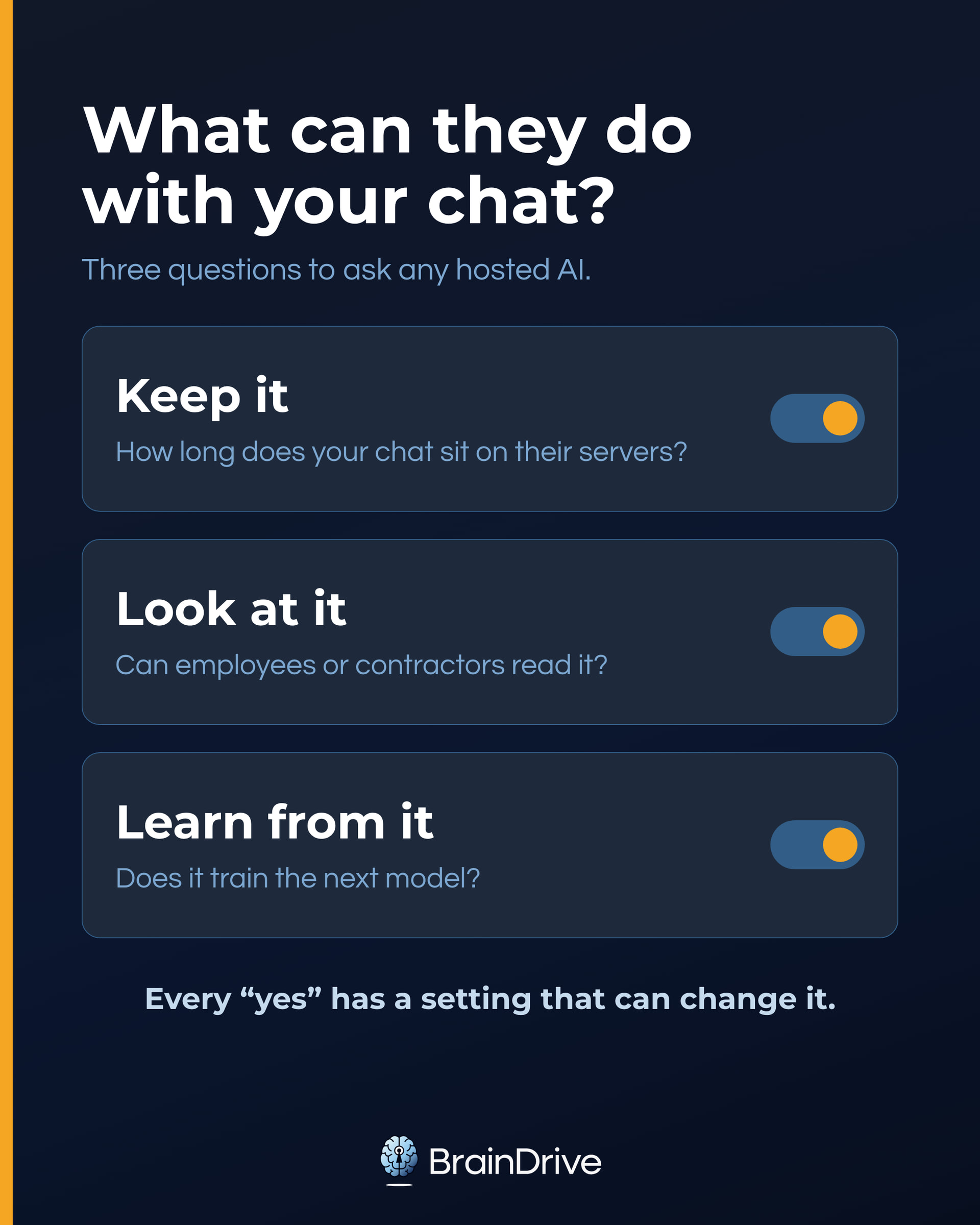
Here’s where the big three stand, on a regular consumer account, as of August 2026:
| Keep it | Look at it | Learn from it | |
|---|---|---|---|
| ChatGPT (Free/Plus) | Until you delete it; deleted chats are scheduled for permanent deletion within 30 days (with exceptions for legal holds) | Yes. Authorized staff and vetted contractors may access chats for abuse, support, legal, or model-improvement reasons; only that last one is covered by the opt-out. OpenAI’s own warning: don’t enter sensitive information you wouldn’t want reviewed | Yes, by default. Off switch: “Improve the model for everyone” |
| Claude (Free/Pro/Max) | 5 years if your training setting is on; 30 days if it’s off | Conversations flagged by safety systems can still be used for trust-and-safety purposes even with training off | Controlled by a setting you may never have opened: “Help Improve our AI models” |
| Gemini (consumer) | Auto-deletes after 18 months by default (options: 3 or 36 months, or keep forever) | Yes. A subset of chats goes to human reviewers; Google says reviewed chats are disconnected from your account first, and also that they’re kept up to 3 years even if you delete your activity | Yes. Google’s own warning: don’t enter confidential information you wouldn’t want a reviewer to see |
Each provider name above links to its own data-controls documentation. Policies and controls change; we re-verify these quarterly, and you should check the current terms before trusting any of them with sensitive work.
Two takeaways: every “yes” has a setting, mode, or account type that can change it; and “deleted” always has exceptions. OpenAI and Anthropic can retain data for safety or legal reasons, and Gemini’s human-reviewed chats can outlive deletion by up to three years. Courts can also impose preservation duties. The useful response is not panic; it is choosing the right setting or position on the dial.
The five-parts frame exposes a gap: these policies are written about your chats and the model. How the same three verbs apply to memory and files is often specified only by implication. That is one more reason to ask where your context lives.
The two questions the dial flattens
The dial combines two different questions:
- Who can see your data? That’s architecture: where the computers are and whose they are.
- What are they allowed to do with it? That’s policy: terms, promises, contracts.
They do not always move together. An aggregator adds a party that may see traffic, for example, but can also give you provider choice and per-request controls. The dial is ordered by how much of the promise you can verify rather than take on faith.
Set your dial in 30 seconds
If you want the answer before the explanation, here it is. Find the row that matches what you’re about to share:
| If you’re doing this | Set the dial here |
|---|---|
| Casual, nothing personal: recipes, travel, public-topic writing help | Positions 1 to 2. The assistant you already use, with training off and memory reviewed (five-minute checklist below) |
| Real names, real life: career moves, money questions, your own business internals | Positions 2 to 5. Controls on, plus a privacy-first app like Duck.ai for the questions you’d rather not have on any account |
| Sensitive, confidential, or regulated: health, therapy-adjacent, financial documents, other people’s data | Positions 3 or 6. A business-tier account under a signed agreement, or a fully local system on your own computer |
Those three rows are the method. The rest explains the tradeoffs and setup behind them.
Positions 1 and 2: ChatGPT, Claude, and Gemini Privacy Settings
This is the highest-value five minutes in AI privacy: no new tools, no new accounts, only settings that already exist. The useful part is knowing what each setting does and what it does not cover. Work through this checklist, current as of August 2026:
1. ChatGPT: turn off training. Profile icon → Settings → Data Controls → turn off “Improve the model for everyone.” (OpenAI’s data-controls doc.) Account-wide, reversible anytime.
What it doesn’t cover: your chats are still kept until you delete them, and the toggle doesn’t limit access for abuse, support, or legal reasons; it only closes the model-improvement door.
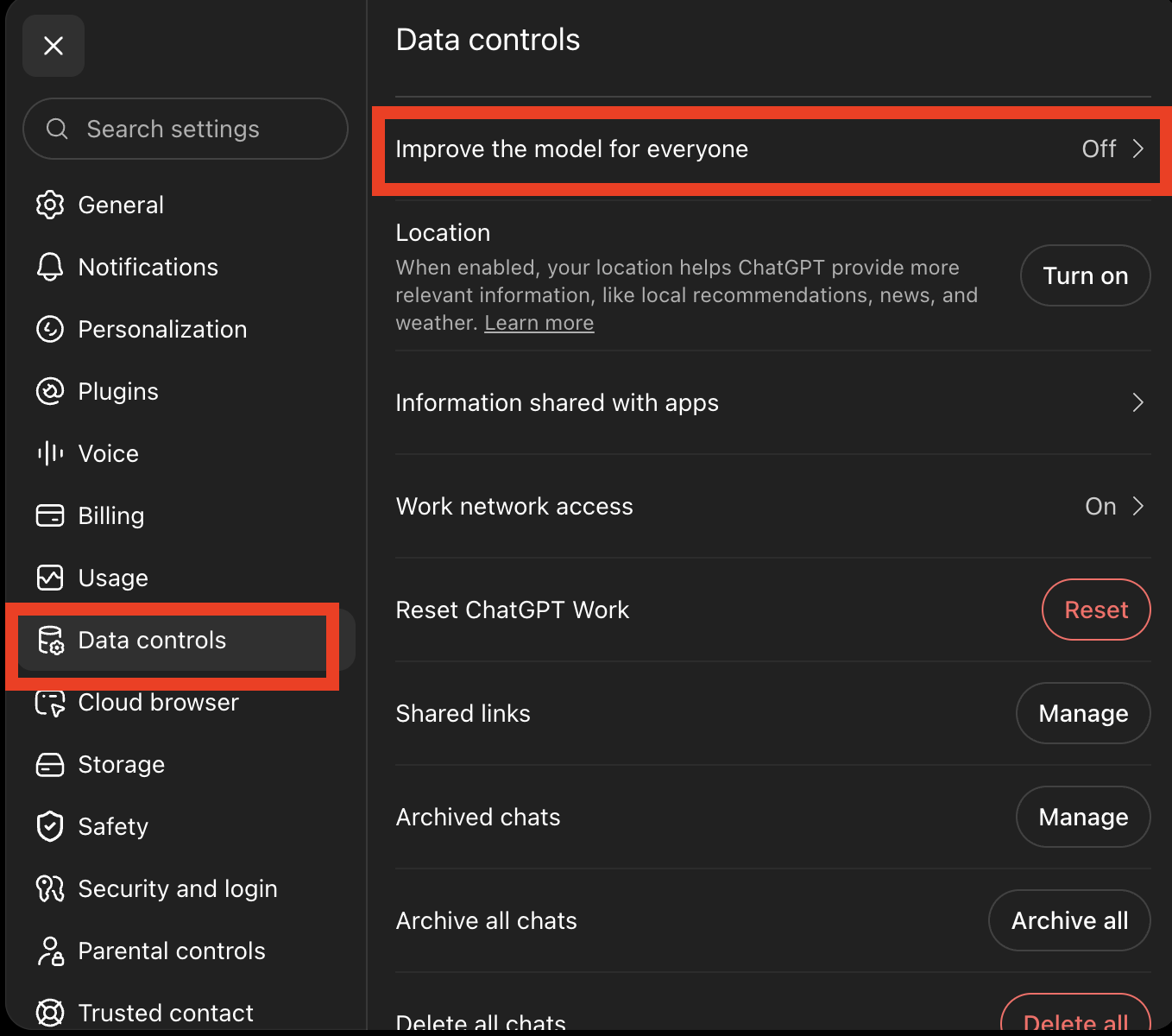
ChatGPT’s Data Controls screen. Captured August 2026.
2. ChatGPT: use Temporary Chat for one-off sensitive questions. This is the feature people are looking for when they search “ChatGPT incognito mode.” A Temporary Chat doesn’t appear in your history, doesn’t get saved to memory, and isn’t used for training; OpenAI may keep a copy up to 30 days for safety, then it’s gone.
What it doesn’t cover: it still follows your custom instructions, so it’s not a completely blank slate.
3. ChatGPT: review memory. Memory is no longer a simple list of saved facts; it’s a running synthesis of your chats, and OpenAI’s own docs note the summary you can see “will not include everything that ChatGPT remembers.” Settings → Personalization → Memory, where “Delete and turn off memory” does both at once.
What it doesn’t cover: turning memory off doesn’t delete past chats, and re-enabling it later can rebuild from any chats still in your history. Full erasure means deleting the sources too.
The catch nobody expects: feedback is consent. Give a thumbs-up or thumbs-down on a response, and that conversation can be used for training even with the training toggle off. If you’ve opted out, stop rating responses.
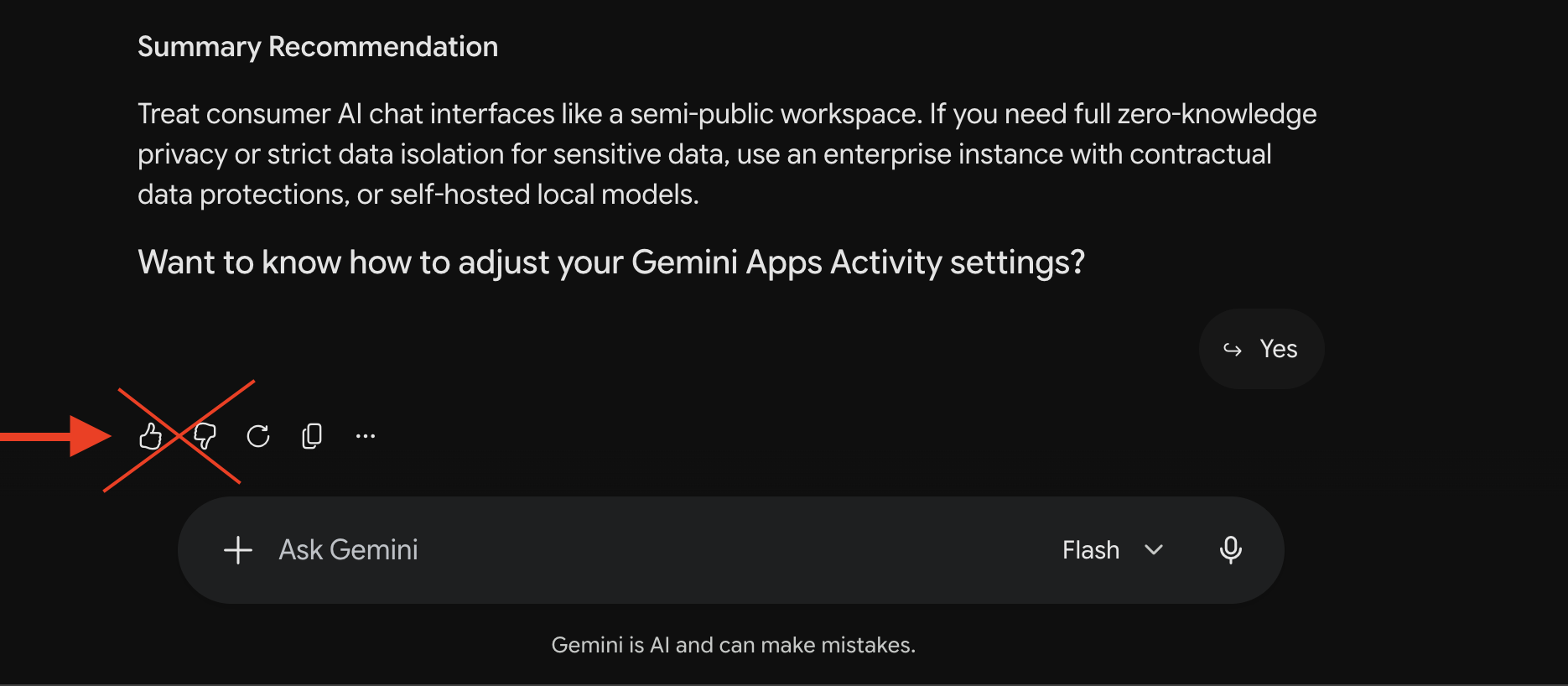
The thumbs to skip. Gemini shown; the same applies in ChatGPT. Captured August 2026.
4. Claude: check your training setting. Anthropic doesn’t publish what this defaults to, so don’t assume; go look. Settings → Privacy → “Help Improve our AI models” (Anthropic’s privacy settings doc). Your answer matters more here than anywhere: training on means chats retained up to 5 years; off means 30 days.
What it doesn’t cover: conversations flagged by safety systems can still be used for trust-and-safety purposes, and data already in trained models stays there.
5. Gemini: tighten “Keep Activity.” In Gemini’s settings, the Keep Activity control defaults to auto-deleting after 18 months; you can set 3 months, or turn it off entirely. Off is the closest thing to a training opt-out consumer Gemini offers: chats are then held 72 hours and aren’t used for training unless you submit feedback (Google’s Gemini privacy hub).
What it doesn’t cover: the human-review pipeline. Reviewed chats are kept up to 3 years even if you delete your activity, and there is no zero-retention setting on consumer Gemini. For genuinely sensitive topics, Google’s own docs point you to the answer: use a different position on the dial.
Finish that checklist and you have moved from position 1 to position 2. It takes about five minutes. You still trust the provider to honor its controls.
Coming soon: the companion guide “Is ChatGPT Private? (And Claude, and Gemini)” goes setting by setting with every screenshot.
Position 3: Consumer Apps vs. the API (Why Business AI Privacy Is Stricter)
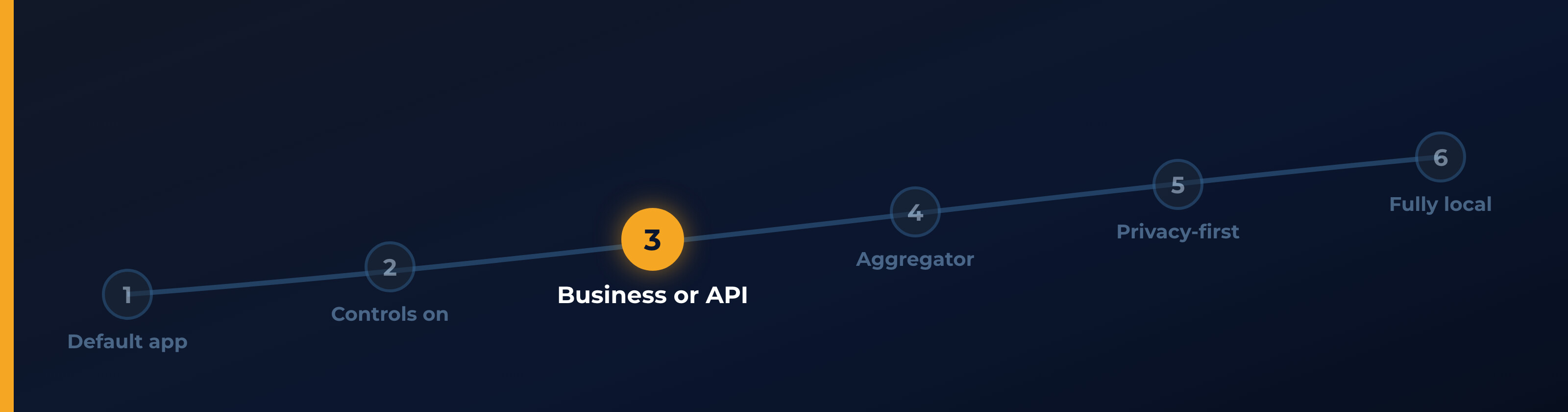
Major AI companies use one privacy regime for consumer apps and another for business and API traffic. The business regime is usually stricter.
An API lets another app connect to a model directly instead of using the provider’s consumer chat app. In five-parts terms, an API rents the model and its host: the model still runs on the provider’s computers, now under business terms, while you bring your own interface and decide where your memory lives. You do not need to be a programmer to benefit; you need an app that accepts your API key.
As of August 2026, OpenAI does not train on API or ChatGPT Business/Enterprise data by default. Anthropic’s commercial terms say it may not train on Customer Content, except for a narrow opt-in partner program. Google does not train on paid Workspace data without customer permission. These protections are contractual, so confirm the plan that actually governs your account.
API access is pay-per-use and can cost less than a subscription for light use. The trade: you may give up the polished consumer app, traffic is typically retained for up to 30 days for abuse monitoring, and you need an interface. Systems like BrainDrive can use your own key.
An app connected to a provider’s API adds a party. The API itself is stateless: it carries no memory between requests. So your context lives on your side of the connection, usually with the interface. The provider’s terms may be strict, but a hosted interface can still store prompts, history, or account data under its own policy. Ask where your history lives and who can access it. Software you run yourself gives the clearest answer: your machine.
Two cautions while we’re here:
- Work accounts flip the regime against you. On managed ChatGPT accounts, OpenAI states plainly that your administrator may be able to access, export, and delete your conversations, and Google Workspace gives admins Gemini audit logs. The privacy story on a work account belongs to your employer. Keep your personal life on your personal account.
- The business protections follow the license, not the email address. A work-looking Google account without a qualifying Workspace edition doesn’t get the no-training commitment. If the protection matters, confirm the plan, don’t infer it from the logo.
Where BrainDrive fits (and where it doesn’t)
BrainDrive is the open-source AI interface we’re building. It supplies the interface and memory while letting you choose the model and where the pieces run. BrainDrive gives you the freedom to set your privacy dial wherever you want it: fully local for the strongest boundary, a hosted provider or aggregator when a task needs more power, tools granted one at a time. Because the interface and memory stay yours, changing positions doesn’t mean starting over in a new app. The privacy still comes from your choices, not from BrainDrive itself: where your information goes depends on where each part runs and which tools you enable.
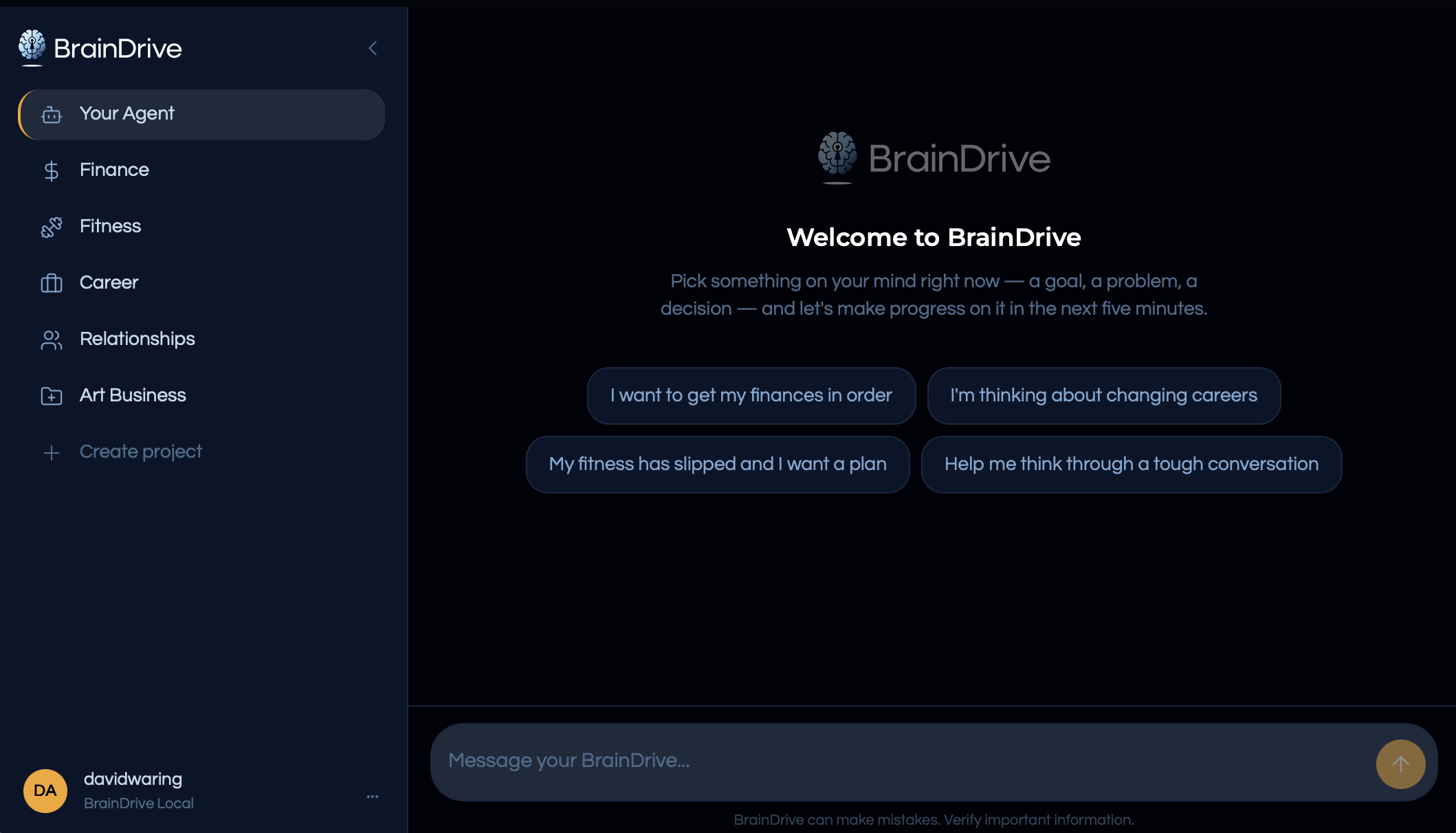
BrainDrive: the interface and memory stay yours; the backend is your choice. This one is running local. Captured August 2026.
Position 4: OpenRouter and AI Aggregators
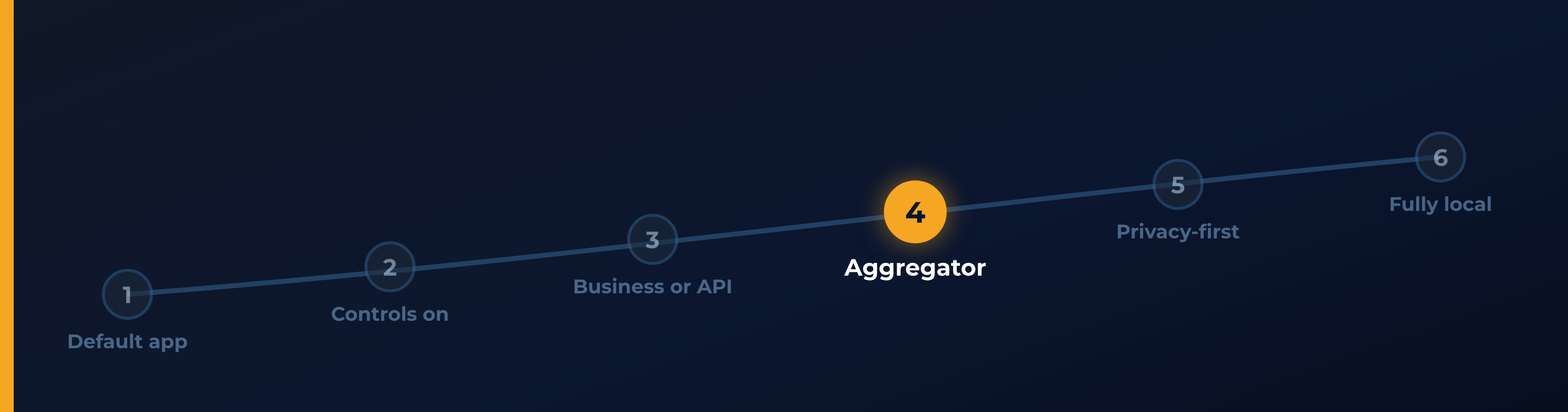
Services like OpenRouter sit between you and many model providers. That adds a party to the data path. As of August 2026, OpenRouter’s documentation says:
- OpenRouter does not store your prompts or responses unless you opt in (it keeps usage records like token counts), and it doesn’t train on your traffic.
- But your prompt still travels on to whichever provider serves the request, and some of those providers may store or train on it. OpenRouter says this plainly: it doesn’t control how downstream providers handle your inputs.
- In exchange, you get controls no single provider offers: an account-wide setting that refuses to route your requests to providers that train on data, and a zero-data-retention mode that routes only to endpoints (the specific servers answering your request) that don’t retain your prompts. Two footnotes worth knowing: short-lived in-memory caching is still permitted under that mode, and it doesn’t extend to plugins or tools, which carry their own policies.
The trade is direct: an aggregator adds a party, but gives you provider choice and per-request controls. Default routing can allow data-collecting providers. If you use one, turn off routing to providers that train and use its strictest retention mode when the task calls for it.
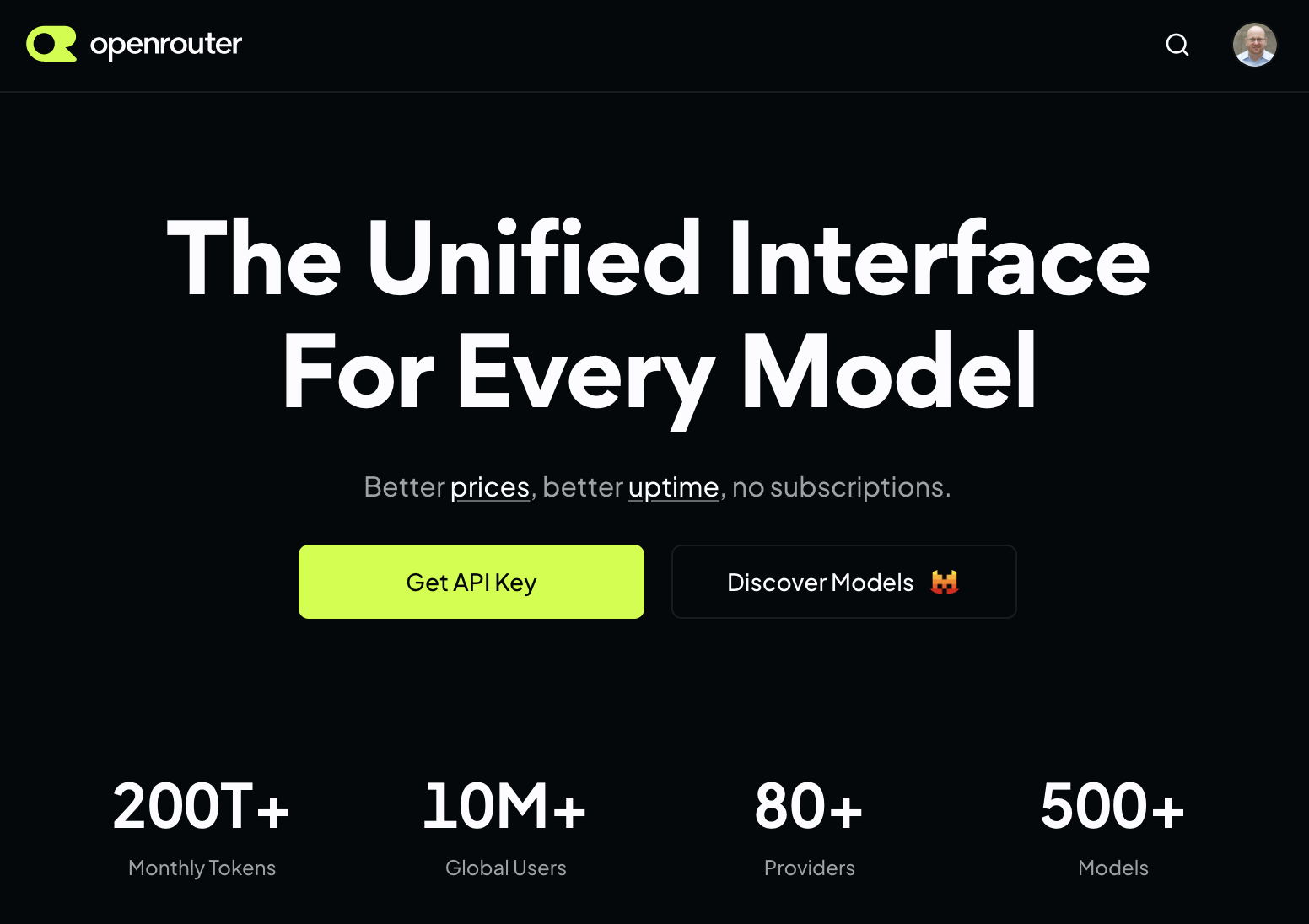
OpenRouter: one account, hundreds of models across dozens of providers. Captured August 2026.
Coming soon: OpenRouter and AI Aggregators: What One More Middleman Means for Your Privacy.
Position 5: The Most Private Cloud AI Chatbots (Venice, Lumo, Duck.ai)
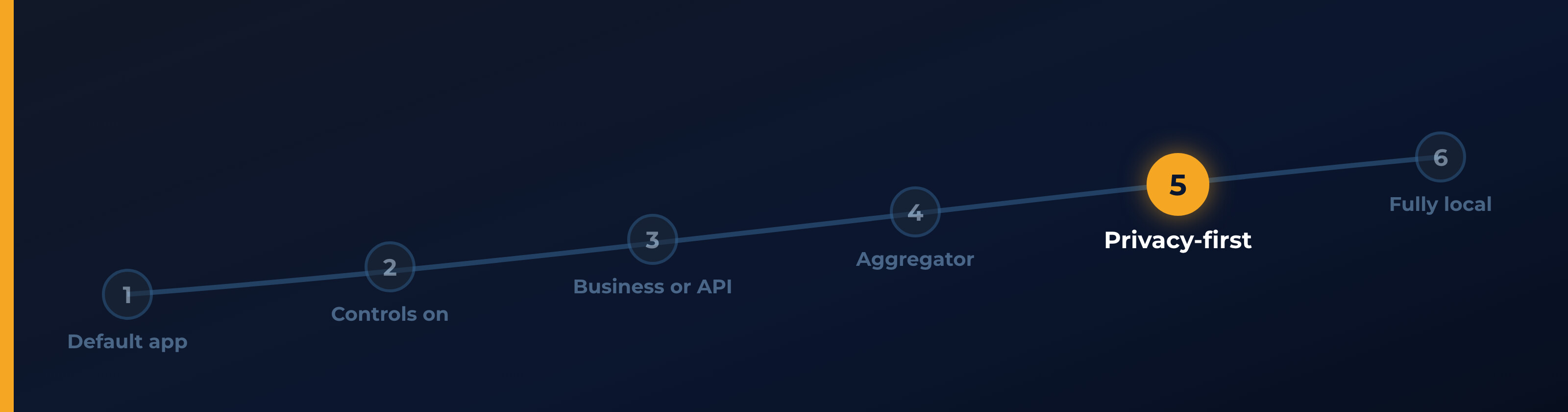
A wave of services now sells privacy as the product: Venice, Proton’s Lumo, and DuckDuckGo’s Duck.ai. As of August 2026, all three say they do not train on conversations in their own infrastructure and make no-logs or zero-retention commitments. They differ in how they protect you while the AI answers and what they keep afterward.
- Duck.ai strips your IP address before forwarding a request, so the model provider sees DuckDuckGo rather than you. Its contracts also forbid providers from training on that traffic.
- Venice keeps chat history in your browser. It offers four privacy modes, ranging from identity-hiding access to frontier models through contract-enforced zero retention and hardware-protected modes.
- Lumo protects saved chats with zero-access encryption, so Proton cannot read your stored history. Its server still sees the decrypted message while answering it.
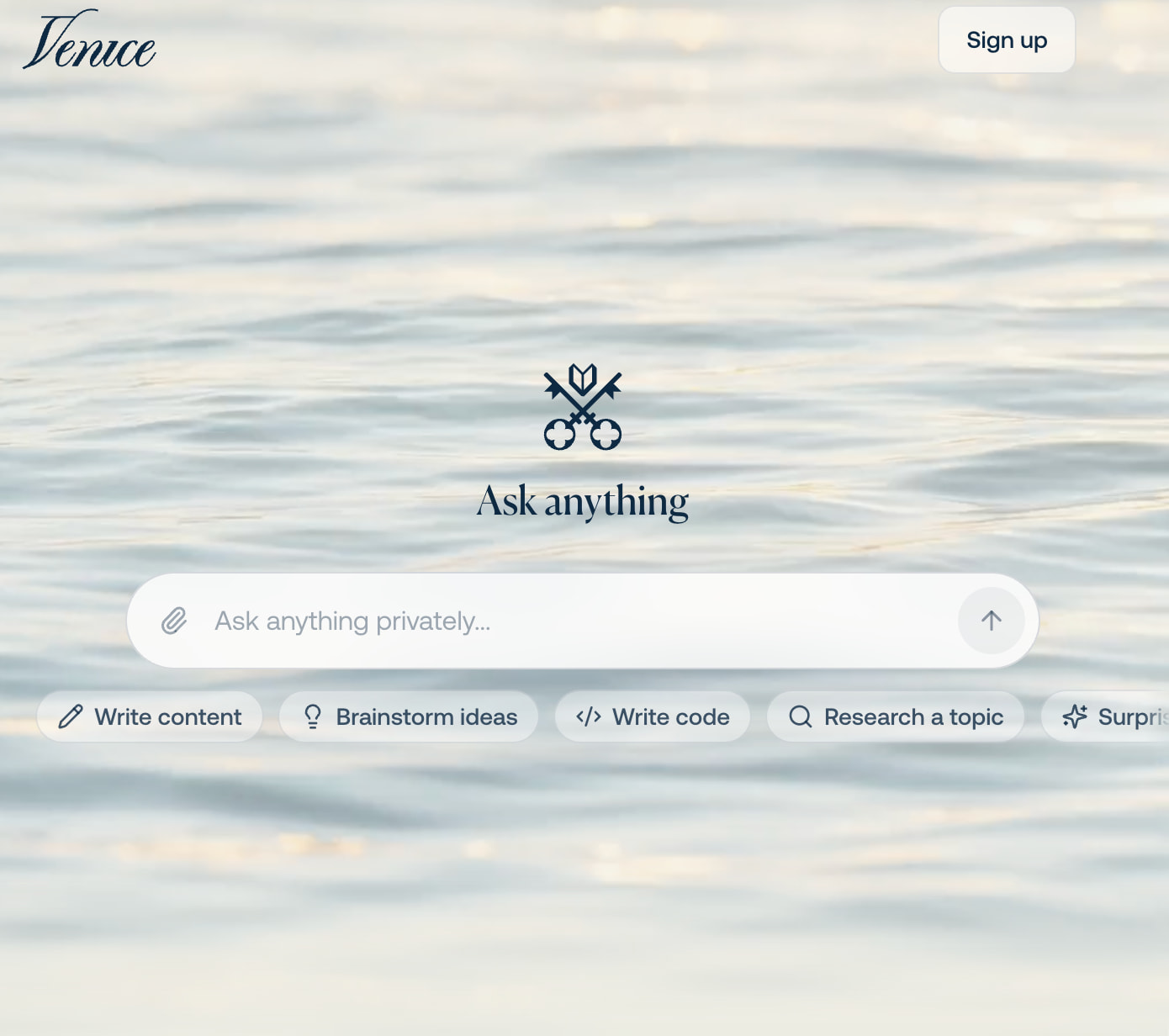
Venice: privacy as the product, starting with the prompt box. Captured August 2026.
That leads to the question to ask any privacy service: what happens at the moment the AI answers you? Someone’s computer has to process your sentence. Who can see it, and what forces them to forget it?
- For most services, the answer is a contract. You trust the provider to process your request and keep its promise not to retain or train on it.
- Some models on Venice and Duck.ai add hardware. They run inside a trusted execution environment (TEE): a locked room inside the processor designed to keep the server operator from seeing in. An “attestation” lets outsiders check what software is running inside that room.
A promise-based service shifts your trust to someone with better incentives. A TEE makes part of that promise checkable. It does not eliminate trust. You still rely on the chip maker and the software being attested, but fewer parties can see the request.
The stronger boundary costs features. Venice’s fully encrypted mode disables web search and memory because those features need to read your words outside the locked room. Privacy and capability trade against each other all along the dial. You choose the trade per task.
| Who forgets your data | Enforced by | |
|---|---|---|
| Big-provider consumer app, training off | The provider | Policy |
| Duck.ai / Venice (Private mode) / Lumo | The provider, who also can’t tie it to you (Duck.ai) or read your stored history (Lumo) | Contract + architecture |
| TEE-backed hosted setups (Duck.ai via Tinfoil, Venice TEE mode) | The operator, to a hardware-backed level of assurance | Hardware + attestation |
| Fully local | Nobody to forget it | Physics |
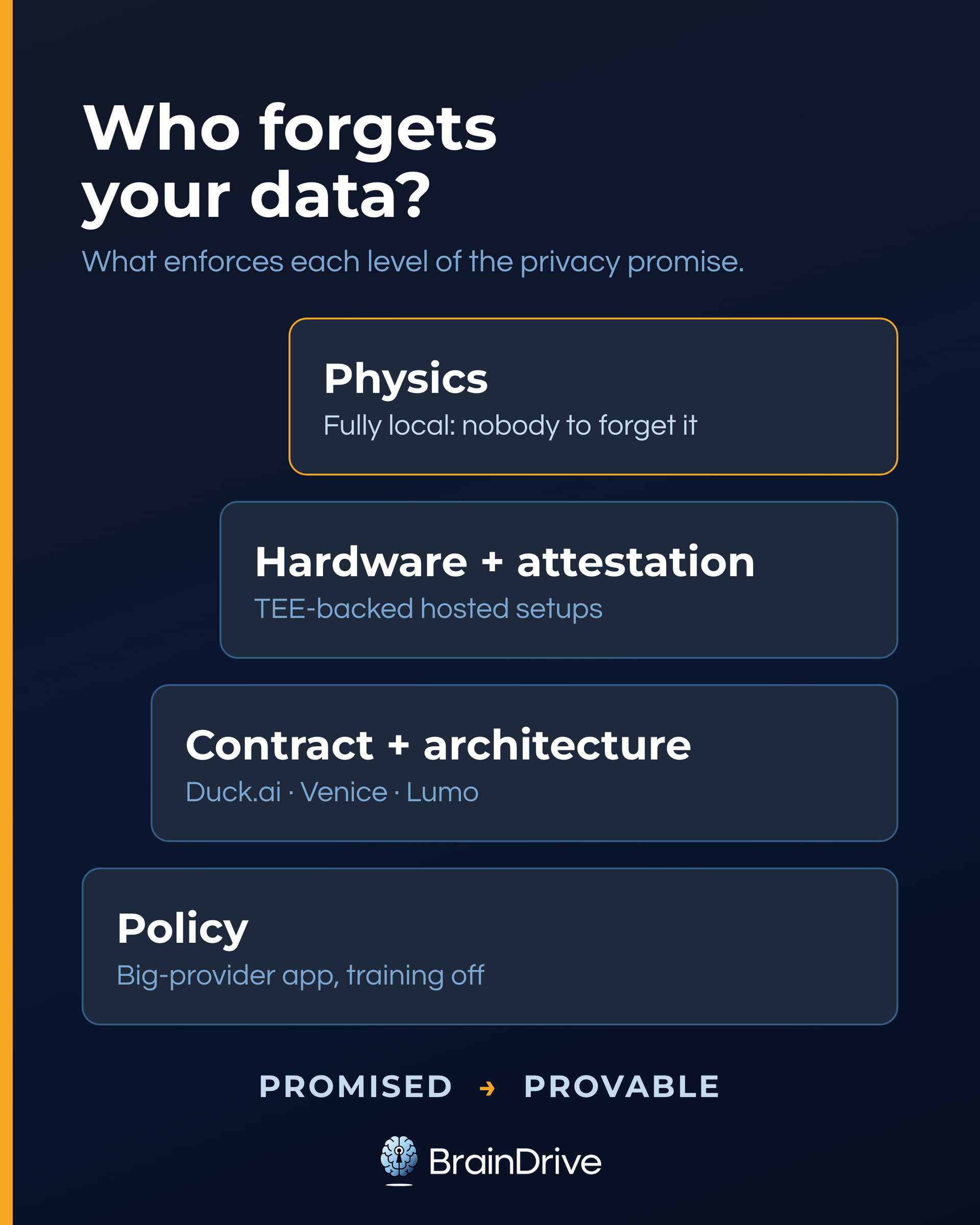
Which one, for you? Duck.ai is the easy pick for a casual sensitive question: no account, IP stripped, nothing to configure. Lumo fits a private thread you want to save. Venice offers the strongest hosted modes on this list at the cost of features. All three remain companies whose policies can change, which is the enduring advantage of position 6.
Coming soon: The Most Private AI Chatbots, Compared, and the explainer on what “no logs,” TEEs, and zero data retention actually guarantee.
Position 6: Fully Local AI, Private by Architecture
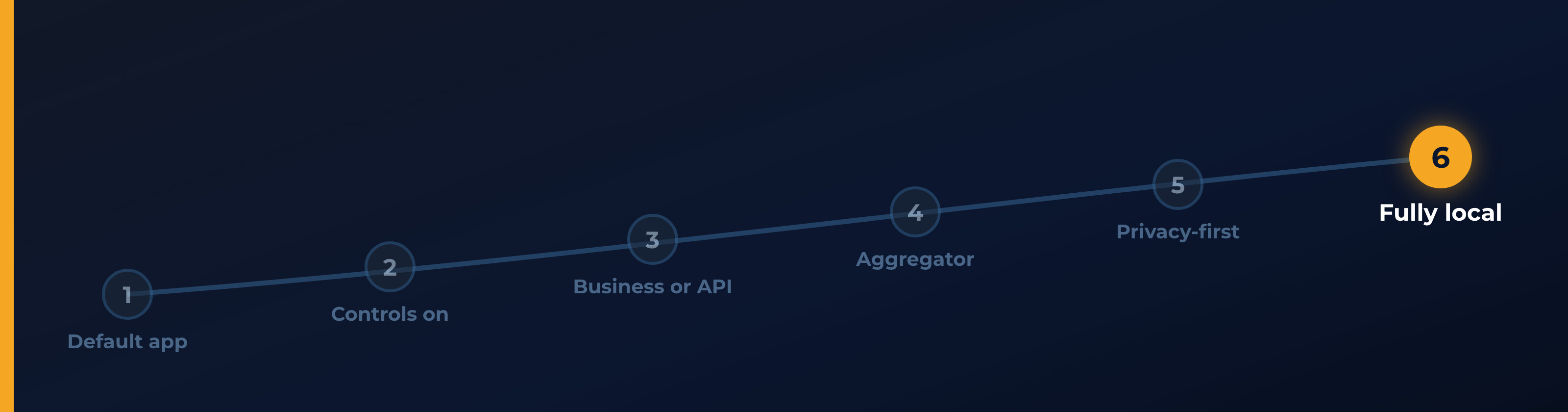
At the far right of the dial, the whole system runs on your computer, model included. No model provider receives what you type. You can test that boundary: turn off Wi-Fi and keep chatting. And local answers the context question completely: your history, memory, and files live on your machine. They’re as safe as your machine is, which makes ordinary device security (your passcode, disk encryption, and where your backups go) part of your AI privacy. In five-parts terms, this is the position where you run all five parts yourself.
A close cousin: self-hosting in the cloud. You can run this same setup (your model, your interface, your memory) on a server or GPU you rent from a cloud provider, instead of hardware you own. People do it for stronger hardware than their laptop, reachable from anywhere. In five-parts terms, you still run everything yourself; only the host changes. That swap has a real cost: the hosting company can technically access its own machines, so you’re trusting its terms and security instead of nobody. No AI vendor sees your data and nothing is used for training, but it’s a notch left of true position 6. (This is different from the private cloud deployments in the HIPAA section below; there you rent the model managed inside your tenant, here you bring your own.)
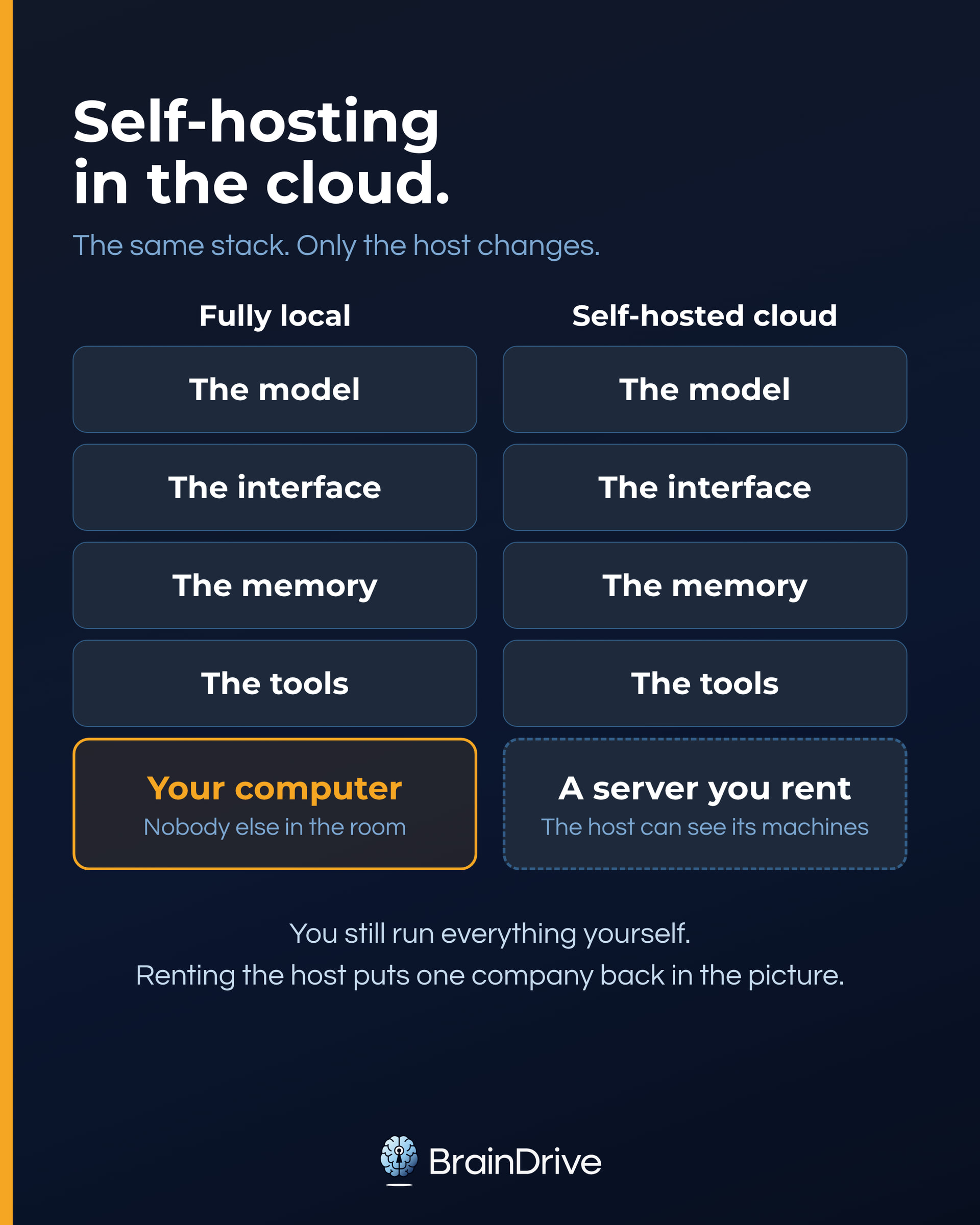
The boundary needs precision. A local model prevents the model provider from receiving your prompt. It does not prove that every surrounding tool is offline. Update checks, crash reports, analytics, cloud backups, web search, and plugins can make their own network calls. Check those separately. “The model is local” and “nothing on this computer connects anywhere” are different claims, and the next section is about exactly that difference.
The tradeoff is capability. A laptop model may not match the strongest cloud model, but it is often good at drafting, summarizing, brainstorming, and answering questions about your documents. For health questions, finances, or a journal, that can be the better trade.
What does running all five parts yourself actually look like? If you’re a developer, you can pull the pieces together on your own: a model runner, an interface, somewhere for your history to live. If that’s not you, this is where systems like BrainDrive come in: the same building blocks, assembled into something you install and own.
We won’t repeat the how-to here, because we’ve already written it:
- Local AI for Non-Developers: The Complete 2026 Guide takes you from zero to chatting with a model like Gemma on the computer you already own. No technical background needed.
- Can Your Computer Run Local AI? (And How to Check) answers the first question everyone asks, and our free readiness checker answers it from your actual specs (nothing you type leaves your browser).
- How to Choose a Local AI Model for Your Computer walks you through picking a model that fits your machine and your task, including what terms like quantization and GGUF actually mean.
If you want the strongest privacy boundary, this is the path.
Agents, Tools, and Connected Apps: The Part That Phones Out
Everything so far focused on how your information moves through the AI system to the model that answers. Tools create additional paths outward: web search, connected email, calendars and drives, file plugins, and agents that take actions on your behalf. Remember from the five parts: tools connect your AI system to other systems, frequently run by companies that never appeared in anything you signed up for.
Here’s the least-private-part rule from the top of this guide doing its real work: each tool is its own data path, with its own privacy answer. The dial position of your chat does not extend to a tool call. When your assistant searches the web, the search provider sees the query. When it reads your inbox, your email is now part of your context. When an agent books, buys, or posts for you, it is sending your data out by design.
The trap to see coming: you can run a completely local AI system for everything else and still ship your data out through one cloud-based tool. A position 6 chat with a position 1 tool is a position 1 system for everything that tool touches. This isn’t hypothetical. Venice’s strongest mode disables web search and memory precisely because those features have to read your words outside the locked room. OpenRouter’s zero-data-retention mode doesn’t extend to plugins, which carry their own policies. The vendors who take privacy most seriously are telling you, in their own designs, that tools are where the boundary leaks.
Connected apps raise the stakes in both directions. A tool that reads (your email, your files, your calendar) grows your context faster than any conversation. A tool that acts sends data out on a schedule you don’t watch. Granting a connection is not a one-time answer to one question; it’s a standing one.
So audit the fifth part the way you audited the settings:
- List what your assistant can reach. Connected apps, enabled plugins, agent permissions. Every assistant has this screen; most people have never opened it.
- For each connection, ask the same three verbs you asked of the provider: who keeps what it sees, who can look, does anyone learn from it, and where does that tool run?
- Match the tool to the task’s bucket, not the chat’s. If the conversation is sensitive enough to move right on the dial, turn the tools off for that conversation. Every serious privacy mode already does.
The habit is one sentence: if you wouldn’t paste it into a tool, don’t connect that tool to it.
When the Law Sets Your Dial: HIPAA, BAAs, and Other People’s Data
(Run a business? This section is for you. If not, skip ahead to Set Your Dial with a clear conscience.)
The moment AI use touches other people’s data (clients, patients, customers, or employees), the dial is no longer just a preference. This is orientation, not legal advice.
The rule to remember: no AI tool is “HIPAA compliant.” Organizations are, through their use of a tool and their agreements. There is no HHS-recognized HIPAA certification for software. The key agreement is a Business Associate Agreement (BAA), in which a provider accepts responsibility for safeguarding protected health information. No BAA, no PHI in the tool.
The pattern will look familiar, because it’s position 3’s two-regime split with legal teeth (all as of August 2026, per vendor docs):
- Consumer accounts are never covered. Not ChatGPT Free or Plus, not Claude Free/Pro/Max, not consumer Gemini. OpenAI doesn’t offer a BAA even for ChatGPT Business.
- The covered doors are specific, and they don’t match each other. OpenAI’s BAA-eligible products run through its API in a modified-retention configuration plus certain sales-managed Enterprise and healthcare products. Anthropic’s BAA covers its first-party API and Enterprise plan, and its covered models require 30-day retention rather than zero retention, roughly the inverse of OpenAI’s posture. Google’s Workspace BAA now includes the Gemini app and Gemini in Workspace (not Gemini in Chrome). The lists are narrow and they move; checking the current one is part of doing this properly.
- Private cloud is the heavy-duty version. Azure’s Foundry Models (formerly Azure OpenAI) and AWS Bedrock let a business run frontier models inside its own cloud tenant: a walled-off slice of the cloud that is contractually theirs. Prompts stay in the chosen region, remain hidden from other customers, and are not used to train foundation models without permission.
- The exact model still matters. On Bedrock as of August 2026, some newer models require the customer to opt in to sharing prompts with the model provider. Those models are excluded from Bedrock’s HIPAA-eligible list. Strong privacy and frontier models can coexist, but the buyer must verify the specific service, model, and agreement.
- Fully local sidesteps the vendor-disclosure question. For a solo practitioner, client data processed on your own machine is never disclosed to any AI vendor at all. You still owe your profession’s confidentiality and security duties; there’s just no third party in the room.
For attorneys: the ABA’s Formal Opinion 512 says a lawyer needs informed client consent before entering case information into self-learning AI; boilerplate engagement-letter consent is not enough. A training toggle does not replace that consent, and your own bar’s guidance controls. A fully local model that doesn’t learn from your inputs sits outside that trigger, though the duties of competence and confidentiality still apply.
For a small business: keep consumer AI for personal curiosity. Other people’s data starts at position 3 with a business-tier account and signed agreement, or position 6 with local processing. If HIPAA or privilege applies, ask a professional, not a settings menu.
Set Your Dial: Which AI to Use for What
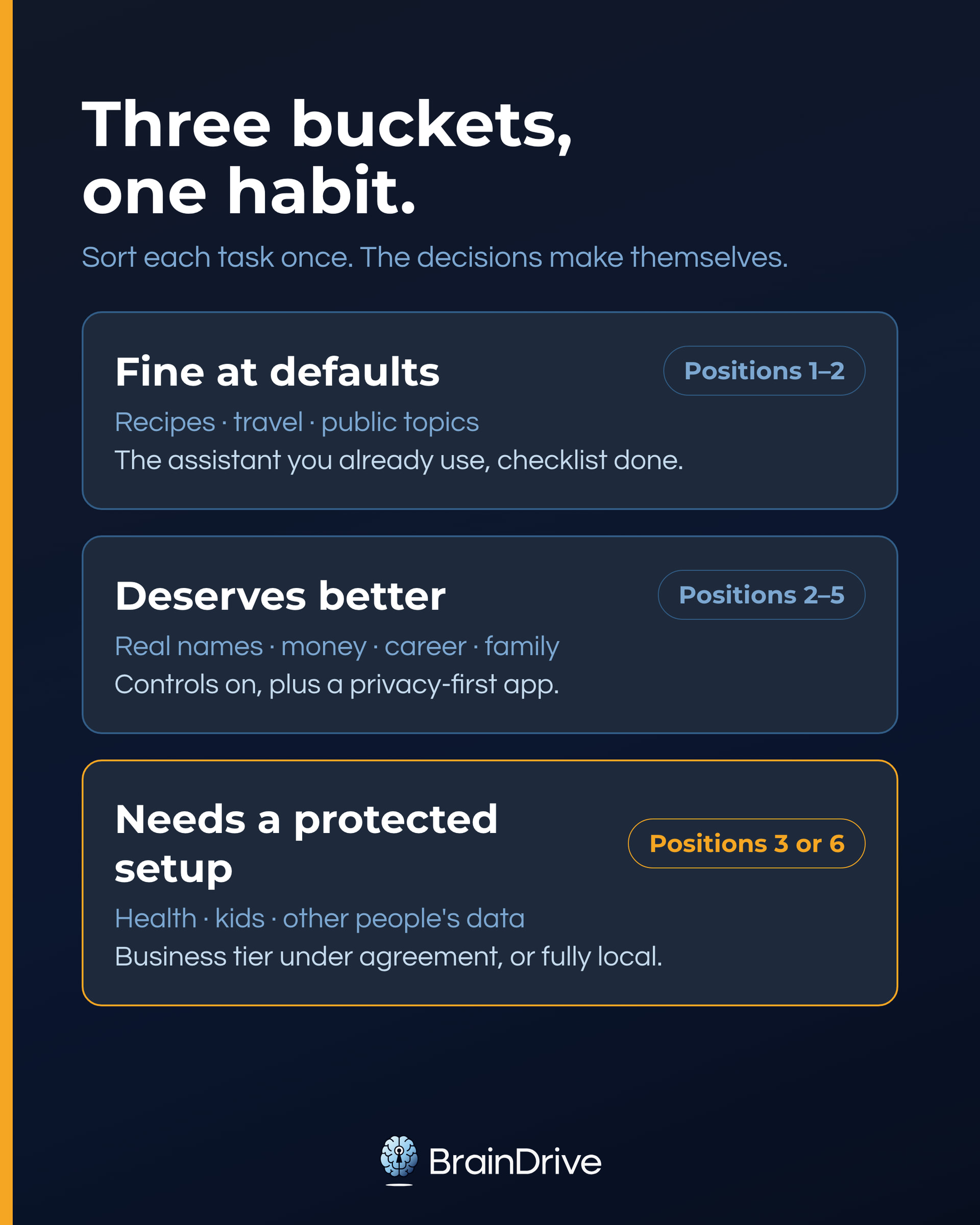
Now the payoff. Sort your AI use into three buckets, once, and the decisions make themselves afterward.
Bucket 1: Fine at defaults (positions 1–2). Nothing personally identifying, nothing you’d mind a stranger reading: recipe ideas, travel plans, writing help on public topics. Realistically, most of your usage. Default setup: the assistant you already use, with the five-minute checklist from earlier done.
Bucket 2: Deserves better than defaults. Real names and real life: career decisions, money questions, family situations, your business’s internals when the data is yours. Default setup: your main assistant with controls on, plus Duck.ai for the questions you’d rather not have on any account. Upgrade when you’re ready: an interface pointed at API-side traffic (position 3), or one of the position-5 providers as your second app.
Bucket 3: Needs a protected setup. Health records, therapy-adjacent conversations, financial documents, anything about your kids, and other people’s confidential data. For your own highly sensitive information, default to a fully local setup (position 6). For professional work involving other people’s data, use an organization-approved business tier under the right agreement or process it locally. If typing it into a default chatbot would make your stomach drop, trust your stomach; it is doing the sensitivity classification for you.
The buckets don’t have to mean three separate apps. Systems like BrainDrive let you serve all three from one interface: switch the model and tools to match the task’s bucket, while your history and memory stay in one place.
A note on cost, since the dial sounds expensive and isn’t: positions 1 and 2 are free, API access is pay-per-use (often cheaper than a subscription for light use), the position-5 providers all have free tiers, and local AI is free software on hardware you may already own.
Two habits complete the system:
- Decide per task, not per era. Treat the dial as a glance, not a lifestyle: “what am I about to share, which bucket, which tool?” After a week it’s automatic.
- Re-check yearly. Policies churn. Every dated claim in this guide was verified against vendor documents in August 2026, and we re-verify this page quarterly. Give your own setup at least a yearly check.
What not to put into any AI tool
Whatever your position on the dial, this list earns a permanent spot on it. Never paste:
- Passwords or recovery codes
- Full financial account numbers
- Government ID numbers
- Other people’s private information without their knowledge
- Anything your employer would classify as confidential (on any account)
Not because every tool leaks, but because none of these ever needs to be in a prompt to get the answer you want. The best privacy control is the sentence you didn’t type.
Frequently Asked Questions
(All answers as of August 2026.)
Can people see your ChatGPT chats?
Not other people using ChatGPT; your conversations aren’t visible to them. The real access list is: OpenAI itself (per the three verbs above), a workspace admin if you’re on a managed account, and, in rare cases, a court.
Can my employer see my ChatGPT history?
On your personal account, no. On an employer-managed account, treat the answer as yes: OpenAI states that administrators of managed accounts may be able to access, export, and delete conversations, and the same logic applies to Gemini on Workspace. Personal life, personal account.
Is paid ChatGPT private?
Plus: no more than Free; the same consumer policies apply, so the toggles matter, not the price. Business and Enterprise: meaningfully more private, with no training by default and contractual data terms. The privacy line runs between consumer and business, not free and paid.
Is ChatGPT private if not logged in?
No. Even signed out there’s a training toggle (the ? icon → Settings → “Improve the model for everyone”), which tells you what you need to know: signed-out chats still run under the consumer policies. You just have fewer controls, and no way to review or delete anything later. A Temporary Chat on a logged-in account gives you more.
Is ChatGPT HIPAA compliant?
No tool is; that’s a category error. HIPAA compliance is about how a covered organization uses a tool, under a Business Associate Agreement. OpenAI offers BAAs only for specific business products (its API in a modified-retention setup and certain sales-managed enterprise and healthcare tiers), never for consumer ChatGPT, and not for ChatGPT Business. If you handle patient data, the section above on BAAs is your map, and your compliance officer is your answer.
Will ChatGPT leak my data?
Any company can be breached, and AI companies are no different; that risk isn’t unique to AI. The AI-specific risks are quieter: training defaults, human review, long retention, and court-ordered holds, which are exactly what this guide’s controls address. Minimizing what’s stored, and where, does more for you than worrying about hypothetical breaches.
Is it safe to ask ChatGPT personal questions?
Yes, if you match the tool to the sensitivity. General personal topics are reasonable on a mainstream assistant with training turned off. Deeply sensitive material belongs in a temporary chat at minimum, and in a privacy-first service or a fully local setup if it’s a pattern. Use AI for personal things; choose the room you have the conversation in.
What’s the most private AI?
A system running entirely on your own computer, by a wide margin, because it’s the only option where privacy doesn’t depend on anyone’s promise. Run the same stack on a cloud server you rent and you get close; only the hosting company is back in the picture. Among hosted options, services using TEE-backed inference can offer the strongest boundary, while Duck.ai’s anonymized proxy is a practical choice for casual use. Their interfaces, memory, and tools still matter. Our local AI guide gets you there in an afternoon.
The Bottom Line
If you only remember one thing: AI privacy is a dial, not a switch, and you’re allowed to set it differently for different parts of your life.
And if you remember two: an AI system is five parts, and its privacy depends on every part that touches your information.
You don’t need to master all of it today. This week, do one thing: pick your most sensitive regular AI use and move it one position to the right. Flip the training toggle. Make it a temporary chat. Run that task fully locally. One notch, one task.
Privacy is not hiding. It is control. And the dial is right there.
Every provider claim in this guide was verified against the vendor’s official documentation in August 2026 and is date-stamped in place. Policies change; this page gets re-verified quarterly. If you spot something that’s drifted, tell us in the community and we’ll fix it.
More Resources
- Local AI for Non-Developers: The Complete 2026 Guide
- Can Your Computer Run Local AI? (And How to Check)
- Coming soon in this series: Is ChatGPT Private? (And Claude, and Gemini) · The Most Private AI Chatbots, Compared · What AI Privacy Promises Actually Guarantee · OpenRouter and Your Privacy · Where Does Your AI Context Live?