Welcome to Lesson 7 of the How to Own Your AI System course.
If you’ve followed along to this point, you should now be up and running with your own AI system, and chatting with both local and API-based AI models.
Now it’s time to take things to the next level.
With Big Tech AI systems, you’re limited to the interface they give you.
With BrainDrive, the only limit is your imagination.
In this lesson, I’m going to show you how to create custom pages (interfaces) for specific use cases
Let’s dive in.
Creating Custom Pages
By default, your BrainDrive comes with one “AI Chat” page.
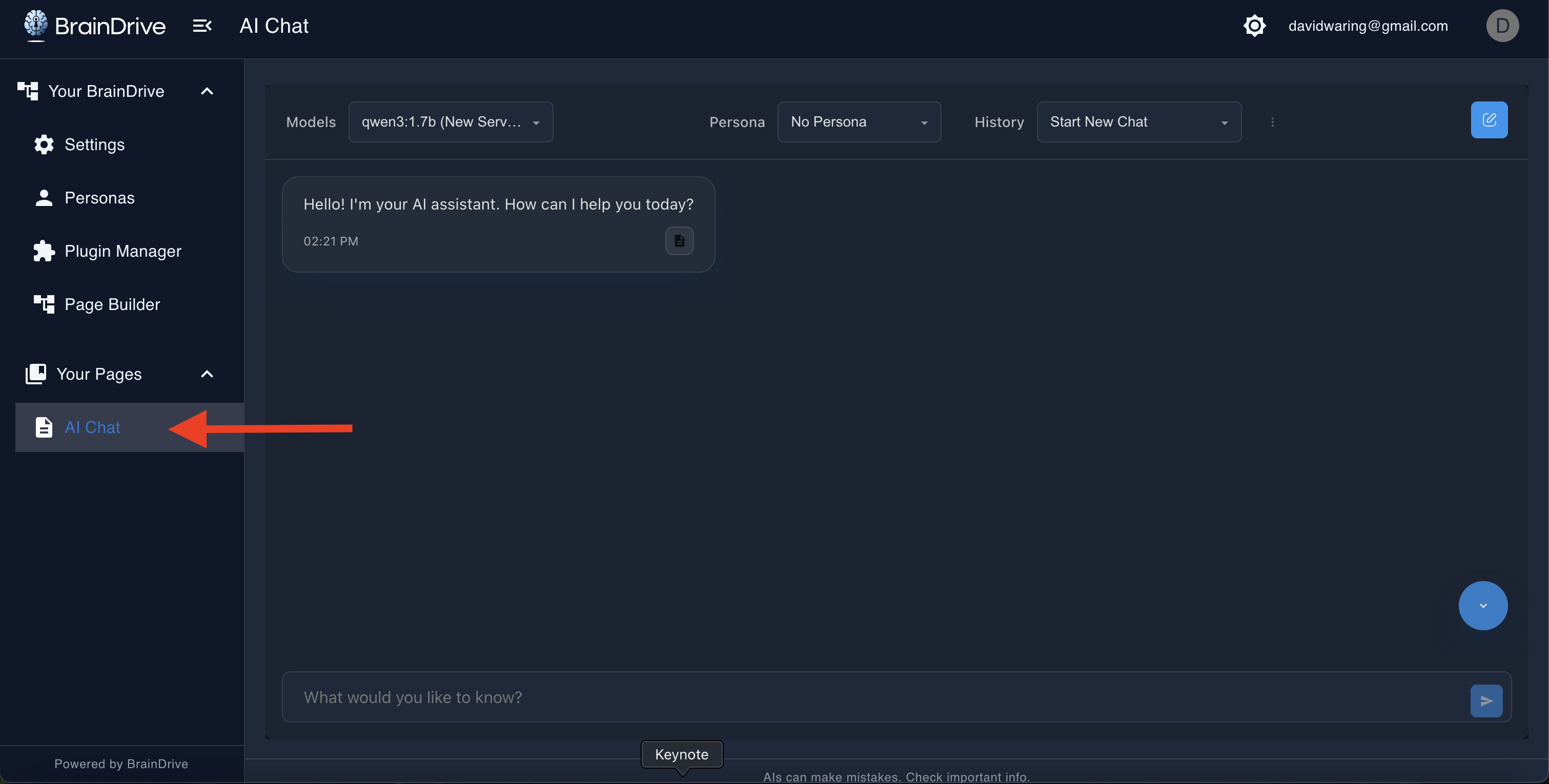
Let’s customize your BrainDrive by creating two dedicated pages: one for private local conversations and one for powerful API conversations.
Step 1: Rename Your Default Page
First, let’s turn that default AI Chat page into your Local AI Chat page.
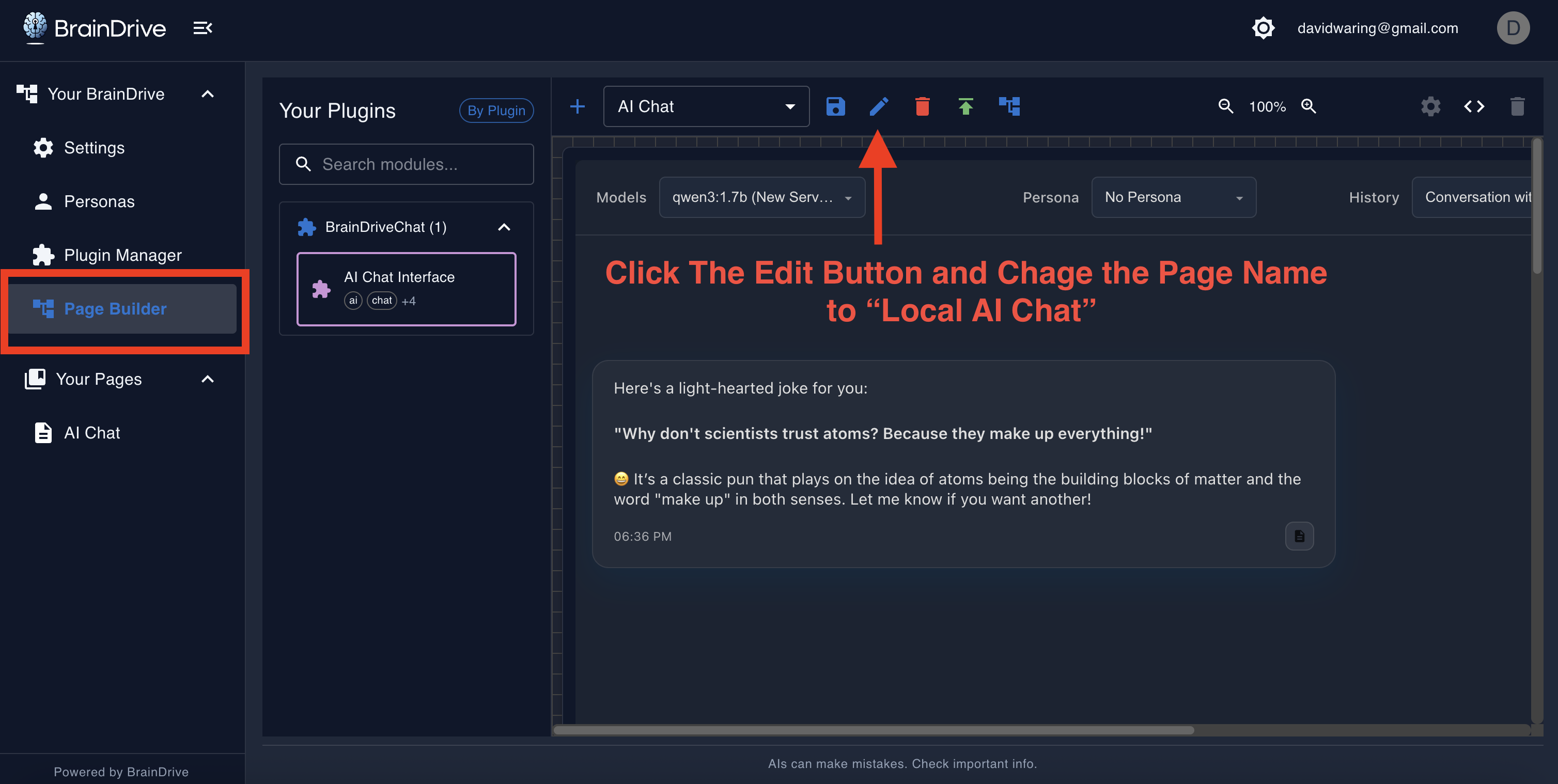
- Click “Page Builder” in the left menu
- Find “AI Chat” and click the edit button
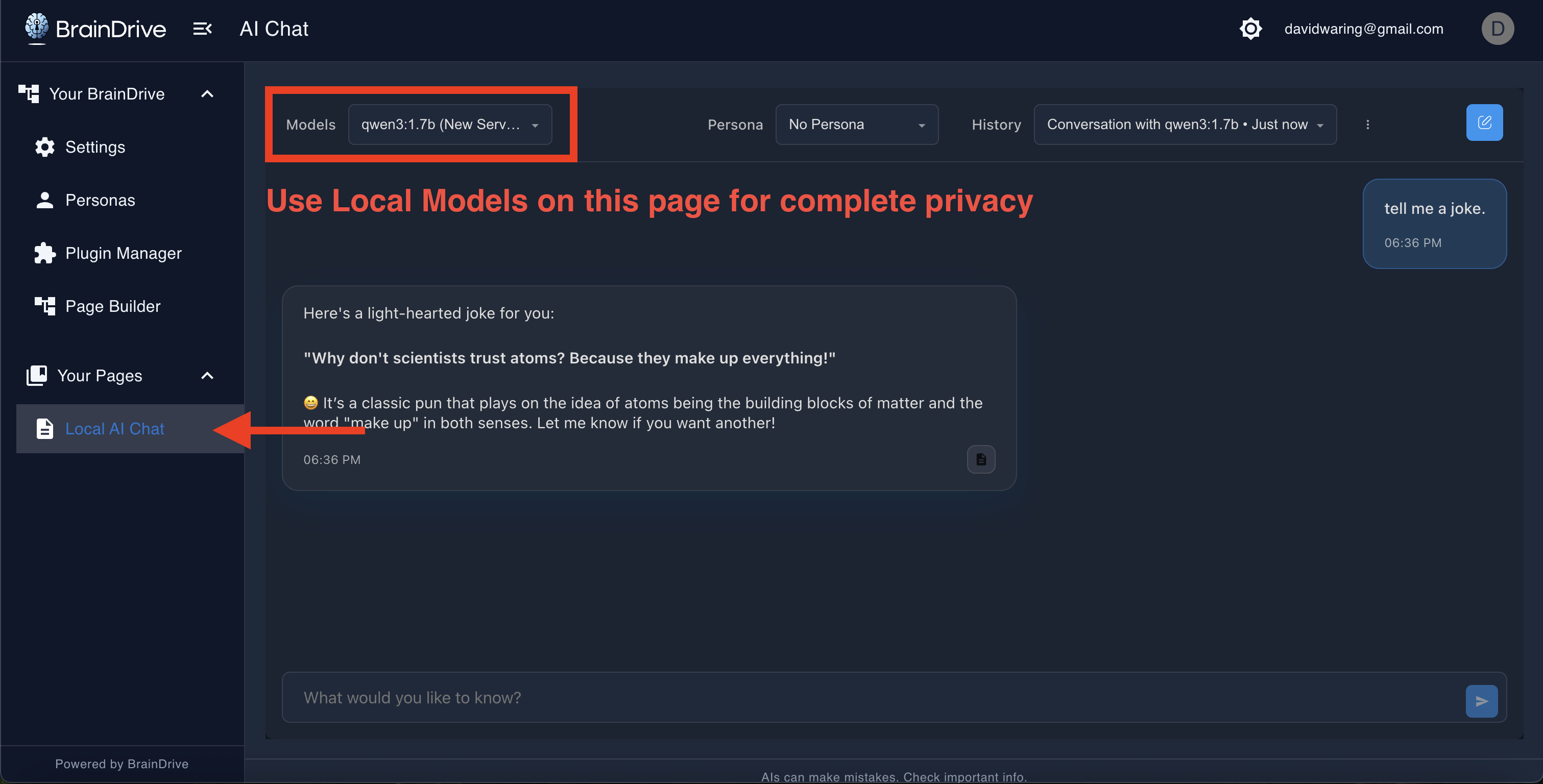
- Rename it to “Local AI Chat”
- Click Save
Now when you go to this page, you can select your local models for completely private conversations.
Step 2: Create Your API Chat Page
Now let’s create a second page for API-based models.
- In the Page Builder, click the plus sign to create a new page
- Name it “API AI Chat”
- Click Create
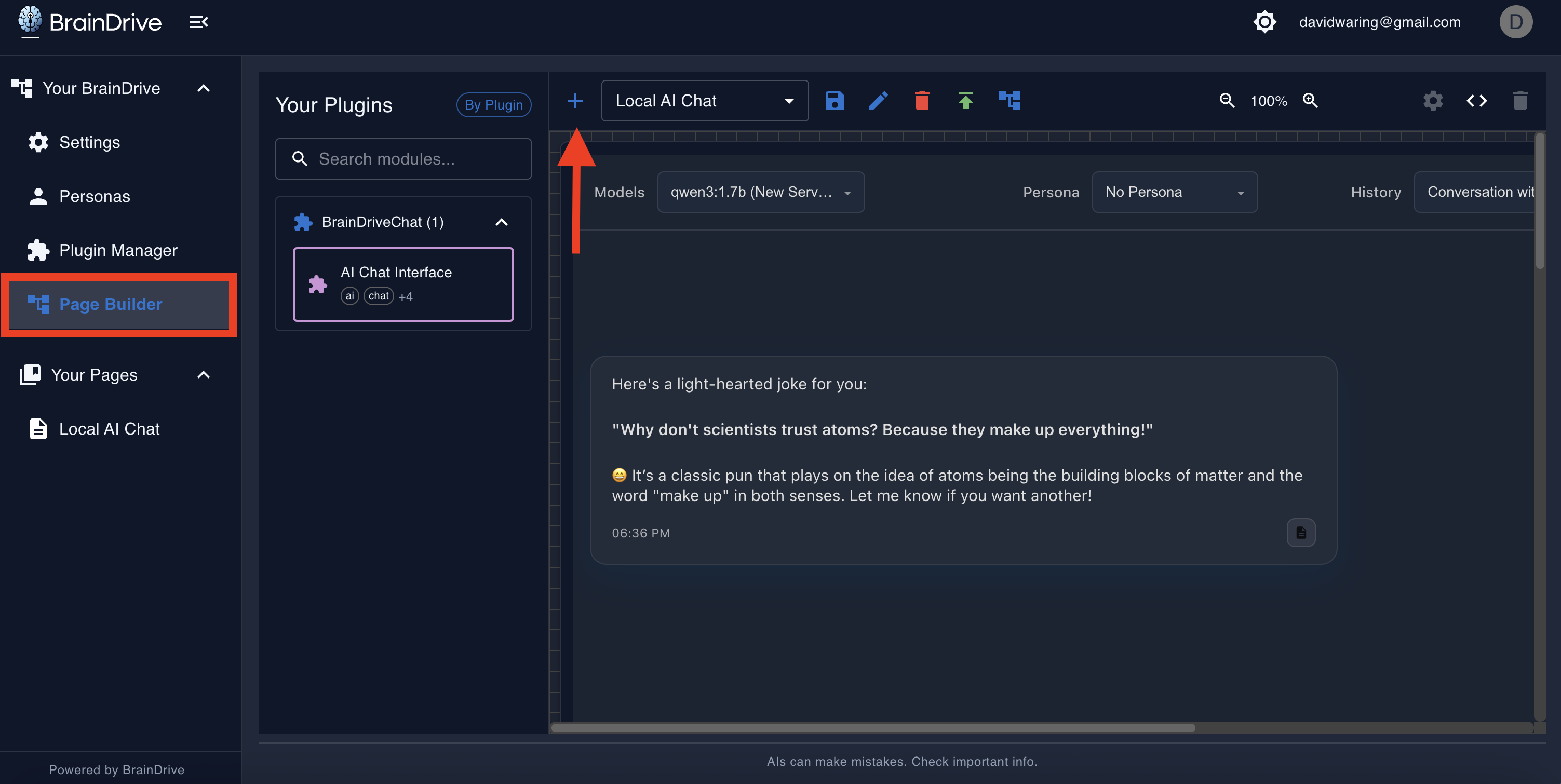
This opens a blank canvas. Now let’s add a chat interface to it.
Step 3: Add a Chat Component
On the left side, you’ll see available components. Find “AI Chat Interface” and drag it onto your page.
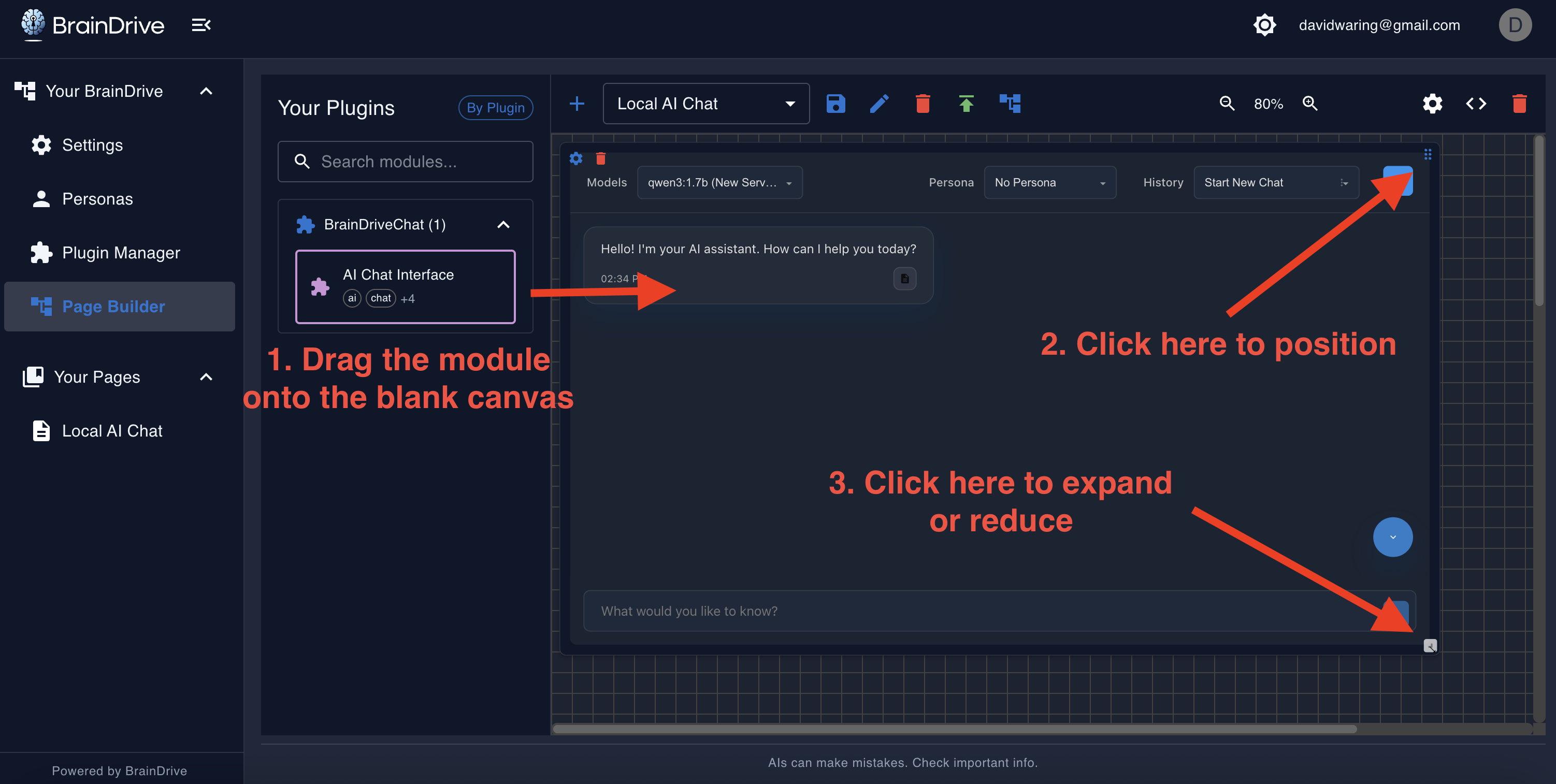
Resize the component using the corner handles until it fills the space how you want it.
Step 4: Publish Your Page
Once you’re happy with the layout:
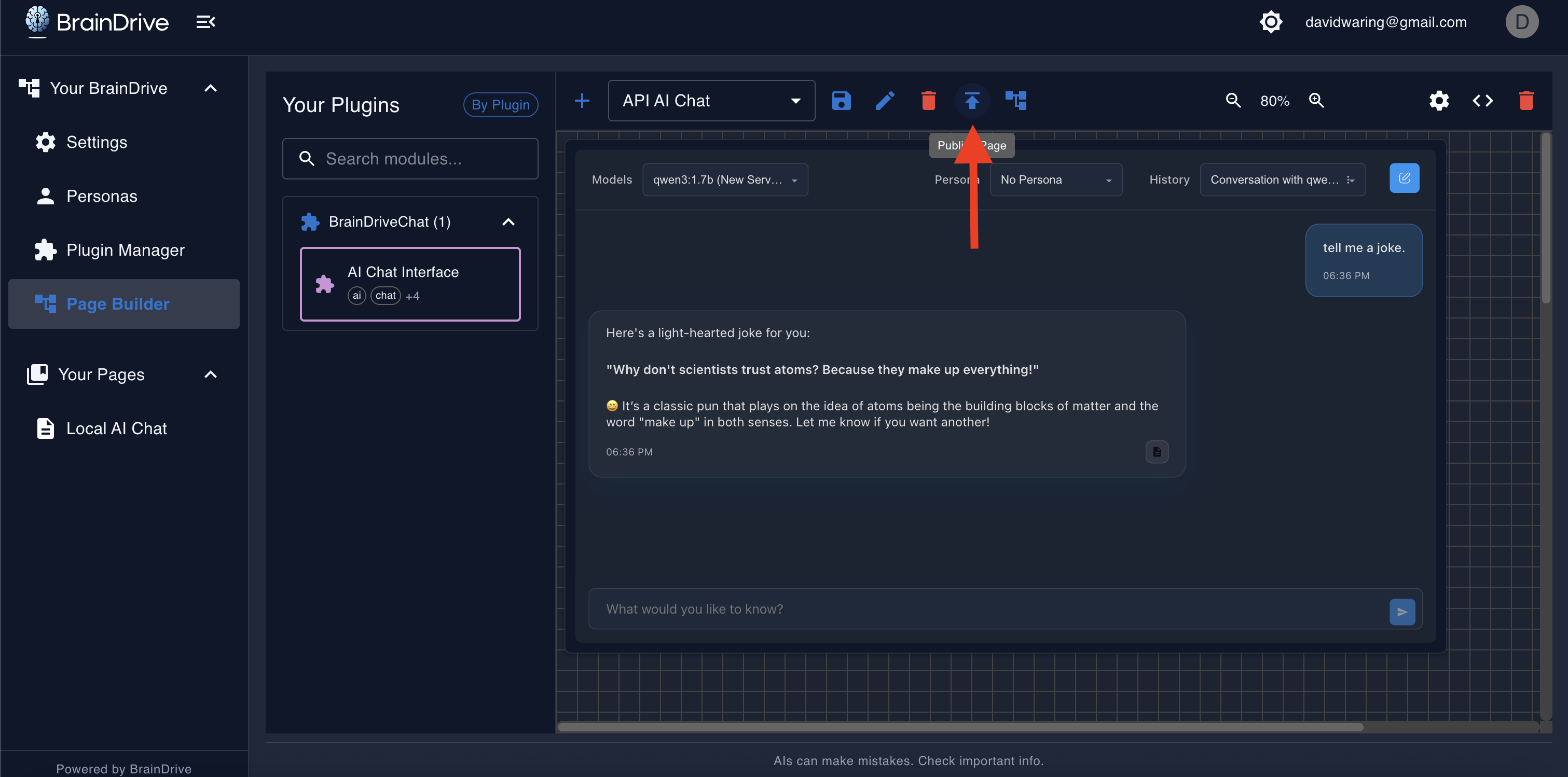
- Click “Publish Page”
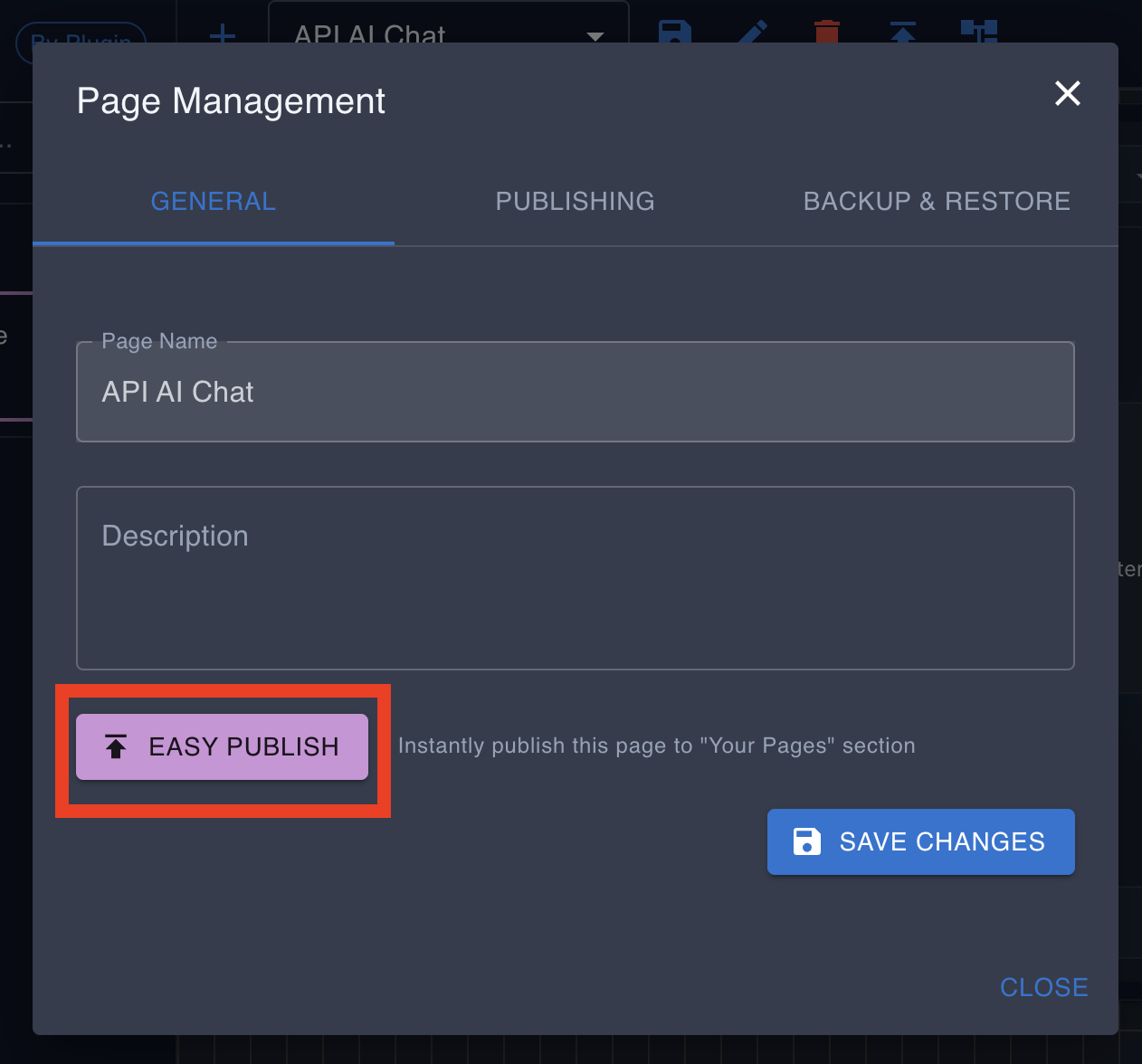
- Select “Easy Publish”
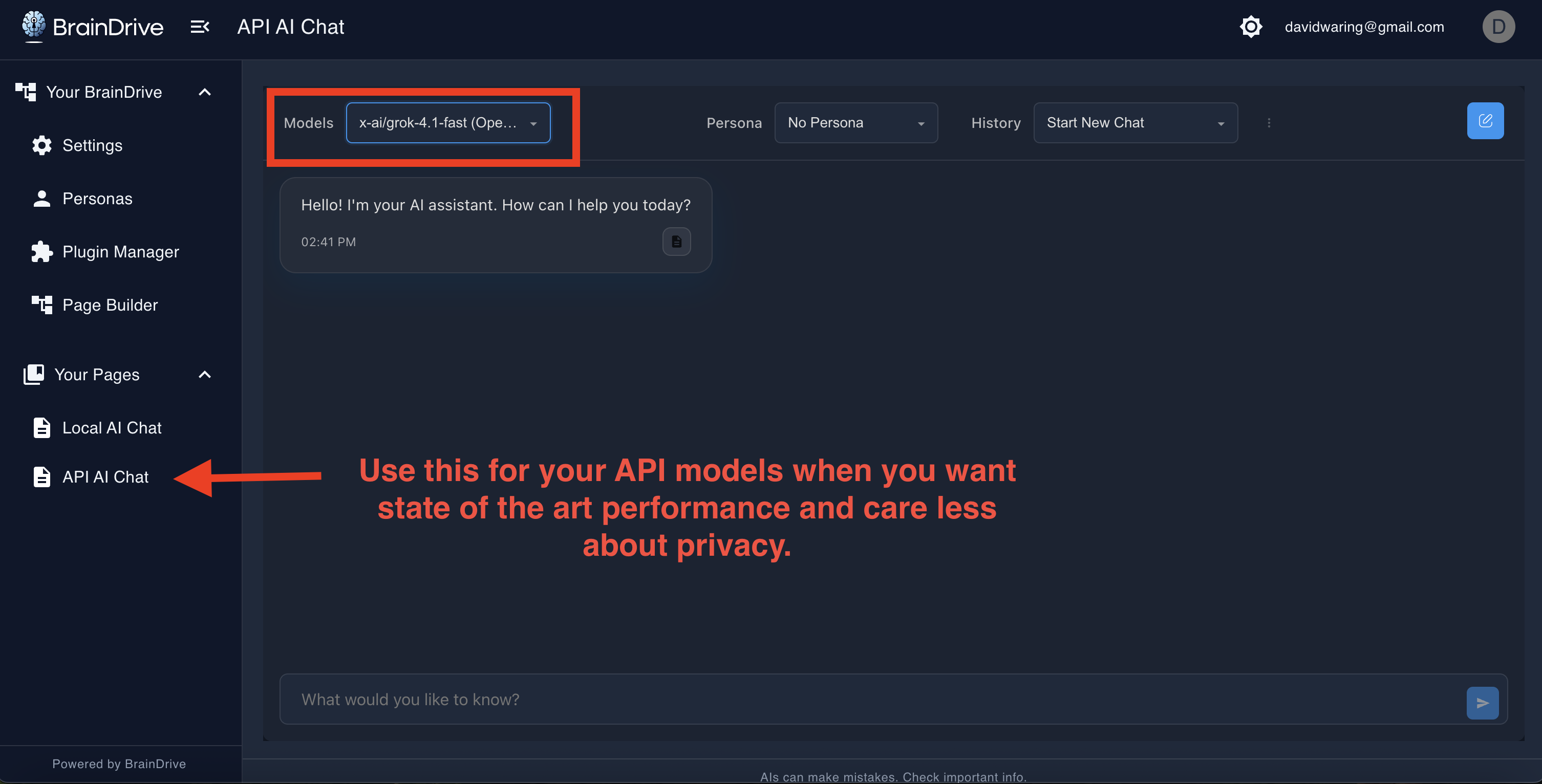
Done! Your new page now appears in “Your Pages” in the left menu.
BrainDrive Pages Aren’t Just for Chatting
BrainDrive Plugins and Pages can be used to build anything you want.
Custom chat interfaces that look and function specifically how you want them to.
Custom AI powered workflows that involve multiple steps and triggers.
Custom AI Powered Dashboards to track your business.
Example:
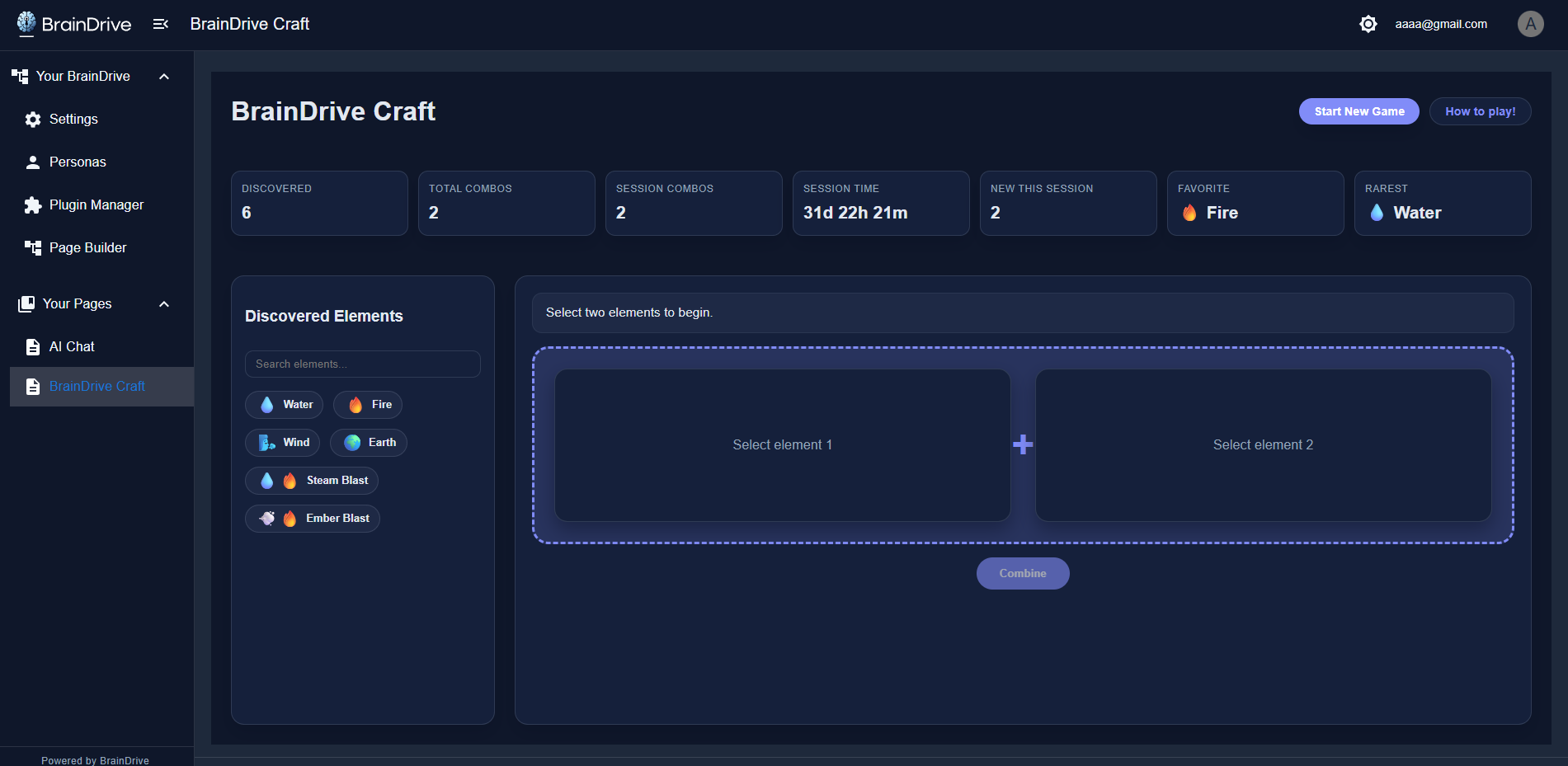
Here is an example of a plugin and page that recreates the popular online game “infinite craft” within BrainDrive:
With BrainDrive, the only limit is your imagination.
And we’re not done yet. I’ll see you in the next lesson.