
Lesson 4 of 5 · ← Previous · Next: The Future of User-Owned AI → · Course home
Welcome to lesson 4 of the How to Partner with AI to Define & Reach Your Goals free course.
I’m Dave Waring, the co-creator of BrainDrive.ai and your instructor for this course.
Lesson 3 gave you the principle: own the part that’s yours, rent the commodities. This lesson makes it practical. By the end, you’ll understand what a user-owned AI system is actually made of, what your options are for setting one up, and how to get your first goal running on one.
And everything in this lesson holds no matter whose software you use. The components are the components. BrainDrive, the system my business partner and I build, is one way to put them together. I’ll show it to you at the end as the worked example, but the concepts are the same regardless of whether or not you use BrainDrive.
What “user-owned” actually means
When software is user-owned, three things are true:
- It’s yours, legally. It comes with a license that makes the software you’re installing legally yours: you can use it, change it, and build on it, free, forever. Nobody can take it back, raise the price, or change the rules on you.
- It runs where and how you decide. That might be your own computer, or cloud hosting you choose. The point isn’t avoiding the cloud. It’s that you’re making the decision, and you can change it. Your conversations and Your Memory live where you put them, under your control, and they move with you.
- There’s no lock-in to any component you don’t own. The model, the hosting, the tools: anything you’re renting, you can swap or walk away from without losing what’s yours. When something better comes out, you swap it in and keep everything else.
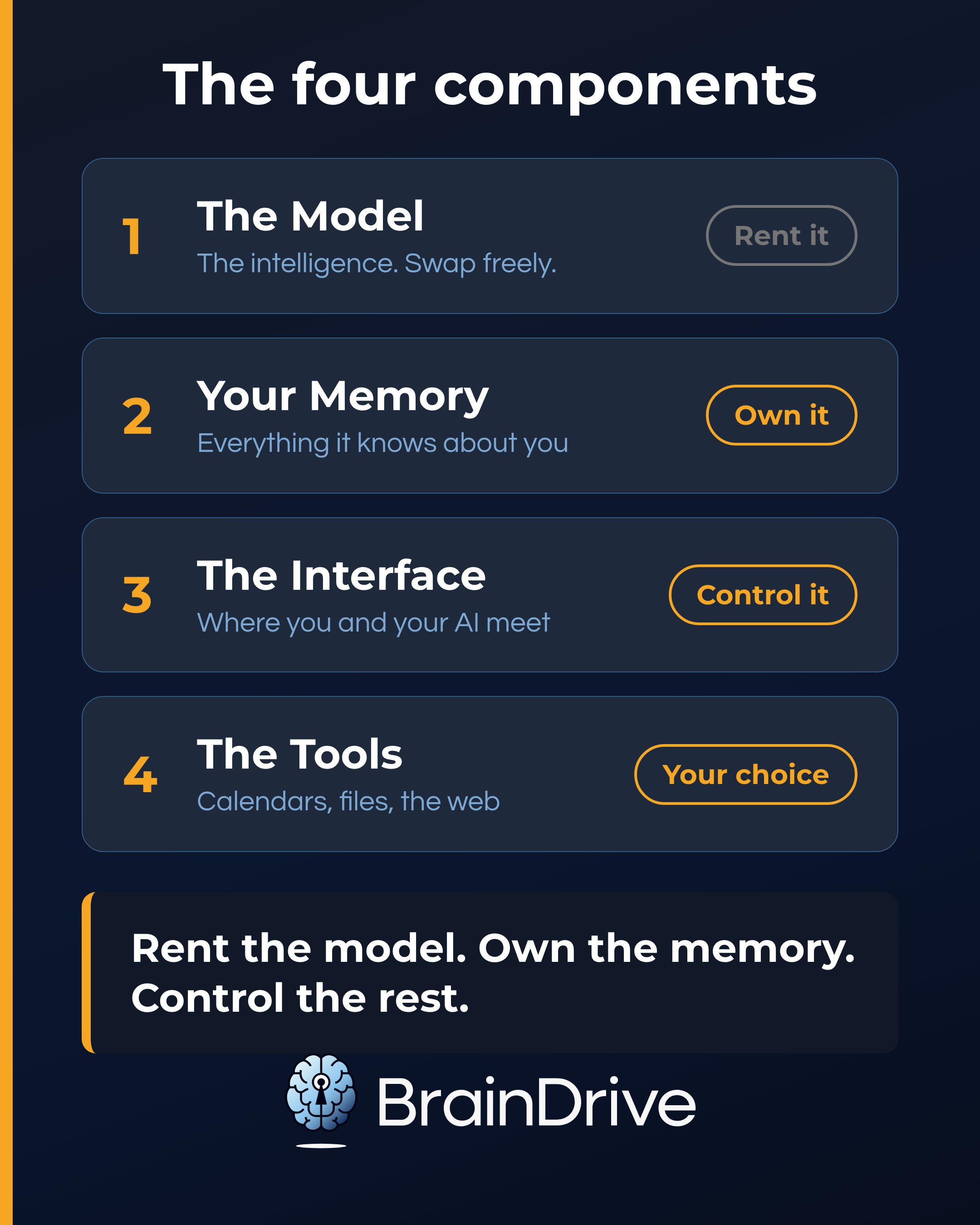
The four components of any personal AI system
Every personal AI system, owned or rented, simple or fancy, is made of the same four parts. Once you can see them, you can reason about any AI product anyone ever tries to sell you.
1. The Model: the intelligence. This is the part everyone talks about: GPT, Claude, Gemini, the open-source models. The best way to think about models is like electricity. What matters isn’t the power plant; it’s what you power with it. Most of the time you’ll draw from the grid: the big cloud models, all excellent, getting better every few months, available to everyone. You can also generate some of your own power: smaller free models that run right on your computer, useful for things you’d rather keep entirely at home. They’re not as capable as the big grid models, and that’s fine. Different job. Own or rent? Rent it, swap freely. Electricity is electricity. The value isn’t in the model; it’s in what you power with it.
2. Your Memory: the understanding. Everything the system knows about you: the interviews, the plans, the check-ins, the history. You built this concept up over lessons 2 and 3, so you already know the verdict. This is where all the compounding value lives, and it’s the part that’s uniquely, irreplaceably you. Own or rent? Own it. This is the whole game.
3. The Interface: where you work together. The chat window, the pages, the way your goals and plans are laid out. If someone else owns the interface, they decide how you and your AI meet: what gets shown, what gets pushed, what gets removed. Own or rent? Own it, or at minimum control it.
4. The Tools: what it can reach. Calendars, files, the web: the connections that let your AI partner actually help with your life instead of just talking about it. Each connection makes the partnership more useful. Own or rent? Own the choices. You decide what’s connected, and you can unplug anything.
Put the four together and lesson 3’s strategy becomes concrete: rent the model, own the memory, control the interface and the connections. That’s a user-owned AI system.
Your options for setting one up
There are two paths to own your own AI system:
Path 1: Assemble it yourself. The open-source community has excellent pieces for every component: free local models, open chat interfaces, memory setups. If you enjoy tinkering, it’s genuinely doable, and everything in this course works on whatever you assemble. The tradeoff is real, though: you’re the one wiring the components together and keeping them working, and most of the pieces were built by developers, for developers.
Path 2: Start from a system that’s already assembled. A handful of open-source projects put the components together into something you can just install. This is where I show you ours.
BrainDrive is the system we build, and it exists for exactly one reason: to make owning your AI easy for people who don’t want to be systems administrators. It’s MIT-licensed and free. It runs on your computer or the host of your choice. It works with just about any model (cloud, local, or both) and swaps them freely. And it’s built around exactly the method you learned in lesson 2: it interviews you, organizes what it learns into a plan, and partners with you over time, with Your Memory underneath, stored and compounding on your own computer.
BrainDrive is the IKEA-version of everything this lesson just taught, except it turns out there’s no assembly at all. Here’s the whole setup:
-
Download the desktop app for Mac or Windows at braindrive.ai and install it like any other app.
-
Create your account, and notice something as you do: this account isn’t with a company. It’s with your own system, on your own computer.
-
Power it. Remember the electricity analogy? The software is free and yours. The $5 of starting model credits is your first electricity. It lets your BrainDrive draw on the big cloud models immediately, no accounts to set up, no technical steps. (Prefer to generate your own power? Connect your own models instead, including free local ones. The credits are just the easiest on-ramp. And remember: no lock-in to anything you rent.)
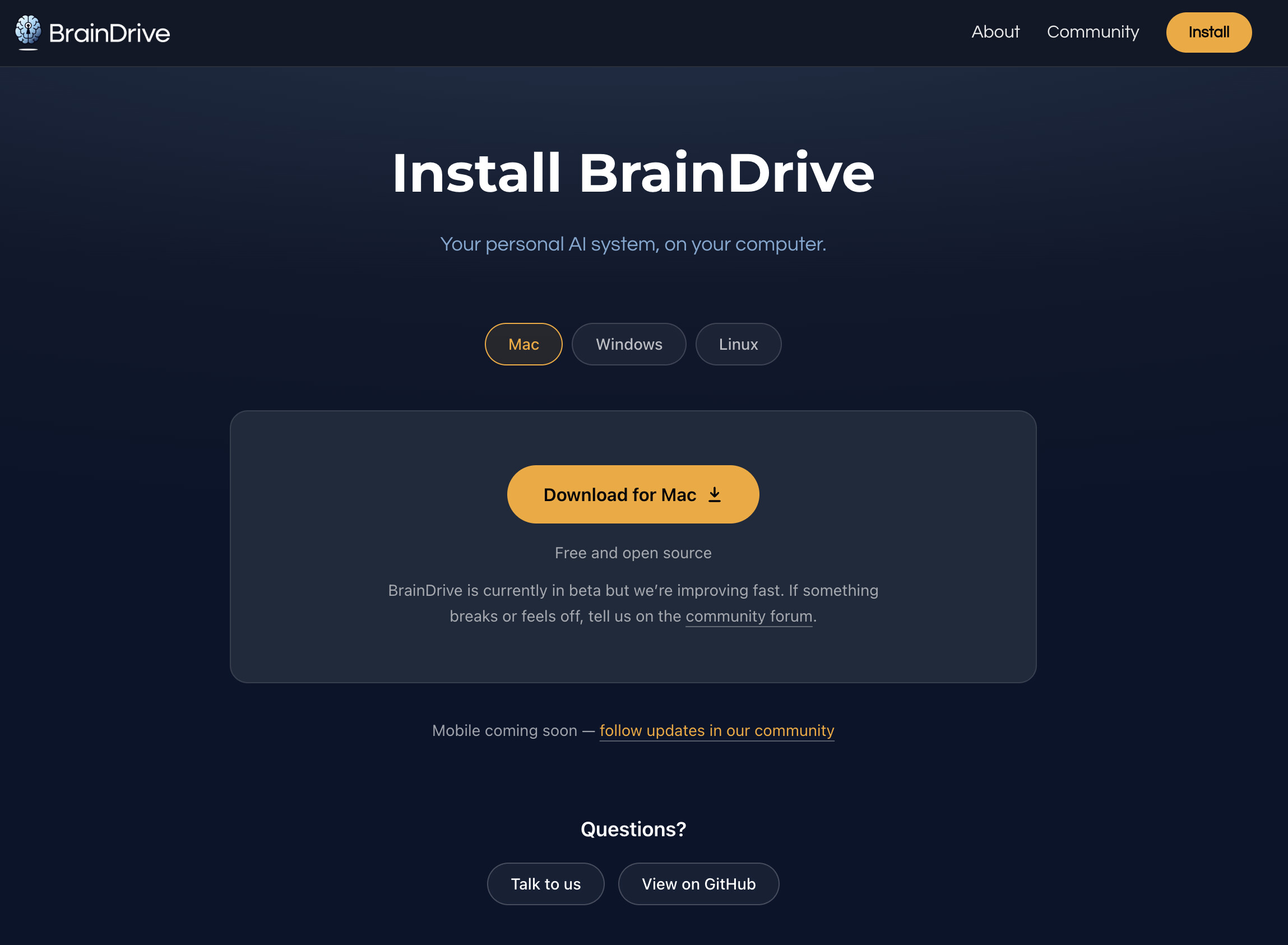

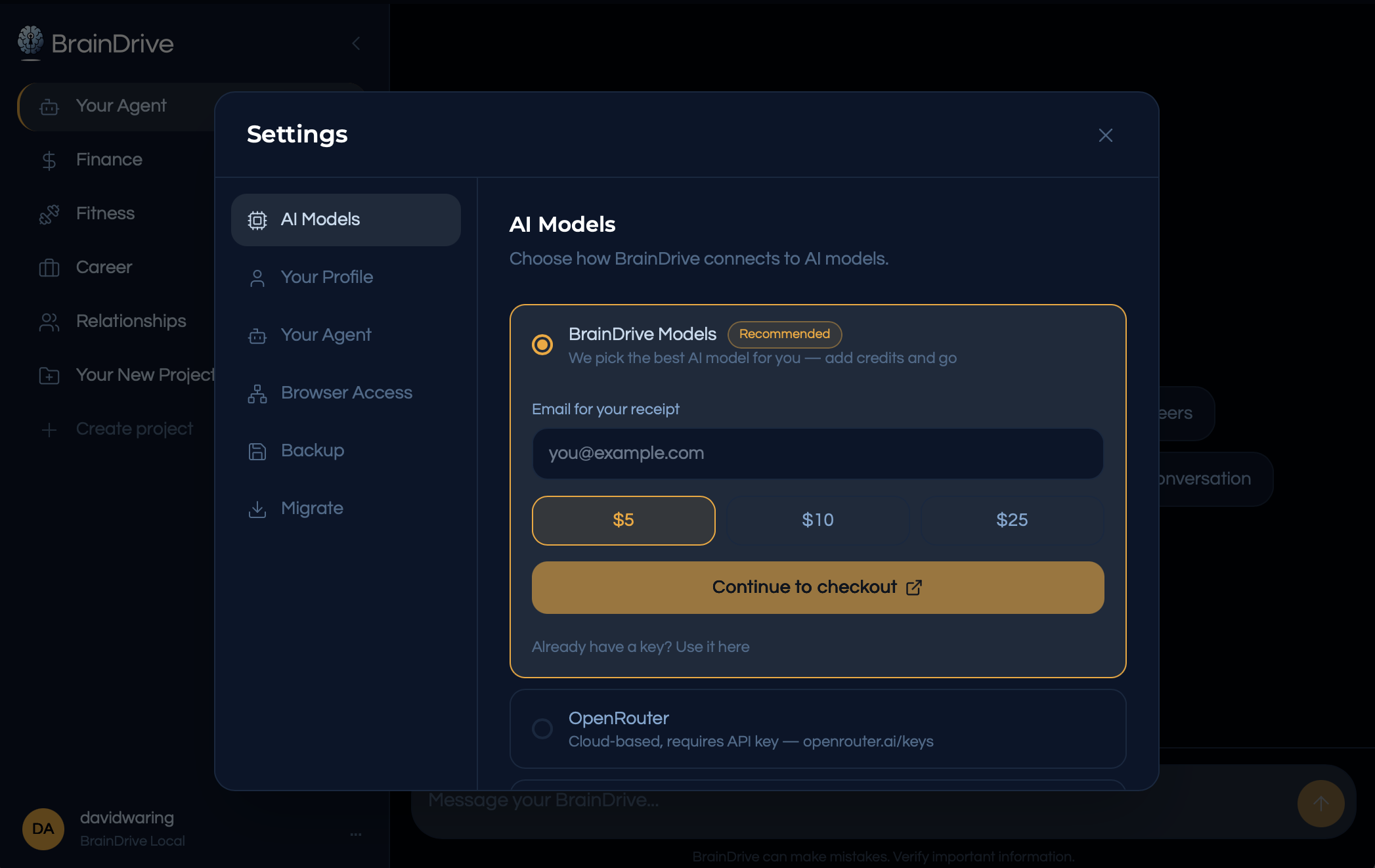
Download, create your account, add credits, go. About two minutes from curious to building a partnership with your own AI system.
Your first goal on your own system
However you set up your system, here’s the moment the whole course has been building toward.
Pick a real goal. In BrainDrive you’d pick a life area (Finance, Fitness, Career, Relationships) or create your own project.
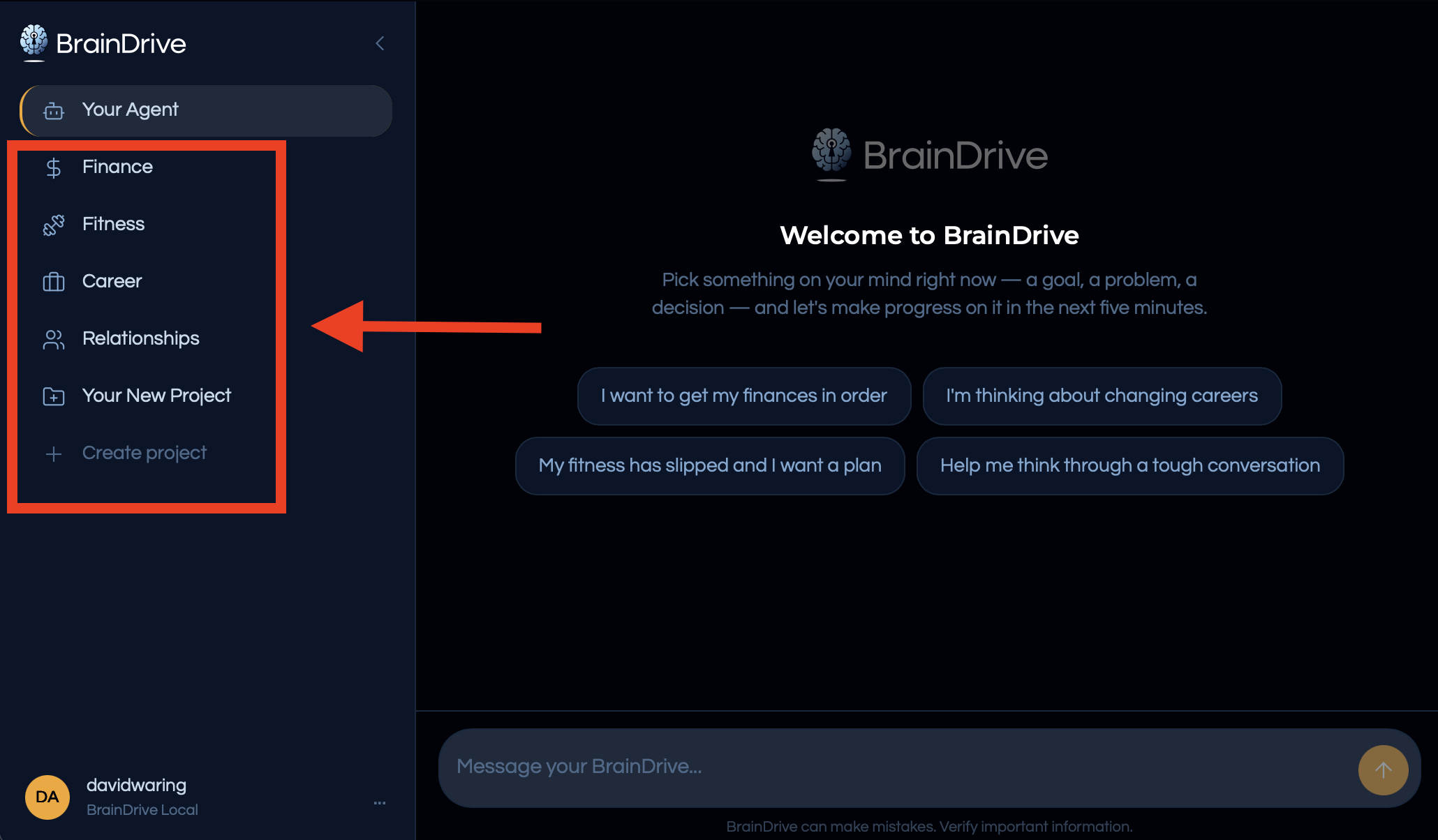
And then something happens that you’ll recognize immediately: it interviews you. One question at a time. Why this matters, what you’ve tried, what’s in the way, what success looks like.
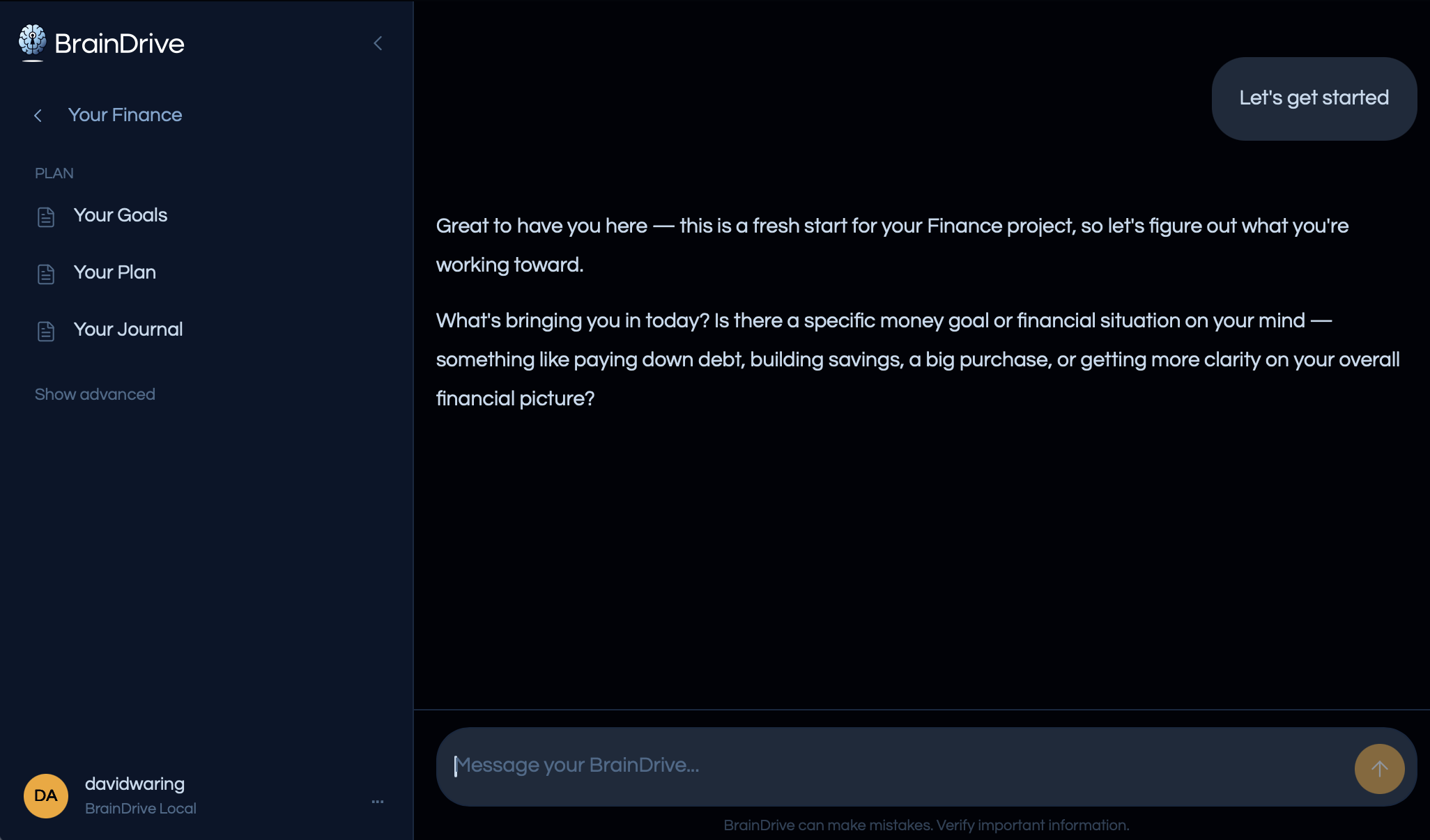
You already know how to be good at this. Answer honestly. Correct the playback. Get the plan. That’s lesson 2, except this time it’s saved, structured, and impossible to lose in a scroll of chat history.
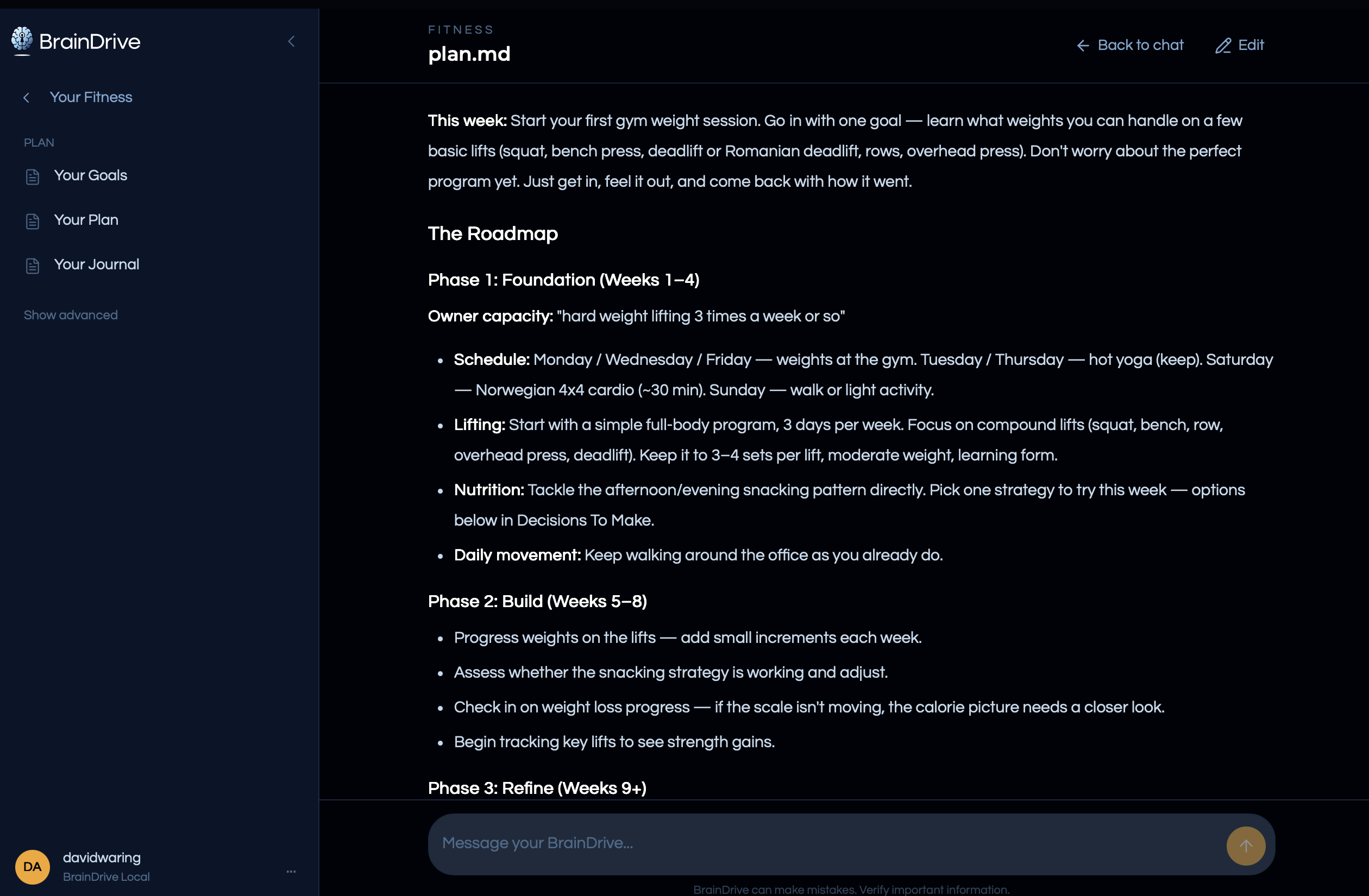
Then come back tomorrow, next week, whenever something happens and feel the difference. Nothing to paste. Nobody to re-introduce yourself to. It remembers the interview, the plan, what you told it last Tuesday. Every conversation makes Your Memory deeper, on your machine, compounding for you.
Walking back into a conversation where you’re already known: that’s the feeling this whole course exists to hand you.
An honest note about where we are
If you do try BrainDrive: it’s in beta. It’s live, it works, we use it every day, and it’s early, improving weekly, with rough edges we’re actively sanding. Two things make early worth it. You’re not taking a risk: it’s free, it’s yours, and Your Memory is portable by design, so worst case you walk away owning everything you built. And you get a voice: we build in the open, and the owners using it now are shaping what it becomes. This course lives in our community, so you’re already in the right place to ask questions and tell us what you think.
Next, the last lesson: what you’re early to, where all of this is going, and why owning your AI now puts you ahead of it.
Next: Lesson 5 — The Future of User-Owned AI.
— Dave
Part of the free course How to Partner with AI to Define & Reach Your Goals. Questions about this lesson? Reply below — I answer.