BrainDrive Development Progress Updates

Hi All,

Please find the recording from today’s development call update below. We live stream these calls every Monday at 10am eastern on our Youtube Channel for anyone who is interested in joining us live.
I’ve also included an AI powered overview of the call below the video for those that prefer to read.

Questions, comments, ideas etc welcome as always. Just hit the reply button.

Thanks!
Dave W.

:brain: BrainDrive Weekly Dev Call 7.7.25 – Forum Recap

:fire: Highlights

:white_check_mark: Developer Milestone: Plugin Template

Dave Jones finished the first official plugin template for BrainDrive developers. This replaces the confusing example-based approach with a clean, minimal starting point—including documentation and lifecycle notes—so new builders can hit the ground running.

“Instead of stripping down another plugin, now you just start from scratch—with everything you need and nothing you don’t.” – Dave J.

:hammer_and_wrench: Documentation Overhaul Underway

We’re revamping dev documentation to make it easier for Adam Carters (our developer persona)to build independently. New docs will live directly within the plugin template repo, so you get code + context in one place.

Expect a new walkthrough video soon—Dave is recording it now and plans to finish today.

:paperclip: Plugin Architecture Progress

We wrapped development on page-specific memory, meaning your chats are now scoped to individual pages. That’s a major step toward isolated workflows and knowledge bases inside your BrainDrive.

“Your BrainDrive will be as unique as you are.” – Dave W.


:brick: Roadmap Update

We’re working toward v0.5 developer release as the foundation for our v1 launch for content creators (Katie Carters). Here’s where we stand:

:white_check_mark: Plugin Manager operational
:white_check_mark: Page-scoped memory live
:counterclockwise_arrows_button: Developer data workflow in progress
:counterclockwise_arrows_button: New documentation being added
:soon_arrow: Persona scaffolding coming later this week


:test_tube: “Chat With Your Docs” Update

Beck has the first version of chat with your documents working using the Qwen 38B model, hosted on GCP. Early tests showed strong performance—comparable to ChatGPT—with locally runnable models.

“It’s fast, it’s good, and it runs on a MacBook. Very promising.” – Dave W.

We’ll share a demo video on the forum shortly. Full integration with BrainDrive is underway.


:bar_chart: Model Match: Open-Sourcing the Future

We discussed next steps for Model Match, our project to help people choose the best model for specific use cases like summarization or therapy. The tool includes:

  • Tunable weights for evaluation categories (e.g. hallucination risk, empathy)
  • Model-by-model comparisons
  • Scoring explanations for transparency

:white_check_mark: Decision: We’ll be open-sourcing the Model Match evaluation framework. Community members will be able to fork and contribute new use cases, configs, and evaluation logic.

“Ownership means transparency—and we want the community to own this too.” – Dave W.


:handshake: Hiring Next Dev Wave

Our first contractor experiment had mixed results (1 solid out of 6). We’re refining the onboarding experience and shifting to higher-quality domestic developers for the next round.

New job postings go live this week alongside the updated docs and video walkthrough.


:compass: Looking Ahead

  • :video_camera: Plugin template video shipping this afternoon
  • :repeat_button: Persona scaffolding update targeting Friday
  • :rocket: New Upwork jobs posted and developers onboarded by tomorrow
  • :brain: Forum post for “Chat With Your Docs” going up today
  • :magnifying_glass_tilted_left: Exploration of automatic config-based model evaluations via Model Match

:speech_balloon: Join the Discussion

Have questions about the plugin template, the Model Match decision, or anything else from the call?

Reply below—or start your own topic in community.braindrive.ai to connect with other builders. We’d love to hear your thoughts and help you get started building on BrainDrive.

See you next week :waving_hand:
– Dave & Dave

Hi All,

Please find the recording of this week’s developer call live stream followed by an AI powered overview of the discussion below.

Questions, comments, concerns and ideas welcome as always. Just hit the reply button.

Thanks!
Dave W.

Key Updates This Week

1. Personas System Now Live in Core
We’ve fully integrated the new Personas feature into the Brain Drive core!

  • Set up custom AI personas with their own name, system prompt, temperature, tags, and more.
  • Switch between personas directly in Brain Drive Chat.
  • Built for devs and creators alike — developers can pre-configure personas for their plug-ins, while users can apply them with no setup.

2. UI Updates to Brain Drive Chat

  • Persona and model selection are now available at the top of chat.
  • System-generated greetings now show automatically.
  • Future UX improvements discussed, especially for mobile responsiveness.

3. Local Plugin Installer

  • You can now install plug-ins via local file upload — great for offline use or air-gapped setups.
  • This also lays the foundation for a future marketplace.

4. Database Migration Enhancements

  • Rebuilt the migration system for smoother version upgrades.
  • Added tools for debugging, rollback, and documenting changes.
  • More reliable updates across versions with clearer developer feedback.

5. New Developer Onboarding Docs (WIP)

  • Dave Waring created a draft of a 2-minute intro doc for developers.
  • Covers what Brain Drive is, how it works, what you can build, and how to get started.
  • We’re aligning on documentation-first, video-second for dev onboarding.

6. Service Bridges Explained

  • A major architectural advantage: Brain Drive’s service bridges allow plug-ins to talk to the core without tight coupling.
  • Bridges include: API, Settings, Page Context, and Teams (with more to come).
  • Makes it easier to maintain and extend the system over time.

7. Improved Dev Workflows with AI

  • David shared his new approach: start with a markdown plan, then build in phases using RootCode or OpenAI.
  • Speeds up development and reduces bugs when collaborating with AI.

:puzzle_piece: In Progress / Coming Soon

  • :white_check_mark: Final tweaks to close out version 0.5
  • :soon_arrow: Begin dashboard redesign for 0.5.5
  • :soon_arrow: First version of chat-with-documents plugin (with Beck)
  • :soon_arrow: Olama plugin improvements (Matthew)
  • :soon_arrow: OpenAI API plugin (new developer joining)

:megaphone: Want to Contribute?

Whether you’re building plug-ins, testing features, or helping with documentation, we’d love to have you involved! Reply here or reach out in the forums.

:backhand_index_pointing_right: You can also follow along on GitHub.


Thanks for reading, and see you next Monday at 10am ET for the next live call!
:speech_balloon: Questions or thoughts? Drop them below!

— The Brain Drive Team

Hi All,

Please find the recording from this week’s developer update call followed by an AI powered summary below.

Questions, comments, ideas, and concerns welcome as always, just hit the reply button.

Thanks!
Dave

AI Powered Video Overview:

Here’s a forum post summary of your July 21st livestreamed developer call for those who prefer to read instead of watch the video:


:brain: BrainDrive Developer Call Recap – July 21, 2025

We kicked off this week’s livestream from a cabin getaway (better internet than expected!) and jumped straight into updates, reflections, and next steps for BrainDrive.

:tada: Celebration: v0.5 Milestone Reached

We completed all the tasks for version 0.5! That included critical foundational work across plugins, documentation, and internal architecture—clearing the path for the upcoming v0.5.5 milestone and the larger v1 Katie Carter release.

:gear: Challenge: Documentation Gaps

We acknowledged documentation still lags behind the rest of development, particularly around our service bridges (the key to BrainDrive’s decoupled architecture). This is a major hurdle for external developers trying to get started, so we’re prioritizing clear plugin examples and refined docs this week.

:wrench: Major Feature: Page-Specific Plugin State

We introduced a huge upgrade: page-specific state and chat history. Your AI pages (e.g. “Nutrition Assistant” vs. “Financial Coach”) now retain their own memory—context, form data, system prompts, and more. This unlocks a truly multi-agent, project-based AI system, all under your control.

It’s not just a productivity upgrade—it’s a foundational piece of BrainDrive’s privacy-first, personalized architecture.

:counterclockwise_arrows_button: Sync Across Devices (Almost Ready)

With one final backend piece nearly complete, you’ll soon be able to switch from desktop to tablet to laptop and pick up right where you left off—without losing your state. True local-first mobility is on the horizon.

:test_tube: Plugin Examples Coming

We’re building a full set of isolated, focused service bridge plugin examples (e.g. one plugin per bridge like Plugin State, Theme, API). This will make it easy for devs to understand and implement each core capability of BrainDrive without distractions.

:technologist: Developer Progress:

  • Beck is porting “Chat With Your Documents” into BrainDrive as a plugin—now running locally with upload, chat history, and full document context.
  • Matthew is enhancing the Ollama plugin.
  • Karum has completed OpenAI API integration and will share his repo soon.
  • Navine is using Model Match to experiment with fine-tuning sub-1B models for tasks like article summarization.

:pushpin: Focus Shift: Developer Enablement

We’re temporarily shifting roadmap focus from UI enhancements (like dashboards) to developer enablement: plugin templates, documentation, and service bridge examples.

Why? Because making it easy for developers to build and extend BrainDrive is the fastest way to accelerate our ecosystem—and it’s core to our mission: “Make it easy to build, control, and benefit from your own AI system.”

:speech_balloon: Coming Soon: BrainDrive Concierge (AI Helpbot)

We discussed adding BrainDrive Concierge to the dashboard—a lightweight AI assistant that answers BrainDrive-related questions right from the interface. It’s the beginning of a built-in help system that guides you without needing to dig through docs or forums.

Eventually, we’ll have:

  • Local-only Concierge for full privacy
  • Cloud-enhanced Concierge for broader forum integration
  • BrainDrive Coder for plugin development support

We livestream these calls every Monday at 10am ET and post the replays to community.braindrive.ai.

Join the movement toward personal AI ownership.
See you next week!

Hi All,

Please find this week’s live dev call recording along with an AI powered summary below.

We do these calls live on our youtube channel every Monday at 10am eastern time and then post here on the forum.

Feel free to jump on the live stream to participate or leave us a comment by hitting the reply button below.

Thanks,
Dave W.

In this week’s dev call, Dave Waring and David Jones covered major milestones, celebrated a huge documentation push, and demoed the full plugin development lifecycle for BrainDrive.

:white_check_mark: Highlights:

1. Developer Documentation Milestone

  • All six Service Bridges now have fully documented example plugins.
  • Each example is focused and minimal—designed to isolate one concept at a time (e.g., events, API calls).
  • This means developers can now match documentation text with plugin code and working demos.

2. Developer Quick Start Guide

  • New guide helps developers go from install → build → test → customize in under 30 minutes.
  • Includes best practices for setup and caching (the “lazy trick” Dave uses to avoid reinstalling plugins every time).
  • The full guide is live and linked in the forum and GitHub.

3. Big Picture Progress

  • Developers can now build real, usable plugins confidently.
  • A growing number of developers are building on BrainDrive before official documentation was even done—momentum is building.
  • Next big push: finalizing tooling to help developers build AI plugins faster, including models fine-tuned for UI work.

4. Philosophy in Action

  • BrainDrive’s “freedom” pillar means you can use OpenAI when privacy isn’t a concern, and local models like Ollama when it is.
  • This flexibility is what makes BrainDrive feel truly owner-first: your models, your pages, your rulesBrainDrive Trademark Po….

:hammer_and_wrench: What’s Next:

  • Merge the page grid and BrainDrive Studio grid into one unified system.
  • Continue work on the “Chat with Documents” plugin and its one-click installer.
  • Begin planning marketplace plugin listing strategy and governance (core vs community plugins).
  • Address plugin ownership and hosting—moving away from individual developer GitHubs.

:fire: Bonus Insights:

  • A smart AI development workflow: set up VS Code so AI can see both front-end and back-end code for seamless plugin development.
  • Dave J shares how he uses AI like a junior dev: “Here’s the path, now build it for me.”
  • Caching fix tip: Use Dev Tools → Network tab → Disable cache + Ctrl+F5 during dev.

:busts_in_silhouette: Join us live every Monday at 10am ET or catch the replay here. Ask questions, share progress, or just follow along as we build toward V1 for both our developer (Adam Carter) and creator (Katie Carter) personasInfluencer Persona_ Kat…Primary Persona_ Adam C….
We’re making it easy to build, control, and benefit from your own AI system—and you’re invited.

Your AI. Your Rules.
—The BrainDrive Team

Hi All,

Below is the recording from this week’s dev call followed by an AI powered summary of what was discussed.

Questions, comments, concerns, and ideas welcome as always. Just hit the reply button.

Thanks
Dave W.

Video:

AI Powered Summary:

:tada: Highlights

  • Unified Page Renderer Update: Two-thirds complete. This major refactor unifies three rendering methods into a single, faster, more maintainable architecture.
  • New One-Click Installer: A huge step toward non-dev accessibility. The installer takes ~3 minutes and will soon support Windows, Mac, and Ubuntu.
  • AI Coding Agents (Hank & Jimmy): Dave introduced two named AI dev agents (powered by Claude, VS Code, and RootCode). These agents are now doing full feature implementation in phases, freeing up Dave’s time and accelerating development.

:counterclockwise_arrows_button: Strategic Shift

  • From “v1” to Developer Open Beta: The team decided to prioritize developers by launching an Open Beta in early September. Katie Carter’s content-focused v1 will come later, once the developer layer is mature and stable.
  • Why the Shift? Developers are key to unlocking BrainDrive’s plugin ecosystem and community. Serving them now accelerates everything else, including Katie’s use case.

:hammer_and_wrench: Roadmap Updates

  • Near-Term Dev Goals (3–4 weeks):
    • Finalize the unified renderer
    • Clean up and ship the new installer
    • Finish converting legacy plugins to new architecture
    • Launch prompt library (optional for Open Beta)
    • Standardize naming/menu structure
  • Plugin Status:
    • Olama plugin from Matt is merged
    • OpenRouter plugin pending backend provider fixes
    • Claude plugin is next on deck
    • Beck’s work on “chat with documents” in progress

:puzzle_piece: Docs & Dev Tools

  • Full Document Index: A new dev doc index is live in the main repo, linking all guides and plugin examples.
  • ReadMe Overhaul: Clean, concise, and vision-aligned messaging now front and center, emphasizing BrainDrive as the “WordPress of AI.”

:brain: On AI Agents (Hank & Jimmy)

  • Dave shared how he’s now offloading full development tasks to Claude-powered agents:
    • Each agent has a job, name, and isolated compute environment to avoid resource contention.
    • Phased planning and execution ensure safe, predictable outputs.
    • The process mirrors onboarding and managing junior devs—at scale.

:rocket: Launch Strategy

  • Open Beta Launch Timeline: Targeting early September to align with the post-summer reset.
  • Why Now? Strong foundation, positive dev feedback, and clear need in the market for a dev-first, open-source AI platform.

If you’re a developer or just curious about owning your own AI system, now’s the time to get involved.

:play_button: Watch the full dev call
:speech_balloon: Join the conversation: community.braindrive.ai

Your AI. Your Rules.

Hi All,

Apologies for the delay getting the live call recording live this week I was out of the office on Monday so playing catchup.

Dave J handled this one solo and did a great job, recording followed by AI Powered summary of the call below.

Questions, comments, and ideas welcome as always, just hit the reply button.

Thanks,
Dave W.

Call Recording:

AI Powered Call Summary:

:white_check_mark: Unified System Progress

  1. Separation Complete: Legacy system fully separated from the new unified system.

  2. Technical Upgrade:

    • Introduced WYSIWYG interface for easier layout building.
    • Rendering improved from ~400–500ms to ~25–30ms.
  3. Technical Issue:

    • A “bounce” bug when resizing/moving elements due to conflicting render data.
    • Needs a day or two of focused debugging.
  4. Future Improvements:

    • Background grid scaling update to better match webpage layout (12 sections across).
    • Additional polish and alignment tweaks pending.

:motorway: Roadmap Revisions

  1. Target User Prioritization:

    • Focusing on “Aaron” (developer persona) over “Katie Carter” (content creator).
    • Developers help with plugin development, debugging, GitHub contributions, etc.
  2. Plugin Lifecycle Changes:

    • Move all plugins to the Lifecycle Manager (currently 2 old-style plugins pending migration).
    • Updated Aama plugin with server manager features (model management UI).
    • Matt’s work on plugin needs to be moved to new plugin format.

:counterclockwise_arrows_button: Navigation Restructure

  1. Sidebar Overhaul:

    • Consolidate items under a “Your BrainDrive” dashboard.
    • Add submenus for: Studio, Personas, Plugin Props, Settings, Plugin Manager.
    • Personal pages remain in a dedicated section.
  2. Improved Dashboard:

    • Quick access to most-used pages.
    • Notification of available BrainDrive or plugin updates.
    • Emphasis on user control (no forced updates).

:books: Prompt Library (Core Feature Development)

  1. New Core System:

    • Shared prompt storage for plugin developers and users.
    • Enables non-build-time prompt editing, reducing dev cycles.
  2. Developer Features:

    • API access to prompt libraries.
    • Personas and prompt reuse across plugins (e.g., social media manager example).
  3. User Features:

    • Custom prompt saving.
    • Shortcuts (e.g., /prompt6) for quick interactions.
    • Planned UI ideas include search buttons or popups for selecting prompts.

:wrench: Plugin and API Provider Development

  1. Memory Plugin:

    • Beck working on backend plugin for memory, deciding between FastAPI or Docker.
  2. Search Plugin:

    • Matt is implementing SerXNG (SerXNG) as a search provider for privacy-respecting search.
  3. API Providers:

    • Contractor adding support for 8 AI providers.
    • OpenRouter prioritized for broad model access.

:laptop: One-Click Installer

  1. Installer Status:

    • Windows installer nearly complete (3 mins 20 sec install time).
    • Mac and Linux versions to follow (hardware testing underway).
  2. Functionality:

    • Includes settings for ports, IP, dev mode.
    • Enables running multiple BrainDrive instances (e.g., testing vs. dev).
    • Simple .exe install, no terminal/CLI required.

:gear: Back-End Plugin Support

  1. Backend Plugin Management:

    • Expanding Lifecycle Manager to install Python service-based plugins.
    • Beck developing first backend plugin to test this concept.
    • Aims to support additional systems (e.g., NCP servers).

:bullseye: Planned Work (Action Items for the Week)

  • Dave Jones:

    1. Submit PR for unified system (today).
    2. Review contractor PRs (AI providers).
    3. Migrate Matt’s Aama plugin to new format.
    4. Restructure user initializer for plugin settings.
    5. Restructure navigation sidebar.
    6. Possibly start prompt library development.
    7. Continue refining the installer (side project).
  • Dave Waring:

    • Continue enhancing and structuring documentation.
    • Possibly test Windows installer (Surface tablet).

:test_tube: Ongoing Polishing and Testing

  • Unified System: Small quirks and bugs remain (e.g., bounce issue).
  • Plugin Behavior: Some overlaps/resizing bugs still exist inside plugins.
  • Performance: Major improvements observed—faster loading, accurate UI rendering.

:date: Beta Launch Target

  • Tentative Open Beta Date: Monday, September 7, 2025.

  • Rationale:

    • Allows sufficient time for roadmap items and polish.
    • Targeting developer adoption first to stabilize ecosystem.

:brain: Final Notes

  • Vision:

    • BrainDrive aims to offer a fully private, customizable, and powerful local AI development environment.
    • Plugin-based architecture allows for tailored user experiences without performance trade-offs.
  • Excitement About the Future:

    • Open-source model evolution (e.g., OpenRouter, Qwen-2 20B).
    • Imaginative plugins (e.g., Infinite Craft-style AI games).
    • Potential to replace traditional tools like Google for many tasks.

Hi Guys,

Please find the recording of this week’s dev call update recording followed by an AI powered summary below.

Questions, comments, concerns and ideas welcome as always. Just hit the reply button.

Thanks
Dave W.

Call Recording:

AI Powered Summary:

Here is a point-by-point summary of the topics discussed in the Brain Drive weekly development call hosted by David Jones:


:brain: Introduction

  1. Meeting Purpose:

    • Weekly Brain Drive development call.
    • Review past week’s accomplishments, upcoming goals, and current status.
    • Focus on fine-tuning, especially for developers and AI personality progression.
  2. Host Details:

    • David Jones is hosting, covering technical development.
    • Dave Warings was unavailable due to unforeseen circumstances.

:warning: Challenges

  1. Bug Fixes:

    • Spent time resolving long-standing minor bugs.
  2. Hardware for Local AI:

    • Importance of running AI locally (no monthly fees, offline access).
    • Considered the Strix Halo system (~$2,000) for optimal local model performance.
  3. Model Evaluation:

    • Compared state-of-the-art vs. local models (~6–9 months difference).
    • Local models are viable for coding (e.g. React, Python).
  4. Tool Preference:

    • Likes tools like Ruqo (Root Code) and Klein for transparency and token cost tracking.
    • Avoids black-box tools and prefers open systems.
  5. Cost-Aware Development:

    • Track token usage per feature to assess AI cost-effectiveness.
  6. Human vs AI Perspective:

    • AI is a tool, not a job replacer.
    • AI should augment, not replace, experienced developers or writers.
  7. Development with “Hank” AI:

    • Testing Hank for development assistance.
    • Goal: Delegate small, well-defined dev tasks to AI.
  8. Model Performance Observations:

    • Models ~30B run well locally; 70B is slower.
    • Preference for mixture-of-experts models.
    • OS preference: Ubuntu (due to fewer nuances vs. Windows or Mac).

:puzzle_piece: Plugin & Beta Thoughts

  1. Developer Beta Plugin Needs:

    • Plugin ideas that are fun or unique, e.g., tic-tac-toe with AI.
    • Demonstrate creative, novel use of AI to inspire users.
  2. Historical Analogies:

    • Compared current AI growth to:

      • Minesweeper/Solitaire in Windows 3.1.
      • Doom’s modding community.
    • These small experiences spark wider adoption and creativity.


:tada: Celebrations

  1. Sidebar Redesign:

    • Made the left-hand side menu expandable/collapsible.
  2. Renaming:

    • Renamed “Studio” to PageBuilder to better reflect functionality.
  3. Plugin System Overhaul:

    • Moved to a new lifecycle manager for plug-ins.
    • Dropped legacy plugin system entirely (except one legacy AI chat plugin left to migrate).
  4. OLLa (Ollama) Server Integration:

    • New model management UI—choose servers and models without command-line.
    • Helps less tech-savvy users manage models easily.
  5. Improved UI Consistency:

    • Updated default plugins for consistency across developer setups.
  6. Settings & AI Chat Tweaks:

    • Continued minor UI/UX refinements (e.g., save reminders after publishing).
  7. New Development Infrastructure:

    • Plugin loading from GitHub (remote installs).
    • Planning future local install support.
  8. Roadmap Progress:

    • Completed most small, nagging tasks.
    • Cleared GitHub issues; added new ones discovered during testing.

:hammer_and_wrench: Upcoming Work (This Week & Next)

  1. Bounce Bug Fix:

    • UI bounce/delay when resizing elements in PageBuilder.
    • Will tackle it next Monday for a clean start.
  2. More Plugin Development:

    • May create a simple tic-tac-toe game plugin as a demo.
    • Aim to inspire and educate users on plugin capabilities.
  3. Login & Error Handling Improvements:

    • Improve feedback on failed logins or plugin download issues.
    • Goal: Better support for non-technical users.

:repeat_button: Developer Contributions

  1. Dave Waring:

    • Focused on documentation, especially for local setups and models.
  2. Beck:

    • Finalizing Chat with Documents plugin and backend integration.
    • Goal: Microservice auto-installs when plugin is added.
  3. Matt:

    • Temporarily shifted from web search to AI chat improvements.
  4. Model Match Vision:

    • Real-world task benchmarking, not leaderboard stats.
    • Goal: Help users choose the best model for a real task + available hardware.

:robot: Model Match Future Plans

  1. Real Task Evaluation:

    • Evaluate models using actual user use-cases (e.g., email reply, OCR).
  2. User-Centric Matching:

    • Suggest models based on user’s hardware and task needs.
  3. Community Contributions:

    • Potential for plugin that lets users run their own evaluations and share results.

:brick: Philosophy & Long-Term Vision

  1. Growth Strategy:

    • Need to grow AI adoption beyond the top 20% of users.
    • Aim for 60% adoption by simplifying usage and improving decision-making tools.
  2. Model Plateau Observations:

    • GPT-4.1 and Claude 3.5 show marginal improvements.
    • Need better utilization of current models via smarter tooling and interfaces.
  3. Terminal-Based AI:

    • Envisioned use case: AI-assisted terminal commands across OSes.
  4. Future Knowledge Base Integration:

    • AI agents powered by customized knowledge bases.
    • Possible terminal + knowledge base integration.

:date: Key Dates

  • Open Developer Beta Target: September 7, 2025.
  • Chosen because kids return to school (fewer distractions for team members).
  • Once bounce bug is fixed, David plans to shift into high-speed development.

:speech_balloon: Final Notes

  1. Rendering Improvements:

    • PageBuilder rendering dropped from ~400ms to ~20ms (huge speed boost).
    • Final tweaks pending to fully stabilize it.
  2. Open Collaboration:

    • Encourages other developers’ involvement for diverse solutions.
  3. Team Dynamics:

    • Dave will be back next week to provide non-technical/user-focused balance.

Hi Guys,

Please find this week’s developer updates livestream recording followed by an AI powered summary below.

We stream live on the BrainDrive Youtube channel every Monday at 10am eastern time. Questions, comments, concerns and ideas welcome as always.

Thanks

Dave W.

Recording:

Links mentioned in the call:

Roadmap
Chat w/ Docs Plugin Thread
AI Chat Plugin Thread
Model Match Thread
White Paper Draft

AI Powered Summary:

  • Multiple developers now working on different areas.

  • Allows more specialization and efficient problem-solving.


Chat With Documents Plugin (Beck’s Work)

  • Enables document upload and project-specific chat.

  • Also contributes to core architecture and installer.

  • Will launch Docker containers to support microservices.


Microservice Infrastructure & Docker Integration

  • Developers can build microservices using Docker (FastAPI, Python, MCP).

  • System automatically handles start/stop of services with Brain Drive.

  • Reduces user friction in setting up external tools.


Roadmap & Core Improvements

  • Cleaned up the top 4 roadmap items.

  • Hardened registration backend.

  • Identified and working on multi-server issue with Llama AI provider.

  • One-click installer likely delayed beyond version 0.6.


Plugin System Overhaul

  • All plugins removed from main repo and placed in their own repos.

  • Plugins now installable via GitHub or zip file.

  • Reduces confusion and makes development more modular.


Registration System Enhancements

  • Backend validation completed.

  • Next step: improve UI feedback (e.g., password strength errors).

  • Expecting completion shortly.


Brain Drive Model Match Project

  • Published two use-case-based model comparison videos.

  • First use case: therapy models.

  • MIT-licensed evaluator released with videos.

  • Community encouraged to test, contribute, and suggest improvements.


Upcoming Model Match Use Cases

  • New video + use case every Thursday.

  • Next use case: email writing.

  • Long-term plan: compile scores across all use cases to rank models.


Developer Updates

Beck:

  • Continued work on Chat With Documents.

  • Fixing a circular dependency issue in migrations.

Matt:

  • Paused work on search.

  • Polishing the default chat plugin UI/UX.


September 7 Beta Launch Prep

  • Open beta targeted for Sept 7.

  • Focused on polish and stability, not new features.

  • Soft launch strategy: small forums first, broader platforms after refinement.


Documentation Updates

  • Screenshots need updating.

  • Install guide must reflect new plugin handling and environment files.

  • Plugin root guide will be revised for conceptual clarity.

  • Will link to code instead of embedding outdated examples.


GitHub Issues Review

  • Fixed: module control visibility and theme mismatch.

  • Open: duplicate module name issue with multiple modules on a page.


Development Priorities for This Week

  • Improve user registration/login error messages.

  • Fix Llama AI multi-server bug.

  • Resolve page “bounce” rendering issue in page builder.

  • If time allows, begin work on the installer.


Planning for Launch

  • Focus on developer experience and polish.

  • Dave working on white paper and launch collateral.

  • Aim: be the most professional open-source platform for building personal AI systems.


Code Cleanup and Stability Focus

  • Next 1–2 months: thorough cleanup of core codebase.

  • Remove legacy/test code and improve maintainability.

  • Add documentation to help developers understand and contribute.


Marketplace & Plugin Sharing (Future Roadmap)

  • Build marketplace for easy plugin discovery and installation.

  • Enable one-click install from external or embedded plugin stores.

  • Support viewing and installing plugins directly from within Brain Drive.


Strategic Roadmap Themes

  • Expand microservice support (e.g., MCP).

  • Ensure installer works cross-platform (Windows, Mac, Linux).

  • Encourage ecosystem where devs build and monetize features.

  • Keep Brain Drive Core modular, small, and MIT-licensed.


Community Involvement

  • Open to contributions from both AI and broader open-source communities.

  • Experience from other OSS projects can add value even without AI expertise.


Summary Vision

  • Brain Drive as a foundational system for devs to build custom AI tools.

  • Core functionality: chat, RAG, memory.

  • Plugins allow for limitless customization.

  • Default tools and plugins included to showcase possibilities.


Hi Guys,

Please find the recording of this week’s BrainDrive Dev call livestream followed by an AI powered summary of the items discussed below.

We do these livestreams every Monday at 10 am Eastern time on the BrainDrive Youtube channel.

Questions, comments, concerns, and ideas welcome as always. Just hit the reply button.

Thanks!
Dave W.

Recording:

AI Powered Summary:

:blue_square: Last Week’s Progress (Dave J’s Update)

  1. Positive Updates:
  • Completed a few PRs.
  • Worked with Beck on installer and resolved a CORS issue.
  • Enabled seamless chat-with-documents install via Docker:
    • Frontend & backend install simultaneously.
    • Brain Drive manages starting/stopping the microserver.
    • Simplifies experience for non-technical users.
  1. Plugin Architecture:
  • Differentiation from WordPress approach.
  • New system allows plugin separation, better control, and avoids overwriting during core updates.
  1. Chat-with-Documents Feature:
  • Offers isolated project contexts (like Claude/OpenAI).
  • Designed for scoped projects (e.g., 3 specific articles).
  1. Privacy Emphasis:
  • Referenced article: 81% of Americans don’t trust AI companies with data.
  • OpenAI and Anthropic store logs (indefinitely and 5 years, respectively).
  • Brain Drive promotes local, user-owned systems for privacy.
  1. Password Reset Functionality:
  • Added backend script for local user password resets.
  • Enhanced login and registration error handling for better UX.
  1. “Paper Cut” Fixes:
  • Inspired by Jeff Bezos’ philosophy: small UX issues get dedicated attention.

:blue_square: Challenges Faced

  1. Bounce Rendering Bug:
  • Discovered dual ownership of data causing rendering conflict.
  • Identified issue and plans to refactor logic.
  • Will implement proper version control to fix render inconsistencies.

:blue_square: Chat with Documents – Final Stretch

  1. Current Status:
  • Mostly working except for one IDE-related step.
  • Next step: unify chat history/model management with rest of platform.
  1. Plugin Interface Design (Matt’s Work):
  • Revamped chat interface UI:
    • Model selector, persona selector, and chat history more accessible.
    • Upload documents and web search to be added as buttons.
  • Emphasis on plugin modularity demonstrated through UI version comparison.

:blue_square: Model Match Updates

  1. Goal:
  • Recommend best open-source models for specific use cases (e.g., writing emails).
  • Avoid leaderboard-only benchmarks.
  1. Process:
  • Weekly YouTube videos.
  • Evaluation frameworks shared publicly on GitHub.
  • MIT-licensed evaluator code available for community reuse and feedback.
  1. Upcoming Use Case:
  • Financial advisor models next.

:blue_square: Community Growth & Go-To-Market Strategy

  1. Flywheel Strategy:
  • Offer free value.
  • Promote via Reddit, YouTube, SEO.
  • Drive users to community forums.
  • Incentivize contributions (not always monetary).
  • Monetize via open, optional plugins/hosting.
  1. User Personas:
  • Adam Carter: Developer/entrepreneur who owns and customizes their AI system.
  • Katie Carter: Non-technical user who wants user-owned AI without coding.
  • Plan: Start by focusing on Adam to build foundation Katie can later use.

:blue_square: Plugin & Installation Enhancements

  1. Lifecycle Manager Improvement:
  • Developers can pre-install pages with plugin installation.
  • No need for users to manually build pages post-install (e.g., chat-with-docs loads automatically).
  • Beck encouraged to adopt this approach.
  1. Settings Management:
  • Beck’s plugin will move away from environment variables to a settings plugin (for user-friendliness).

:blue_square: Other Development Tasks

  1. Matt’s UI Work:
  • Polishing the chat interface for launch.
  • Might hide features not production-ready (e.g., web search, RAG references).
  1. Navineeth’s Task:
  • Evaluating personal finance models for future recommendation video.

:blue_square: Launch Goals & Vision

  1. Launch Focus:
  • Not to be production-ready.
  • Success = People get excited about the vision and understand where Brain Drive is heading.
  • Particularly targeted at developers who can already start experimenting.
  1. Launch Checklist:
  • Fix bounce bug.
  • Finalize AI chat UI from Matt.
  • Add “Powered By” branding customization.
  • Clean up GitHub: remove unused plugins, secure permissions.
  • Finalize OpenRouter plugin.
  • Launch announcement strategy (Reddit, outreach, etc.).

:blue_square: Post-Launch Priorities

  1. Top Priorities:
  • Active community engagement and support.
  • Regular updates/commits to show progress.
  • Possibly start with bounties to expand plugin library.
  1. Technical Work:
  • Full code cleanup (estimated 1–2 months).
  • Refactoring core and documenting.
  • Finalizing “default plugins” (chat, personas, document upload, etc.).
  • Get Model Match functionality inside Brain Drive.
  • Documentation for all default plugins.

Hi All,

Please find the recording from today’s development update livestream followed by an AI powered summary below.

We do these every Monday at 10am Eastern Time and welcome any and all who would like to join and ask questions, share ideas or otherwise particpate. We alslo welcome that participation here in the community forums, just hit the reply button.

Thanks
Dave W.

Recording:

AI Powered Summary:

:brain: BrainDrive Weekly Update – Sept 9, 2025

Hey everyone! Here’s a quick update from this week’s development call. We’re getting very close to launching the open beta, with just a few final polish items to wrap up.

:white_check_mark: Progress Highlights

  • User Registration Improved
    Clearer error messages for passwords, usernames, and input validation.

  • OLama Provider Fully Integrated
    Manage local models directly inside BrainDrive—download, delete, and switch without the terminal.

  • Page Builder Bounce Bug Fixed
    Major UI issue with module movement is resolved. Drag-and-drop now works as expected.

  • Auto-Save on Publish
    Easy Publish now saves changes automatically to prevent accidental data loss.


:hammer_and_wrench: In Progress

  • Chat Interface (Matt’s Plugin)
    A new, polished AI chat UI is almost ready. Once finalized, it becomes our default experience. Minor install/config bugs being resolved now.

  • Caching Bug (Page Builder)
    Sometimes modules from previous pages persist. Being actively debugged now—high priority.

  • Responsiveness Issue
    Some sidebar/content elements overflow on smaller screens. Fix coming this week.

  • OpenRouter Plugin
    Interface is working; backend integration pending. Will move forward after the chat plugin is complete.


:toolbox: Upcoming Improvements

  • Lifecycle Manager “Easy Button”
    Goal: Allow plugin developers to get started with just a JSON config. Removes current complexity.

  • New Docs System (Docusaurus)
    A centralized, auto-updating documentation site is almost ready. Makes it easier for devs to get started and stay synced.

  • Model Match Progress
    4 evaluators done, 5th (Health) underway. These will power model comparisons in the open beta.


:test_tube: Open Beta Readiness Checklist

We’re aiming to launch once the following are complete:

  • :hourglass_not_done: Chat interface polish
  • :hourglass_not_done: Page builder caching/responsiveness fixes
  • :hourglass_not_done: Docs site deployment

:speech_balloon: Join the Conversation

Got thoughts, questions, or feedback? Reply here or join our live call every Monday at 10 a.m. ET.

Thanks for being part of the BrainDrive community — we’re almost there!

Hi All,

Here is the recording from this week’s development update livestream. We do these every Monday at 10am eastern time streaming live on Youtube. We welcome any and all who want to join us on the livesteam to share thoughts and ask questions so feel free to join us there or post below by hitting the reply button.

Thanks,
Dave W.

Livestream Recording:

AI Powered Summary:

:white_check_mark: OpenRouter Plugin Completed

  • Enables use of any API-based model (OpenRouter).
  • Combined with Ollama, users can now run:
    • Local models (Ollama)
    • Remote models (OpenRouter)

:desktop_computer: Model Dropdown Scalability Issue

  • OpenRouter adds ~100 models, which overwhelms the dropdown UI.
  • Same issue possible for Personas and Chat History if user has many.

:hammer_and_wrench: Planned Solution:

  • Implement type-to-search + limit display for:
    • Model dropdown
    • Persona dropdown
    • Chat history
  • Helps avoid excessive scrolling and improves UX.

:brick: UI/UX Improvements

:white_check_mark: Chat Interface Responsiveness

  • Chat interface now centers properly when screen loads.
  • Issue with “white space on the right” fixed

:warning: Known Minor Bug: “Bounce”

  • Some layout elements visually “bounce” before settling.

  • Not a showstopper.

  • Will investigate (possibly due to recent responsiveness changes).

:wrench: Small Wins & Cleanups

  • Multiple small bugs and issues resolved last week (3–4 PRs).
  • No detailed list, but fixes pushed incrementally.
  • Progress feels more professional and stable.

:test_tube: Public Beta Readiness

  • User should now be able to:

    • Chat with any local model via Ollama.
    • Chat with any OpenRouter model.
    • Use Personas to tailor responses.
    • Use the Page Builder to create different chat interfaces.
  • Only minor bugs remain (bounce, thinking tag display quirks).


:bar_chart: Model Match: Personal Finance Use Case

  • No small models performed well for personal finance.
  • Even 70B models scored low.
  • Highlights a market gap for this use case.

Proposed Approach:

  • Augment with:

    • Custom system prompt (Persona)
    • Knowledge base (RAG or embedded)
  • Helps raise performance even with weaker base models.

Philosophy:

  • Focus is on use case success, not just raw benchmark scores.
  • Transparency is key — clarify when results are from tuning/personas.

:puzzle_piece: Chat with Documents Plugin Progress

  • Not ready for default plugin yet.
  • Will be offered as an optional plugin in public beta.
  • Clearly marked as “experimental”, but usable for early feedback.

:books: Plugin System Documentation

  • New README written to clarify plugin system architecture and onboarding.

Key Concepts:

  • Plugin system = full architecture (not separate)

  • BrainDrive is built as a modular, plugin-based framework

  • Plugin Template + Lifecycle Manager help devs build quickly

  • Readme includes:

    • Elevator pitch
    • Architecture diagrams
    • Quick start flow
    • Developer docs (WYSIWYG editor, plugin distribution options)

:open_book: Docuosaurus Documentation Site

  • Centralized docs site under construction.
    Will consolidate scattered repo docs into one place.

  • Decided to:

    • Keep README + minimal install docs in each repo
    • Move detailed guides and content to Docuosaurus repo

:package: Launch Readiness To-Do List Review

:white_check_mark: DONE or IN PROGRESS:

  • Updates from Matt implemented
  • Chat interface cleaned up
  • Plugin README drafted
  • GitHub security under review

:yellow_circle: TO DO:

  • Fix Ollama plugin sticking bug
    Finalize OpenRouter plugin
  • Move all key plugins into BrainDrive repo
  • Final roadmap document for community

:magnifying_glass_tilted_left: Small Issues Being Tracked

  • Thinking tag behavior (chat jumps then hides)
  • Page Builder save quirks
    Bounce effect during resize
  • Scroll visibility issues in settings panel (OpenRouter key not visible)

:rocket: Public Beta Launch Timeline

  • Targeting next week (9/23–9/27)

  • Will post on forums for early feedback

  • Message must be clear:

    • What’s ready now
    • What’s not
    • Where help is needed
  • Ready to start open community testing, especially on chat

:white_check_mark: Final Takeaways

  • Significant technical progress made (OpenRouter, chat UX, responsiveness).
  • Product vision is converging clearly: AI chat interface with ownership + modularity.
  • Minor bugs remain, but not blockers.
  • Public beta launch imminent, contingent on small housekeeping tasks.
  • Strong emphasis on open source mission and plugin system flexibility.

Hi All,

Please find today’s Weekly Dev Call Update livestream recording and AI powered summary of the call below.

Recording:

AI Powered Summary:

Weekly Dev Call — Dev Update (Sep 22, 2025)

Quick hits (what shipped / progressed last week)

  • Plugin updates at a glance. The Dashboard now shows all installed plugins that have updates, with Update All and per-plugin updates. Results are cached and refreshed periodically to avoid extra network calls. A small badge/indicator on the Plugin Manager list will be added next so you can spot updates from either screen.
  • Settings UX clean-up. Settings categories are now collapsed by default with item counts for faster scanning. The Model Manager auto-selects the first configured provider to reduce clicks.
  • Non-blocking model installs. Installing a model no longer freezes the UI; downloads run in the background so you can keep working. This lays the groundwork for a generalized background jobs system (progress, notifications, resumability) that plugins like “deep research” can use.
  • Docs pipeline upgrade. Codespaces + Codex workflow is live; the Docusaurus homepage and early Owner’s User Guide draft are in place.
  • Model Match (Health) published. New video + write-up on top open-source healthcare models is live. We’re now designing an overall score that rolls up our 5 use-case frameworks, and we’ll retest with/without a system prompt in the next pass.

Open issues / blockers

  • OpenRouter on macOS. One environment (Mac) isn’t populating the model list, even though the same key works elsewhere. We’re reproducing across multiple Macs/PCs to isolate whether this is OS-specific or storage/crypto behavior.
  • Chat with Documents (plugin). Near the finish line; current blocker is a duplicate DB migration trying to create an already-created table. Once fixed, we’ll resume testing.
  • Repo moves & security. We’re tightening GitHub org security (reviews/branch protections). Plugin repo moves are queued until lifecycle-manager URLs are updated in lockstep so installs don’t break.

What we’re working on this week

  • Bounce bug: Fix the dynamic page render “bounce.”
  • Chat polish: “Thinking” tags, searchable dropdowns, better search/link extraction, and chat-history rename quality-of-life updates.
  • Security hardening: Continue GitHub org protections.
  • OpenRouter parity: Nail down the macOS issue.
  • Repo moves: Migrate plugin repos after URL updates.
  • Docs: Keep pushing the Docusaurus content pipeline.
  • Model Match: Ship the cross-use-case overall score.
  • Chat with Docs: Package it as an installable plugin once the migration fix lands.

Launch posture
We’re close, but we’ll keep knocking out known blockers to avoid support drag and uphold our mission to “make it easy to build, control, and benefit from your own AI system.”

How you can help

  • If you’re on Windows or macOS, ping us if you can repro (or can’t) the OpenRouter model-list issue.
  • Try the new Dashboard updater and share any friction points.
  • Watch the Health models video and drop feedback on the evaluation criteria you’d like weighted in the overall score.

See you next Monday at 10:00 a.m. ET.
Your AI. Your Rules.

Hi All,

Please find the recording from our Monday Developer update live call below.

We livestream these calls every Monday at 10am Eastern time on Youtube.

All are welcome to participate there and also happy to respond to any ideas, questions, concerns, etc below. Just hit the reply button.

Thanks
Dave W.

Recording:

AI Powered Summary:

Summary

GitHub Plugin Reorganization Plan

David Jones and David Waring discussed the reorganization of their GitHub repositories, moving all plugin projects under the Brain Drive umbrella to create a clear distinction between core and community plugins. They explained that core plugins will be automatically installed with the system, while community plugins can be installed through the plugin manager. The team also touched on the development of services that can run independently of the core system and their plans to expand support for different environments. David Jones mentioned that he would be working on bundling example plugins for better developer education in the coming week.

AI Chat Project Progress Update

David Jones and David Waring discussed progress on their AI chat project, including fixes to scrolling and model selection. They identified issues with the “thinking process” tag and planned to test it on different AI models. Jones mentioned improvements to Page Builder, including the removal of a bounce and better model management in Settings. The two developers set a goal to complete 7 out of 79 tasks this week, aiming to create a usable system that would allow users to install and explore the platform.

BrainDrive Development and Use Cases

David Waring discussed progress on BrainDrive, including the development of a chat with documents feature similar to paid versions of Claude and ChatGPT, and plans to move non-production ready features to a “labs” section. He mentioned an upcoming meeting with Navinenth to review an evaluation framework for five use cases including article summarization, email writing, therapy, finance, and health. David Waring also shared his experience setting up development environments and using GitHub Codespaces, noting the potential to create targeted setup guides for BrainDrive developers.

DocuSource Website Development Overview

David Waring and David Jones discussed the development and setup of a new website called DocuSource, which is designed to help users get started with the project easily. David Waring explained that the site is built using a combination of VS Code and Codex, and it serves as an “owner’s manual” for users, emphasizing the concept of ownership and control over the platform. They agreed that this terminology effectively communicates the platform’s philosophy of empowering users rather than treating them as mere “users” of big tech services. David Waring expressed satisfaction with the progress made and outlined plans to move the content to BrainDrive and continue developing marketing content as a first step before delving into coding.

System Development and Documentation Strategy

David Waring and David Jones discussed the development and documentation of their system, focusing on API models, plugin development, and content strategy. They agreed on the importance of having a foundational set of core content and using GitHub Projects for project management to streamline their workflow and improve collaboration. David Waring expressed satisfaction with the current progress, emphasizing the need to focus on a few key areas and leverage the community for niche content development.

Project Management System Organization

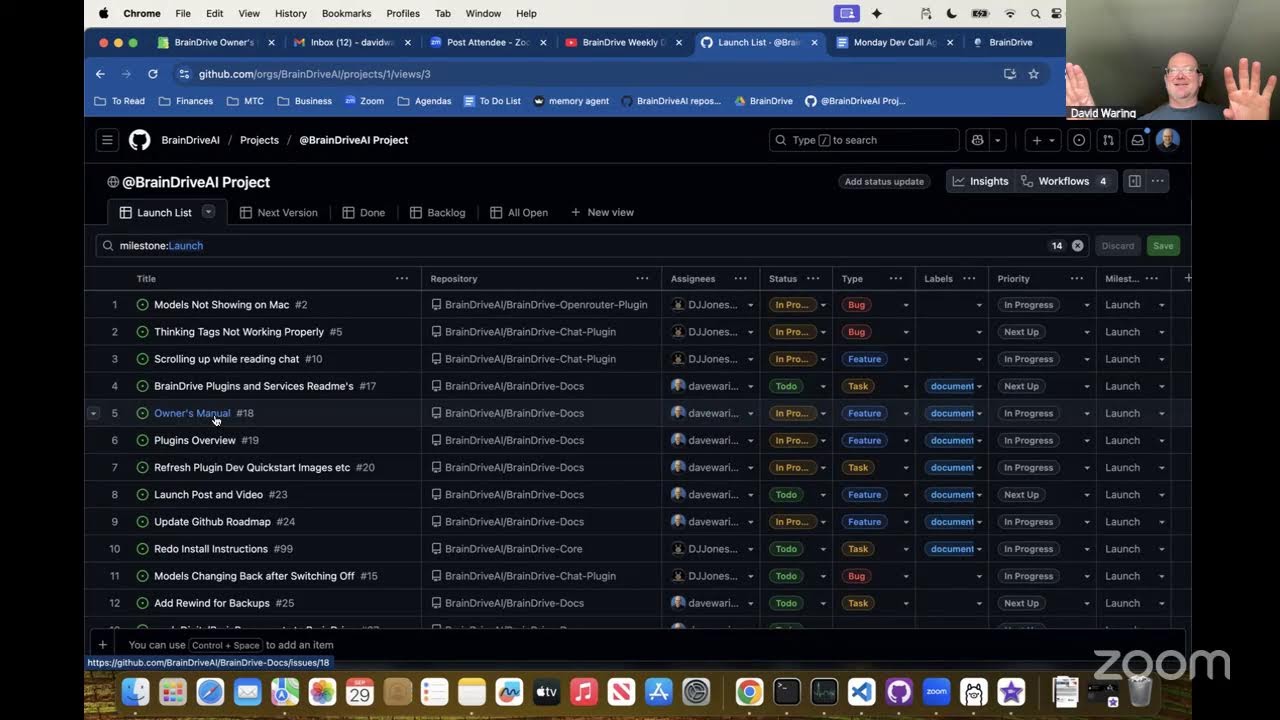
David Waring and David Jones discussed the organization of their project management system, which includes a public project on BrainDrive.AI containing a launch list for the developer open beta and a next version list. They agreed to use this system to track tasks, prioritize items through community input, and maintain transparency in decision-making. David Jones expressed excitement about having more opportunities to contribute and participate in the project’s progress, while both acknowledged the growing interest in locally-run AI systems and privacy concerns, positioning their work as timely and valuable.

OpenRouter Cross-Platform Compatibility Discussion

David Waring and David Jones discussed the development and functionality of OpenRouter, focusing on resolving issues with plugin models appearing on Windows but not on Mac. They planned to address this problem and ensure compatibility across platforms, including Linux by default. They also considered enhancing the user experience by implementing a visual indicator for “thinking” processes and improving chat scrolling functionality. David Jones agreed to investigate further and test the scrolling feature on different devices to identify and resolve any issues.

AI System Launch Documentation Review

David Waring and David Jones discussed preparations for the launch of their AI system. They reviewed the status of various documentation, including READMEs, an owner’s manual, and plugin system overview. They agreed to use AI to generate initial documentation and then review it together. David Waring mentioned plans for a launch post and video. They discussed the need to clearly communicate their focus and where community involvement can help. David Jones agreed to work on the install guide and go through the build cycle of examples. They also talked about adding a backup service and transitioning from Digital Brain Base to BrainDrive. David Waring experienced some technical issues with caching on his Mac, which they resolved. They decided to focus on launch preparations and defer discussions about the next version to a future call.

Resolving AI Model Looping Issues

David and Beck discussed issues with Brain Drive’s chat functionality and document processing AI. They identified a problem with model looping and discussed the ability to download Hugging Face models from the terminal. Beck mentioned he was working on adding document processing AI as a second service runtime. David provided Beck with environment variables to resolve missing editing controls in the front-end environment. They agreed to test document upload functionality and Beck planned to continue working on it if the test was successful.

Document Chat Plugin Implementation Issues

The team discussed issues with a Document Chat Plugin implementation, where Beck confirmed the plugin was working both locally and in the cloud with the same link. David Waring encountered caching problems in Safari that were eventually resolved, and the team successfully tested the plugin on a new page. Beck agreed to check the logs to investigate a failed upload issue, and the team scheduled a follow-up meeting for the next day.

Brain Drive Development Progress

The team discussed progress on Brain Drive, including moving plugin projects under a unified structure, improving the AI chat interface, and developing documentation. David Jones and David Waring reviewed tasks for the upcoming week, focusing on launching a usable system for developers. They also discussed the need for better project management and discussed potential improvements to the user experience. Beck joined to address issues with a document processing plugin and to test its functionality. The team agreed to continue working on resolving these issues and to meet again soon to assess progress.

Hi All,

Please find the recording from this week’s developer update livestream followed by an AI powered summary of the discussion below.

We livestream on Youtube every Monday at 10am Eastern and that call is open to any and all that would like to participate.

Questions, comments, concerns, and ideas welcome as always. Just hit the reply button.

Thanks
Dave W.

Recording:

AI Powered Summary of discussion:

Brain Drive Weekly Dev Stream — Summary (Mon @ 10am ET)

Mission: Build a superior, user-owned alternative to big-tech AI.

Highlights

  • Focused on Phase 1 “Foundation”: clean install + great local chat experience across macOS/Windows/Ubuntu.
  • Roadmap locked (MIT license → Phases 1–5) and GitHub Project aligned to phases.
  • Contributor guide live; lean core + plugin-first philosophy.

Progress

  • Improved chat UX: collapsed “thinking” section, smoother streaming aligned to reading pace, chat restores model/persona per thread.
  • Service Bridge examples moved into main repo with plugin-style updates.
  • Mac-specific env/encryption bug identified (Windows/Ubuntu unaffected). Fix coded and under test.
  • Docs updated; Service Bridge docs consolidated (minor formatting fix pending).

This Week

  • Ship Mac encryption/env fix (also unblocks OpenRouter community plugin).
  • Finalize chat scroll behavior.
  • Extract Ollama settings into its own plugin (prep for Llama.cpp/vLLM/etc.).
  • Docs: plugin descriptions, backups, docs site move to a braindrive.ai subdomain, repo sync, marketplace JSON discussion.
  • “Chat with Documents”: integrate Brain Drive models + chat history → developer beta soon.
  • Model Match: landing page + coordinated beta promo.

Big Picture (Phase 2)

  • Build enhanced role-playing experiences (assistants, tutors, domain experts).
  • Personas v0 today → next: exemplars, attached knowledge bases, tools.
  • Decentralized discovery and user-owned knowledge economy (no big-tech lock-in).

Hi All,

Please find the recording from this week’s dev call livestream followed by an AI powered summary of the discussion below.

Questions, comments, concerns, and ideas welcome as always. Just hit the reply button.

Thanks
Dave W.

Recording:

AI Powered Call Summary:

Brain Drive Weekly DevCall – Point-by-Point Summary

Call logistics & mission

  • Weekly livestream every Monday at 10 a.m. ET; recordings posted on community.brainedrive.ai.
  • Mission: build a superior, user-owned alternative to Big Tech AI systems.
  • Host: Dave Waring (solo—Dave Jones traveling).

Roadmap overview (docs.brainedrive.ai)

  • Phase 0 – License: Chose MIT for core + default plugins (ownership, freedom, empowerment, sustainability).
  • Phase 1 – Foundation: Easy install (Linux/Windows/Mac) + “first chat / tell me a joke.” Wrapping up.
  • Phase 2 – Developer Beta: Enhanced persona system; empower building on top of the platform.
  • Phase 3 – Developer Release: Code polish and prep.
  • Phase 4 – v1 Release: Major step toward user-owned AI ubiquity.
  • After v1: Community acceleration to surpass Big Tech via open ecosystems.

Project board status (aligned to phases)

  • Transitioning from Phase 1 → Phase 2.
  • Last Phase 1 blocker (encryption key not working on Mac) is done.

Current technical work

  • Ollama plugin: Split out from Settings into its own plugin to enable swapping local model runners (e.g., Llama.cpp, vLLM).
  • Goal: Freedom to choose any local model runner in Brain Drive; cross-OS testing planned.

Website & documentation

  • New main website live: simple path to Install Brain Drive + Join the community.
  • Docs site (docs.brainedrive.ai): Owner’s Manual guides install → use plugins → build plugins.
  • Docs pipeline: Auto-deployed updates; now self-hosted.
  • Improvements: Updated plugin dev quick-start images; contributor file aligned to roadmap; repo docs consolidating here.

Recently completed items (highlights)

  • Thinking Tags working.
  • Searchable dropdowns added.
  • Owner’s Manual Plugin Overview refreshed.
  • Docs auto-publishing in place (no manual steps).
  • Encryption key (Mac) fixed.
  • Earlier UI/scroll/watch fixes already done.

Model Match Project (Navneeth)

  • Purpose: Recommend the best open-source model per use case.
  • Use-case videos completed; landing page in progress.
  • Preparing an in-depth evaluation system overview (MIT licensed) to invite community extensions (add use cases, extend evals).

Chat with Documents plugin (Beck)

  • Chat and conversation history separated into independent modules.
  • Uses existing Brain Drive models + conversation history.
  • Status update posted on forum; walkthrough scheduled; aiming to demo next week.

Near-term focus (coming week)

  • Finalize/test standalone Ollama plugin.
  • Push RAG + Chat with Documents to parity/better than ChatGPT/Claude Projects.
  • Privacy-first local workflows: Keep sensitive data on-device; optionally use OpenRouter for non-private tasks.
  • Use pages to segregate private (local models only) vs non-private (API models allowed).

Strategic direction for Phase 2

  • Considered two persona/roleplay tracks:
    • Fiction: Character role-play (fonts, imagery, strong persona vibes, e.g., “talk to Batman”).
    • Non-fiction: Practical assistants (health coach, PA/life coach) using RAG + personal docs.
  • Decision: Focus Non-fiction first—more aligned with building a superior, user-owned alternative and advancing the memory component.

Architecture & ownership principles

  • Five components of an AI system: Interface, Models, Intelligence/Memory, Hosting, Connections.
  • Open/local strengths: interface, models, hosting; MCP promising for connections.
  • Memory is the key gap—Brain Drive investing in RAG, Chat with Documents, and broader memory to help open source “win the memory fight.”

Division of work

  • Dave Jones: Lead technical polish of Chat with Documents/RAG with Beck.
  • Dave Waring: Clean/update documentation for default & example plugins; prep for Developer Beta release.

Team/ops notes

  • First in-person meeting between Dave Waring and Dave Jones (after ~1 year collaborating).
  • Dave Jones traveling for a wedding; back next week for deeper technical discussion.

Community call to action

  • Join livestreams Mondays 10 a.m. ET and forums at community.brainedrive.ai.
  • Contribute plugins/evaluations; MIT-licensed and permissionless—build locally and keep control.

Wrap-up

  • Expect a more detailed Phase 2 discussion next week when Dave Jones is back.
  • Ongoing commitment: build a superior, user-owned alternative to Big Tech AI systems.

Hi All,

Please find the recording of today’s Weekly Development Call Livestream followed by an AI powered summary below.

We’re really starting to pick up steam so some great demos in the video this week.

Questions, comments, ideas, concerns etc welcome a always. Just hit the reply button to join the discussion.

Thanks
Dave W.

Recording:

AI Powered Summary:

Roadmap Overview

  • Phase 0: MIT license (maximally permissive; “your AI, your rules”).
  • Phase 1: Foundations for ownership/control across interface, intelligence, memory, hosting (local). Finalizing one-click installers (Linux/Windows/Mac).
  • Phase 2 (Owner): Easy first local chat (“turn off internet, tell me a joke” works).
  • Phase 3 (Builder): Modular system; empower building on top of BrainDrive.
  • Phase 4 (Entrepreneur): Ecosystem & incentives for sustainable, competitive alternative; community acceleration.
  • Docs: docs.brainedrive.ai; aligned GitHub project page available.

Installer & Updater Progress (Windows focus)

  • Windows installer working ~99%; one edge case left (template var not replaced with localhost). Adding a safety catch.
  • Install time: ~5m30s on Windows 11 under heavy load (under 10-minute goal).
  • Update flow (beta): rebases/catches up code; only available when BrainDrive isn’t running.
  • Plan: spin up new repo for installer; separate mechanism to auto-update the installer itself when the manager launches.
  • Repo naming/structure improvements (with “Jimmy” AI assistant) to reduce user confusion.
  • Priority this week: ship Mac & Windows one-click installers; Ubuntu as a bonus (power users can terminal-install anyway).

Installer Settings & Advanced Options

  • Choose install directories (e.g., store DB on encrypted SSD while keeping code elsewhere).
  • Network/ports configurable (useful for builders/devs running multiple services).
  • Advanced tab seeds future debugging and BrainDrive configuration via .env/args.
  • All changes are local and require BrainDrive restart; “Privacy-Focused Pat” can accept defaults and skip settings.

Plugin System Demo — “BrainDrive Craft” (Infinite Craft-style game)

  • Built a working AI game plugin (“BrainDrive Craft”) on Llama-3-8B.
  • Auto-provisions:
    • Page on install (no manual setup).
    • Persona for the system prompt; editable by user (tweak output format/behavior without code).
    • Lifecycle: uninstall removes both page and persona (clean cleanup).
  • Gameplay: combine elements → new discoveries; includes “How to Play” and new-game flow; behaves like the original Infinite Craft concept.

Lifecycle Manager Refactor & Dev Ergonomics

  • Split Lifecycle Manager:
    • Keep only ~300 lines developers must touch in lifecycleManager.
    • Move ~900 lines of boilerplate to a helper (community.lifecycleManager).
  • Result: easier, less intimidating plugin authoring; examples included for page/persona creation and cleanups.

Build/Install Automation Scripts (for fast iteration)

  • Scripts created and used:
    • devInstall: installs plugin via same code paths as the UI.
    • devDelete: uninstalls plugin.
    • buildArchive: archives a build by plugin name & version.
  • Agentic loop with Codex:
    • Ran install/delete/fix iteratively until clean.
    • 62 cycles in <1 hour, replacing ~2 days of manual iteration.

Recommended Dev Workflow (Hello World → Ship)

  1. One-click install plugin template to BrainDrive to see how it wires in.
  2. Clone repos into a shared IDE workspace (VS Code): BrainDrive core + your plugin (e.g., plugin-build/your-plugin).
  3. Webpack/Build path tweak: point plugin’s dist output to the installed plugin’s backend path so npm run build hot-drops files without reinstalling.
  4. Hard refresh BrainDrive UI (DevTools open, disable cache; Ctrl/Cmd+Shift+R) to see changes.
  5. Version & release: create GitHub repo, initial commit/push; use buildArchive to package; provide GitHub URL for one-click installs.

Rules & Gotchas for Plugin Authors

  • Use class-based components (not React hooks from core):
    • Decouples plugin from core React version & prevents breaking changes.
    • Treat plugin as a self-contained micro-app (no cross-import of core hooks).
  • Unique names: plugin name ≠ module name (must differ).
  • AI prompting: provide rules upfront (class-based, naming, output formats) to keep the AI from going down the “99% React hooks” path.

“Code Concierge” / Codespaces Idea

  • Provide a pre-wired dev environment (BrainDrive core + plugin template + helper scripts).
  • Include a context/system prompt capturing rules and workflow so AI can reliably scaffold and iterate plugins.
  • Goal: non-developers can ship plugins by conversing with the AI.

Marketing & Growth Work

  • Persona: “Privacy-Focused Pat” (tech-forward, not necessarily a dev) now has tailored messaging—ownership, local AI, self-hosting, freedom.
  • Lead magnet: “How to Run AI on Your Computer” PDF (intro to local AI + step-by-step install).
  • Landing & capture: ConvertBox (one-time license) for opt-in; exit-intent on site; Brevo for free tier email automations.
  • Community integration: Working to fire exit-intent only for logged-out forum visitors; wiring forum signups to Brevo with a clean welcome sequence.
  • Docs: AI-assisted plugin concept doc to centralize technicals; plan to auto-generate/update READMEs across plugins.

Product/Content Updates in Flight

  • Model Match (choose best open-source model for a use-case):
    • 20-min high-level video done; “run it yourself” tutorial coming; all MIT and on GitHub.
  • Chat with Documents: working locally; ironing out issues on another machine.
  • Developer materials: short videos planned for unique BrainDrive tools and AI-assisted workflows.

Known Issues / Improvements List

  • Plugin state sync: browser storage not pushing to DB; fix to enable cross-device continuity.
  • Installer UI: move to a tabbed, single-view experience; reduce vertical scrolling.
  • Menu refresh: left menu should auto-update after plugin install (no manual refresh).
  • Update badge bleed-through: showing “update available” for plugins not installed on current user; needs scoping fix.
  • Caching/auto-reload: want automatic front-end reload on plugin build changes (reduce manual hard refreshes).
  • Naming/structure: clarify repos and update channels (“update BrainDrive” vs. “update installer”).

Multi-User Dev Setup

  • Use multiple users on a single BrainDrive instance to keep test environments isolated (e.g., one with all service bridges, one minimal for Builder testing).

This Week’s Priorities / Next Steps

  • Dave J.: Finish Mac & Windows installers (with auto-updater), possibly test Ubuntu.
  • Dave W.:
    • Finalize discourse lead capture + email hooks.
    • AI-generated READMEs for plugins.
    • Launch first persona-based use case (benefits from auto page/persona provisioning).
    • Create walkthrough where Dave W. builds a plugin live with guidance (developer onboarding video).

Positioning / Vision Reinforced

  • Thin, stable core designed for your vision, not joining someone else’s.
  • Modular plugins + page builder + personas → customize and extend without waiting on core changes.
  • Non-developers can build & ship with AI assistance.
  • Target: better than custom GPTs and other systems in flexibility, ownership, and speed to value.

Closing

  • No major challenges reported (short week).
  • Team energized; trajectory accelerating; focus on shipping installers and a compelling persona-based use case next.

Hi All,

Please find this week’s dev call livestream recording along with an AI powered summary below.

Questions, comments, concerns, and ideas welcome as always. Just hit the reply button.

Thanks,
Dave W.

Recording:

AI Powered Summary:

Point-by-Point Summary

Roadmap & Mission

  • Mission: Build a superior, user-owned alternative to Big Tech AI.

  • License: MIT (aligned with ownership, freedom, empowerment, sustainability).

  • Phases:

    1. Phase 0 – License selection (done).
    2. Phase 1 – Foundation: ownable interface (Core + Chat), intelligence (open models), conversation history (RAG), hosting (your computer). Installers are the last major piece.
    3. Owner Release – Polish chat + build robust local RAG, integrations, ease of ownership.
    4. Build – Modular architecture for plugins/apps; “WordPress of AI.”
    5. Entrepreneur Release – Ecosystem/economy on top of Brain Drive.
    6. Community Acceleration – Leverage community to surpass Big Tech.
  • Philosophy: You can use any external model (OpenRouter, etc.) but you own memory/interface.

Installers (Main Tech Update)

Windows Installer

  • Install time ~5m30s on dev’s machine.

  • Advanced settings:

    • Choose install location.
    • Set IP/ports with live “in use / available” indicators.
    • Configure separate Brain Drive database location (for portability across installs/Docker).
  • Multiple Brain Drive instances supported via different ports; can point to shared Ollama server.

  • Ollama check: probes localhost:11434; if down/absent, “Install Ollama” enables (runs official installer).

  • Post-install: desktop icon (Windows confirmed), Start/Update buttons. Installer self-updates via versioning.

Mac Installer

  • Similar flow/UI, adapted layout; runs faster in testing.
  • Dark mode appearance noted.
  • Requires Apple Developer ID + Gatekeeper signing; submission process in progress.
  • Plan: same update/versioning workflow as Windows.

Additional Progress Highlights

  • Model Match: Video walkthrough published on YouTube (recommendation system for 5 use cases).

  • RAG (Chat with Documents):

    • Live on presenter’s Brain Drive: uploaded 3 docs; grounded answers working.
    • Embeddings temporarily via cloud; moving to local (335M param embedding model added to Ollama).
  • Y-Detector:

    • Multi-agent “find your why” web app built with Claude; live at ydetector.com.
    • Will later have a local version and can serve as a pattern for future use cases.
  • Apple Dev Submission & Admin:

    • Needed DUNS/financials; bookkeeping stood up to satisfy Apple requirements.

Strategy Discussion (Revenue & Focus)

  • Long-term, mission-aligned revenue: Managed hosting of Brain Drive.

    • Local remains free/ownable; hosted offers convenience with data ownership/portability.
  • Avoid detours: focus now on polishing local foundation + strong RAG, then monetize via hosting.

  • Worst-case: If hosting demand lags, foundation still required for any pivot.

Data Portability & Plugin Policy

  • Export/Import guaranteed across local/hosted.
  • Shared hosting will whitelist plugins (security); local/self-hosted remains “wild west.”

Near-Term Tech Priorities

  • Multi-user, backend security, API hardening (prereqs for hosting).
  • Mobile & desktop responsiveness (must-have before hosting).
  • RAG maturity and integration polish.

Plugin Architecture: “Plugins Calling Plugins” + Caching

  • New capability: plugins can invoke other plugins’ components (composability).

    • Example: Brain Drive Chat can directly call the RAG plugin to select docs/projects and fetch context within the same chat UI.
    • Two dev paths: build full custom UI plugin, or supply/connectors so Brain Drive Chat drives your functionality.
  • Implementation notes:

    • Refactor plugin engine internals; interfaces are known; expected to take a few days.
    • Add caching alongside this refactor.
  • Guidance for RAG dev (Beck): focus on functionality; UI wiring will leverage the new connectors.

Issue & Task Review

  • Done:

    • Ollama moved to its own plugin (separated).
    • One-click add Page & Persona during plugin install.
  • Active / To-Do:

    • Settings page browser refresh/caching issue.
    • OpenRouter models sometimes not responding (triage if aggregator/model-side vs Brain Drive).
    • Mobile responsiveness (app-wide) + page builder/laptop breakpoints.
    • Jobs/Tasks engine for Ollama model management.
    • Plugin engine refactor: plugins-calling-plugins + caching.
  • Linux Installer: deferred until after Mac/Windows.

Hosting Considerations (Preview)

  • Must support:

    • Local (single-user).
    • Private cloud (your own instance).
    • Shared hosting (multi-tenant isolation: no cross-user data leakage).
  • RAG plugin will need the same isolation model as core Brain Drive.

MCP (Model Context Protocol)

  • Team revisiting MCP after initial misunderstandings.
  • Early code exploration underway; likely useful inside Brain Drive for tool-calling workflows.
  • Potential tie-in: model selection for tool-calling models (Navineeth to explore benchmarks).

This Week’s Focus

  • Finalize Windows/Mac installer update flow & repo move.
  • Begin plugin engine refactor (connectors + caching).
  • Triage OpenRouter responsiveness.
  • Start/continue responsiveness fixes.
  • Marketing/outreach prep as installers land; Windows users testing likely first.

Admin & Community

  • Weekly livestream: Mondays 10:00 a.m. ET.
  • Discussions and recordings posted on the community forum.

Hi All,

Please find the recording from this week’s dev livestream update followed by an AI powered summary of the call.

We livestream these calls every Monday at 10am EST on Youtube so we encourage you to participate there or in the comments section here. Just hit the reply button.

Thanks,
Dave W.

Recording:

AI Powered Summary:

OpenRouter plugin updates

  • New tabbed settings UI.
  • Built-in no-cost connectivity tests (endpoint reachability without token spend).
  • Model list with costs; quick filter for free models (UI colors to be refined).
  • Error messages prompt users to adjust OpenRouter privacy settings (prompt/response logging acknowledgements).
  • Philosophy: combine local LLMs and API LLMs; route private things locally, public research via APIs.

Plugin ecosystem direction

  • Current connectors: Ollama (local) and OpenRouter (APIs).
  • Future: more plugins (Anthropic, OpenAI, etc.). Code patterns provided so others can build easily.

Model Match & eval focus

  • Feedback gathered from AI research community; shift from evaluating the manufacturing line (eval pipeline) to the product (recommendations).
  • Running shoe analogy: test the shoe on the track.
  • This week: prototype therapy use case with custom system prompts to improve model scores; later add custom datasets.

Chat with Documents (RAG) progress

  • Collections and background document processing services running; docs processed and visible.
  • Current gaps: responsiveness/polish, and integration with persona system (in progress).
  • Near-term goal: have Chat with Documents/RAG at a useful prototype level for launch alongside installers.

Documentation & education

  • Docs site automation fixes; improving READMEs for default plugins.
  • Building Owner’s Manual per plugin starting with Chat with Documents.
  • Drafting an Ultimate Guide to RAG (local) + course outline; plan: one big text guide + many short videos.
  • Explainable pipeline for non-devs to tune chunking, embeddings, retrieval, etc.

Upcoming dev priorities (this week)

  1. Background Tasks Manager
  • Support long-running jobs (deep research, big model downloads).
  • Central UI to see progress, elapsed time, status, and results.
  • Plugins can surface task status inside chat; BrainDrive will also have a profile-level task view.
  1. Mobile improvements
  • Better phone chat experience; sidebar third state (icons-only).
  1. Page Builder decoupling
  • Decouple grid from view; add zoom/pan for small screens; resolve the “hide sidebar to build” issue.

Priority order: fix existing desktop issues (background tasks + page builder usability), then mobile.

Personas & examples

  • Provide default personas; show how to customize (fun/utility: pirate talk, Rubik’s cube analogies, emoji preferences).
  • Great content angle to teach persona system for usefulness and fun.

Big picture: Memory/RAG as the moat

  • The most valuable AI is the one that knows you (memory) under your ownership.
  • Big tech is centralizing memory (e.g., ChatGPT Pulse); BrainDrive aims to let users own/control their digital brain.
  • Start with private Chat with Documents; build toward multi-source, personalized memory.

“Ball / Knowledge bricks” concept (composable value)

  • Package three pieces into a shareable unit (“ball”): knowledge base (RAG) + persona + plugin/page.
  • Users can share/sell/rent these; run 24/7; compose multiple balls/blocks for bigger solutions.
  • Composable, user-owned knowledge economy; MIT license + plugins make UI customizable vs uniform SaaS.

Tech choices & flexibility

  • Current vector DB: ChromaDB for embeddings.
  • Future-proof: can migrate; support multi-source retrieval (vectors, internet, knowledge graphs, JSON blobs).

Local RAG course plan

  • Free, step-by-step LOCAL RAG guide/course (not just LangChain glue).
  • Use concrete examples; make it actionable for non-experts.

Hi All,

Please find the recording of this week’s dev call livestream followed by an AI powered summary of the call below.

Questions, comments, concerns, and ideas welcome as always. Just hit the reply button.

Thanks
Dave W.

Brain Drive Weekly Dev Call — Point-by-Point Summary

Dev Updates (Dave J)

  • Initiatives last week (started as 3, grew to 4):

    1. Jobs / Background Tasks (e.g., long-running processes like model downloads, deep research).
    2. Page Builder: Professional-grade usability; decouple display from logic; cross-screen consistency.
    3. Mobile Responsiveness: Prep for reliable chat on phones.
    4. Installer & UI Cohesion: Align installer, website, and app UI; short pause to refresh look before Mac review.

Demos & Technical Notes

  • Page Builder

    • Zoom in/out entire page; movable scrollbar for full-canvas visibility across screen sizes.
    • Fix for Mac-specific layout differences; now WYSIWYG across devices.
    • Remaining: auto-expand single module to full page; add tests; handoff for UX pass.
    • Resolved: A “bounce” bug (took weekend to squash).
    • Menu issue: Zooming change removes need to collapse the menu—confirmed.
  • Background Tasks / Jobs

    • Current test path via Ollama model installs; tasks offloaded automatically so UI stays responsive.
    • UI: Avatar menu shows active/completed jobs; planned list of currently downloading models; retry on failures.
    • Future: Indicators in Chat to run Deep Research in background with counts & elapsed/ETA.
  • Installer Revamp

    • Initial explorations (dark theme, icon menu, model/plugins selection at install).
    • Decision: For launch, limit to cosmetic refresh (dark theme, updated text/icons) to reduce risk; park advanced features for later.
    • Objective: Keep users out of terminal; optionally auto-install a starter local model (Ollama) for “ready to chat” after install.

Launch Scope & Readiness

  • Core launch items:

    • Brain Drive Core (modular architecture).
    • Plugin manager + default plugins.
    • Page Builder (in testing).
    • Installer system (cosmetic updates first).
    • Doc site + roadmap + community.
  • Chat with Documents (RAG):

    • Nearly there; personas system + state-of-the-art evals to compare/improve local model RAG quality.
    • Unique combo of Chat with Docs + Evals designed to give setting recommendations based on results.
  • Timelines (internal): Aim to wrap “paint and carpet” polish soon; begin sharing for feedback shortly after.

Docs, Codespaces & Dev Experience

  • Docs: Repo set up to recreate docs folder; issue with prior breakage fixed (.gitignore cleanup).
  • GitHub Codespaces: Strongly preferred; avoids local setup pain; “just works”.
  • Dev Containers: Research underway; goal to ship containers that spin up Core + plugin side-by-side, with helper scripts, breakpoints, agents.md, build/install test loops—standardized environment for faster AI-assisted dev.
  • Next Content: Plan a video of Dave W setting up Dave J’s environment to inform dev container design.

Project Management & Sizing

  • GitHub Project View: Reorganized by repos; focused on Phase 2 board.
  • Sizing scale: 1 = small (hours); 2 = medium (days-week); 3 = large (multi-weeks).
  • Notable items & sizes (selected):

Model Match & Marketing

  • Model Match: Posted on Reddit for feedback; follow-up call scheduled; updates to be shared next week.

Decisions & Action Items (Quick Hits)

  • Ship installer with dark theme + copy/icon refresh first; advanced installer menus later.
  • Page Builder: finalize single-module full-page behavior; pass to Dave W for UX notes.
  • Jobs UI: show running/completed; add model download list; add retries.
  • Docs: Recreate content in cleaned repo; proceed with updates.
  • Dev Experience: Proceed with Codespaces; design dev containers to spin up Core+plugin with helper scripts.
  • RAG+Evals: Continue integration; aim for setting recommendations from evals.

Hi All,

Please find this week’s dev call livestream recording followed by an AI powered summary of the items discussed below. We do these calls every Monday at 10am EST on our Youtube Channel.

Questions, comments, ideas, and concerns welcome as always. Just hit the reply button.

Thanks,
Dave W.

Installer & Core App Progress

  • Windows installer: Working.
  • macOS installer: Working locally; PR created. Needs Dave W.’s validation before Mac App Store submission. Outputs app + DMG.
  • Brand integration: Icons, dark mode, consistent look across Windows/Mac.
  • Task Manager (background jobs): Works; remaining: minor Ollama plugin update to move model paths (quick fix).
  • Stability: Zoom/decoupling fix in Page Builder tested; not breaking.
  • Installer UX ideas (backlog):
    • Show occupied ports on main screen (debated; might confuse non-technical users).
    • Move to system tray behavior like Ollama/OpenAI.
  • Goal: Get Mac build validated and submitted; consider Windows Store later; Windows code signing discussed.

Page Builder Improvements

  • Zoom/decoupling: Now independent of screen size; avoids prior grid explosions; supports deeper (scrolling) pages; toolbars/modules accessible anywhere.
  • Deferred nicety: First module auto-expand to full width (caused issues; postponed).

Community & Marketing Setup

  • YouTube channel: Banner/logo updated, description/links optimized, playlists organized.
  • Marketplace (forum) posts: Core plugins posted using a template (name, install link, data control, status, screenshot, docs, later demo video).
  • Email capture on forum: Popup for free eBook (“Run AI Privately and Locally”) after 3 page views; welcome email automation added.
  • Docs/sites cleanup: Resolved issues.
  • Content runway: Course outline/screens ready (awaiting final screenshots/installer links), long-form SEO content queued (Local AI for Non-Developers, Ultimate Guide to Ollama, Running AI Locally, Local RAG guide), plus prior writings organized for launch.

Navaneeth & Beck Updates

  • Navaneeth: Pivoted from “Model Match” (too early to wow) to Y Finder plugin (Simon Sinek “Find Your Why”), leveraging an already working external version; onboarding to BrainDrive + plan for plugin; later 3-way call.
  • Beck: Wrapping up; Chat with Documents (RAG) hand-off to Dave J. in progress.

Plugin Architecture Discussion

  • Two approaches:
    1. Service Bridges (decoupled): Version-agnostic, safer, self-contained, talk via API/backend; preferred for most devs & messaging.
    2. Borrow Core React (coupled): Deeper integration/power, direct front-end data access (e.g., personas) without backend hops; version-sensitive (React mismatches can explode).
  • Positioning: Recommend Service Bridges by default; advanced devs can opt into React borrowing with caution. Keep marketing simple around “decoupled/version-agnostic.”

RAG / Chat with Documents (Core Topic)

  • What it is: Collections of docs; ask questions; grounded answers with citations/links inside BrainDrive.
  • State seen by Dave W.: Demonstrated working previously; now intermittent failures.
  • Dave J. status: Couldn’t run on Ubuntu; partial on Windows; missing/lacking guidance on required models/steps led to crashes (especially in Docker).
  • Model dependencies: Needs chat + embedding models; plugin should ideally check/install defaults or at least clearly prompt the user.
  • Scope alignment: Don’t delay launch to perfect auto-install. A first release that requires the owner to pick/install models (e.g., via Ollama/OpenRouter) is acceptable—especially as a community plugin (not core).
  • OS focus: Prefer Mac first (large share of local AI enthusiasts, unified memory benefits), but release on whichever OS is solid first; others follow.
  • Backend services: Uses Docling; previously tried spaCy layout (slow ~15min warmup); now aiming Docling-only for speed.
  • Observed issues during live repro:
    • Upload failures after clean setup.
    • Collections persisted unexpectedly (likely Docker-stored DB).
    • Model dropdowns sometimes empty; contextual retrieval model missing.
    • Once showed context fetched but UI still errored.
  • UI nit: Chat area scroll behavior needs fix; minor but improves UX a lot.

Prospective RAG Refactor (Dave J.’s plan)

  • Remove Docker for services; run local wrapped services on Mac/Win/Ubuntu for 10x faster startup and fewer brittle steps.
  • Better error handling: Don’t explode; surface actionable messages.
  • Timebox (conceptual): Dave thinks it’s feasible within ~a week of focused work (but not delaying this week’s release).
  • Next immediate step: Learn Beck’s exact runbook & assumptions; identify missing steps/compat diffs (cloud vs localhost).

“Own” vs “Build” Positioning (Contest & Launch)

  • Reality check:
    • Owners: Need “own + chat with documents” for stickiness.
    • Builders: Care most about build experience; chat alone doesn’t wow them.
  • Contest (Local LLM community): Can win with vision/foundation alone; used as promotion even if parts are WIP.
  • Strategy:
    • This week: keep pushing installers & RAG; assess by week’s end whether “Build” is ready to be primary message alongside “Own.”
    • Goal: Ideally go out with both: (1) “Build” story working enough to excite devs and (2) experimental Chat with Docs demo/screens for owners, clearly labeled as early.
    • Navineeth’s Y Finder is the “sniff test” for real-world Build viability using the plugin system and examples.

Decisions / Agreements

  • Do not block release on perfect RAG DX (auto-install, Dockerless); ship with manual model selection if needed.
  • If necessary, ship RAG on a single OS first; label scope clearly.
  • Contest submission next week (Mon) regardless; prefer to have something demo-able for Chat with Docs.
  • Mac installer to Dave W. today for test; if okay, submit to Mac App Store.
  • Windows code signing planned; can ship unsigned warning initially.
  • Dashboard links: Add prominent links to Owner’s Manual, community forum, support, etc., to connect product ↔ BrainDrive ecosystem.
  • Dark mode first: Keep light mode optional/secondary; brand consistency prioritized.
  • Shared repo: Centralize images/screenshots/logos for consistent docs/marketing.
  • Discord: Not a priority unless there’s a useful BrainDrive-backed AI bot; forums remain primary support channel.

Action Items

  • Dave J.
    • Ship Mac installer build link to Dave W.; fix any issues he finds.
    • Minor Ollama plugin update (model path handling).
    • Prepare for 8:00 AM call with Beck; compile questions as he unblocks.
    • Begin RAG stabilization (improve errors), then scope Dockerless services (after release tasks).
    • Add dashboard links (owner’s manual, community, etc.).
  • Dave W.
    • Validate Mac installer; if good, submit to App Store.
    • Continue course buildout & content polishing (screenshots once installers stable).
    • Post plugins using the forum template; record short demo videos later.
    • Draft owner-facing step-by-step for Chat with Docs (models required + screenshots).
    • Define the 4–5 dashboard links to add.
  • Both
    • Align on “Own vs Build vs Both” messaging at week’s end.
    • Prepare contest entry (target next Monday) with realistic labels (e.g., “experimental” for RAG).

Scheduling / Timing Notes

  • Call with Beck: Tomorrow at 8:00 AM (walkthrough exact install/run steps).
  • Contest: Aim to submit Monday (pre-Thanksgiving) to allow a couple days for responses.
  • Thanksgiving: Limited availability anticipated; forums preferred for async Q&A.

Risks / Open Questions

  • Where exactly is the RAG DB/state persisted (Docker volume?) causing leftover collections?
  • Model dropdown reliability and contextual retrieval model availability.
  • Chat UI scroll issue fix.
  • macOS App Store review specifics (might impose surprises).
  • Navineeth’s development velocity/capacity on Y Finder inside BrainDrive.
  • Determining whether “Build” is strong enough for primary contest message versus “Own + early RAG.”