If there is time left over in the hour we choose 1 big picture topic to discuss.
We encourage anyone who would like to follow along or participate in the BrainDrive project to join these calls live and/or respond to the recordings/post things they would like to see discussed here.
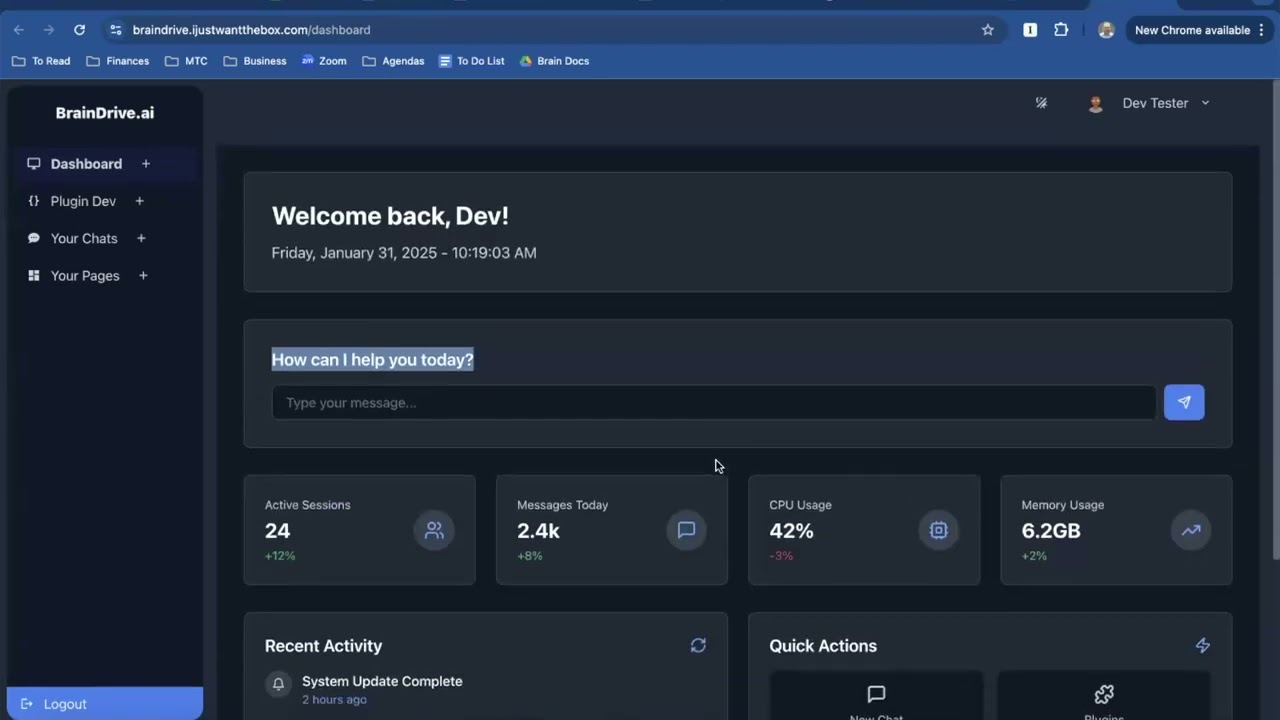
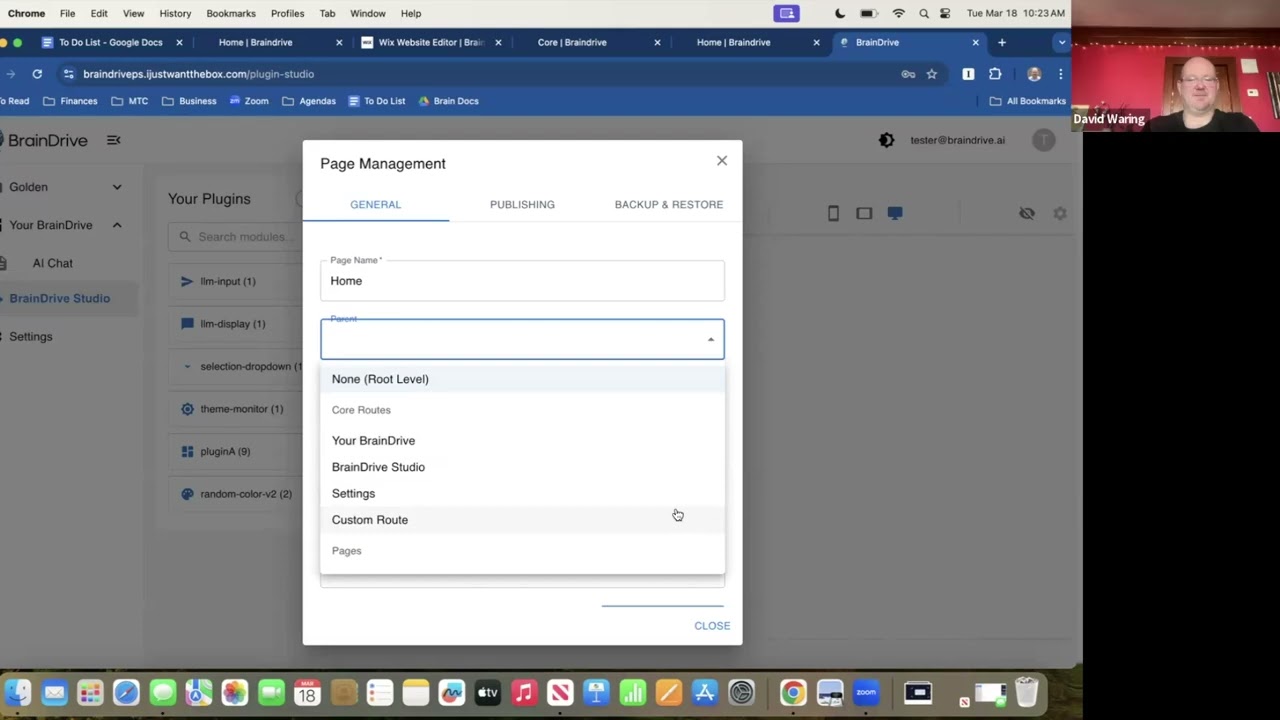
The first 10 minutes is just us discussing the home screen but last 20 minutes which is the more interesting part is talking about and showing the concept of pages for the first time.
Includes a detailed discussion of the concept of how the system creates a bridge between plugins and how much time that saves when developing on BrainDrive.
BrainDrive Studio development progress and the first discussion of “BrainDrive Concierge” the BrainDrive support chatbot that we want people to be able to interact with after logging into BrainDrive for the first time.
Local-first performance; devs can slot in their own memory/RAG layers.
Code still messy, duplicate calls, inconsistent IDs/endpoints.
Architectural choices (and open questions)
Local-first: Runs on your box; managed hosting will be optional and migratable. Question: If you self-host today, which backup/restore path do you need day 1?
Plugins vs. Modules:
Plugin = conceptual bundle (e.g., “Basic AI Chat”).
Module = the actual UI/logic block you drag onto a page.
This gives mix-and-match freedom but forces extra clicks. Question: Would you prefer a one-click “add all modules” button for common plugins?
Decoupled API layer: Plugins talk to “core” via generic get/put/list/delete calls. Easy to swap in your own memory store. Question: What interface would you need to wire your existing vector DB?
FastAPI + React 18: Skipped React 19 until it’s battle-tested. Question: Any show-stoppers you foresee staying on 18 for now?
Roadmap
Item
Owner
Reality-check ETA
Normalize DB & fix endpoint inconsistencies (prevents data loss on updates)
Dave J.
7-10 days ← third time we’ve heard that; hold him to it.
Polished default chat interface
Dave J. (or contributors)
Immediately after DB clean-up; “doesn’t take long once foundation is stable.”
Plugin install workflow
TBD
Not started.
Weekly public videos (build-in-public)
Dave W. & Dave J.
Starting this Friday; long recap every Monday.
How to get involved (soon)
Watch the video and comment below. What breaks? What’s unclear?
Join the early-access mailing list (link coming once repo opens).
Bring your skepticism: We want devs who’ll poke holes before we paint the house.
We’re still firmly in “crawl” phase, but the skeleton is walking. Let us know what would make you trust this enough to start hacking on it.
Please find this week’s technical progress update video along with an AI powered summary of the items discussed below. We welcome your questions and comments, just hit reply to this post.
Progress Since Last Week
Performance Improvements
Significantly improved system speed by eliminating redundant calls, especially in the side menu and plugin rendering.
The platform is now noticeably more responsive and “snappy.”
Plugin Studio Updates
Major UI/UX cleanup in the Plugin Manager.
Plugins no longer trigger full screen refreshes—resulting in a smoother editing experience.
Improvements to the chat plugin:
Automatically restores the last conversation.
Auto-selects the previously used AI model.
Reduces loading delays.
Demo & Testing
Full walkthrough of the new user experience (fresh install with no database).
Identified and reproduced edge cases during live testing—exactly the purpose of these weekly calls!
BrainDrive Memory System
Our professional Neo4j-powered memory system is now fast, accurate, and generating intelligent outputs.
Successfully retrieves mission statements, business context, and even generates quality content like LinkedIn posts.
Open-source release coming soon. Will be integrated into BrainDrive via plugin and available to use with any UI.
Action Items for Next Week
Pre-Release Fixes (Due by Monday):
Add a Profile Page
To allow users to manage account settings, passwords, etc.
Auto-Generate Default Page on Install
New users should land on a ready-to-use page with AI chat.
Improve Layout Efficiency
Move page title out of the main workspace to maximize plugin space.
Newly Discovered Bugs:
Save/Publish Bug
Pages sometimes fail to save or publish properly.
Plugin Placement Without a Page
Currently allows plugins to be added before a page exists (causing silent failure).
“New Page” Naming Issue
Pages named “New Page” may have conflicts or fail to publish.
Community Involvement
We’re organizing our backlog and will be publishing it to the Help Build BrainDrive under “Help Build BrainDrive”.
This will be the central place for:
Tracking feature requests and bugs.
Allowing contributors to claim tasks.
Following the status of core development.
Thanks for your continued support—we’re finally entering the exciting part: shipping, sharing, and building together!
Please find this week’s developer update call recording below:
We’re making big strides toward our mission to make it easy for anyone to build, control, and benefit from their own AI system. Here’s a full breakdown of what we discussed, where we’re at, and what’s coming next.
Wins & Celebrations
Successful Round 2 Install Tests: One of our testers—an amateur developer—was able to complete the installation using the updated instructions with no issues. This confirms we’re getting close to a smooth, repeatable install process.
Feedback Implementation: We moved quickly from feedback to action, releasing a v2 install flow within days. A v3 version is now in the works, simplifying setup even further by removing the need to manually install Conda, Git, and Node.
Docker Prep Begins: Initial progress was made on Docker support to allow an even easier installation path in the future.
Strong Early Interest: Developers are resonating with the message of personal AI ownership. We’re seeing consistent feedback from the community that they’re excited about what BrainDrive stands for.
Challenges
Setup Complexity (Still Improving): While we’re close, some friction remains for first-time installers—especially around system requirements and dependency versions.
Guiding the First Experience: Once installed, users aren’t sure what to do. We identified this as a priority and are working on design and messaging updates to solve it.
Progress from Last Week’s To-Dos
5+ developers tested and gave feedback
Install instructions updated based on initial round of feedback
Documentation installed locally and working
Plugin documentation deprioritized in favor of installation polish
Core Interaction feedback reviewed – We aligned on the need to guide new users more clearly once the system is installed
This Week’s Priorities
Update Mechanism
A system-wide update procedure is being implemented to ensure future updates can be rolled out smoothly without requiring reinstallation.
AI Chat as Landing Page
We’re making the AI Chat page the default landing page after login. This aligns with our Core Interaction:
“Chatting with your own AI system.”
This is BrainDrive’s “aha moment” and our design priority moving forward.
Visual Cues & Help Features
In-app hints to explain screen purpose and requirements (e.g., “Start a model in Ollama before using this page”).
Tooltip guidance and error cues during login and registration (e.g., password rules, forgot password support).
Optional tutorials and the ability to toggle them off once learned.
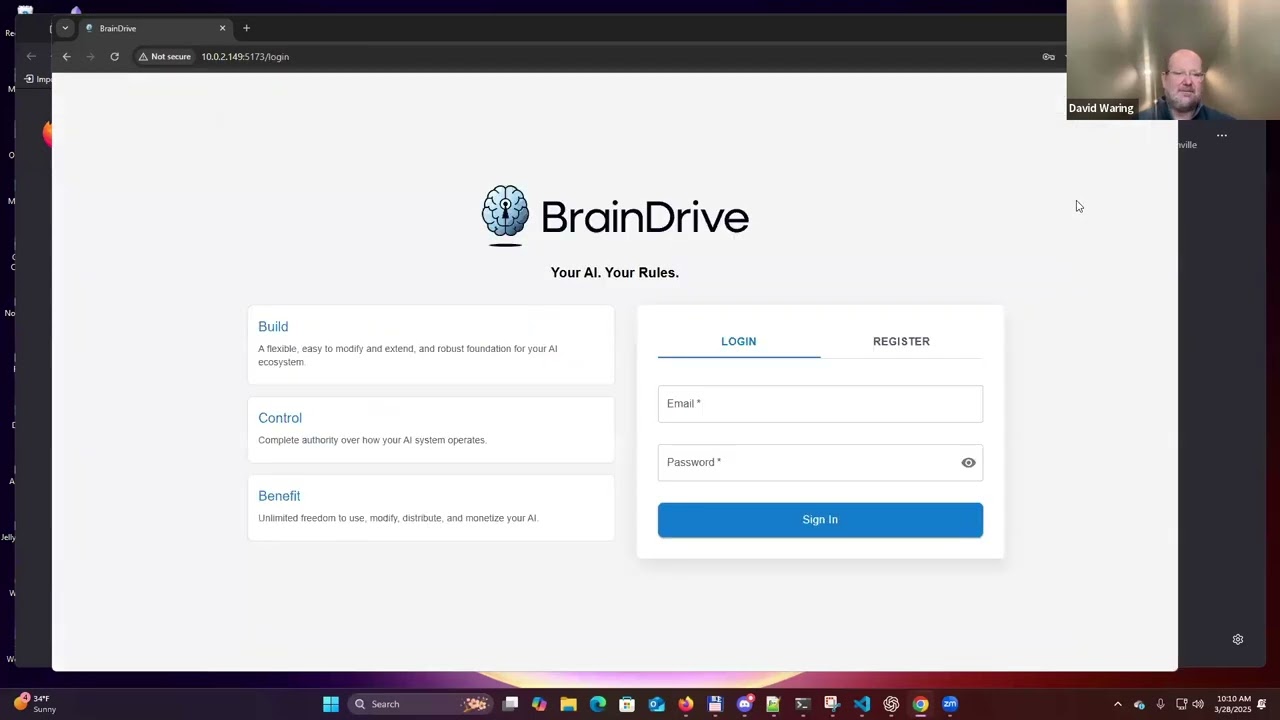
Login Page Cleanup
Simplifying the interface by removing the left-side text boxes
Replacing “Full Name” with just “Name” for privacy-conscious users
Adding a short note explaining that data stays on your device only
Settings Enhancements
Ability to toggle AI servers on/off (e.g., if offline in a cabin)
Rename AI servers for clearer identification (e.g., “Local only,” “Cloud backup”)
Interface Feedback Consolidation
Merging two sets of front-end feedback into one master doc
Prioritizing based on clarity, ease of use, and alignment with our mission
Coming Up Next
Once the new onboarding flow (including the AI Chat landing page) is in place, we’ll launch a third feedback round with our test group.
If feedback is positive, we’ll begin public developer outreach through GitHub, Reddit, X, and local AI communities.
Next major area of focus: Plugin Development Documentation and Demos to help Builders and Entrepreneurs get started customizing and monetizing.
What About Videos?
We’re holding off on filming installation videos for now. The process is still evolving, and we want to avoid re-recording.
Once the experience is dialed in, we’ll roll out walkthrough videos for install, onboarding, and plugin development.
Final Takeaway
This week was all about getting developers from “install complete” to “I get what this is and how to use it.”
We’re not just testing features—we’re refining the first moment of ownership.
Next week’s goal: developers can install BrainDrive and immediately chat with their own AI system—no guesswork, no extra steps.
Questions, comments, and concerns welcome as always, just hit the reply button.
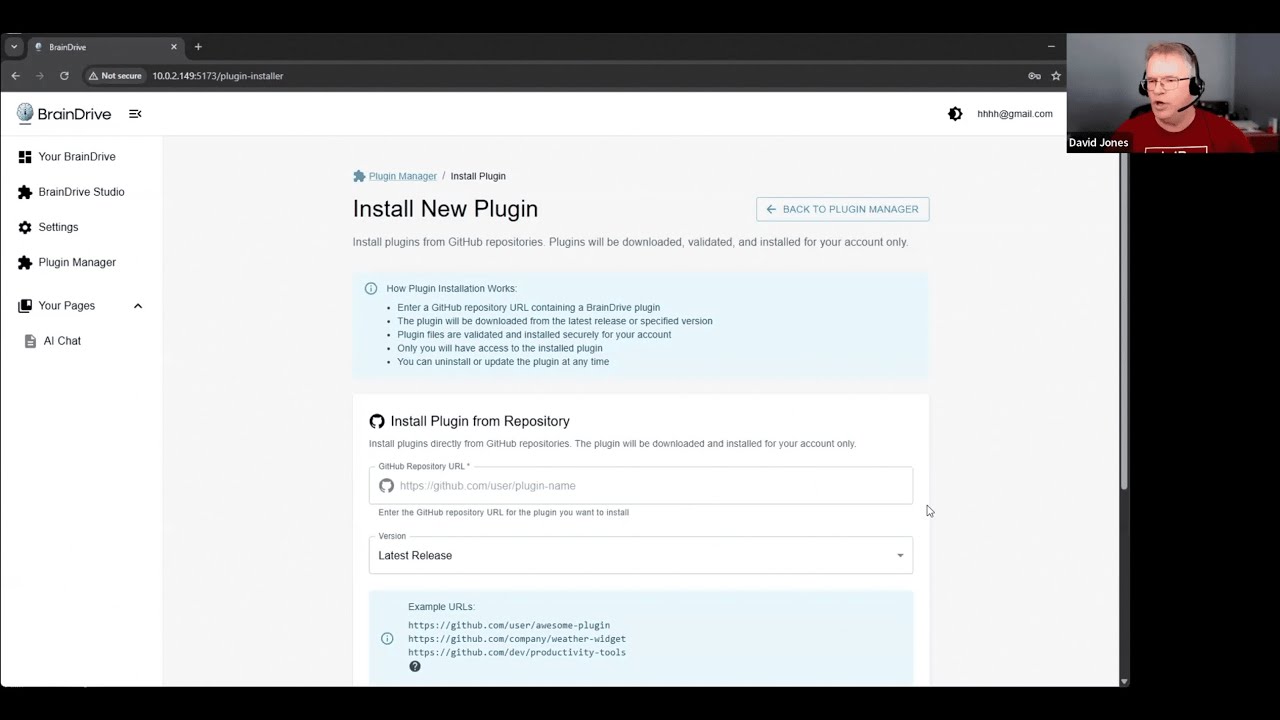
@DJJones gave me a sneak preview of the upgrades he’s been making to the plugin manager and the new “add plugin” functionality. We’ll have more to share in Monday’s Dev call but I was excited to share ahead a little ahead of the weekend as well
Here’s the recording:
Hope to see you in the Dev call Monday. We’ll be going live from our Youtube channel at 10am EST!
Here is the recording from this week’s dev update call followed by an AI powered summary of what was discussed for those who prefer to read.
Questions, comments, concerns welcome as always, just hit the reply button!
Thanks
Dave W.
BrainDrive Weekly Dev Update – June 16, 2025
Hey everyone! For those who prefer to read rather than watch the full video, here’s a quick recap of what we covered in this week’s BrainDrive dev call. TL;DR: big progress on developer readiness, plugin support, and the core experience.
Celebrations
Code Refactor → Big Win: We uncovered and fixed a major bottleneck that would’ve limited BrainDrive’s ability to scale to many users. Fixing it cleared the path for a leaner, multi-user-ready system.
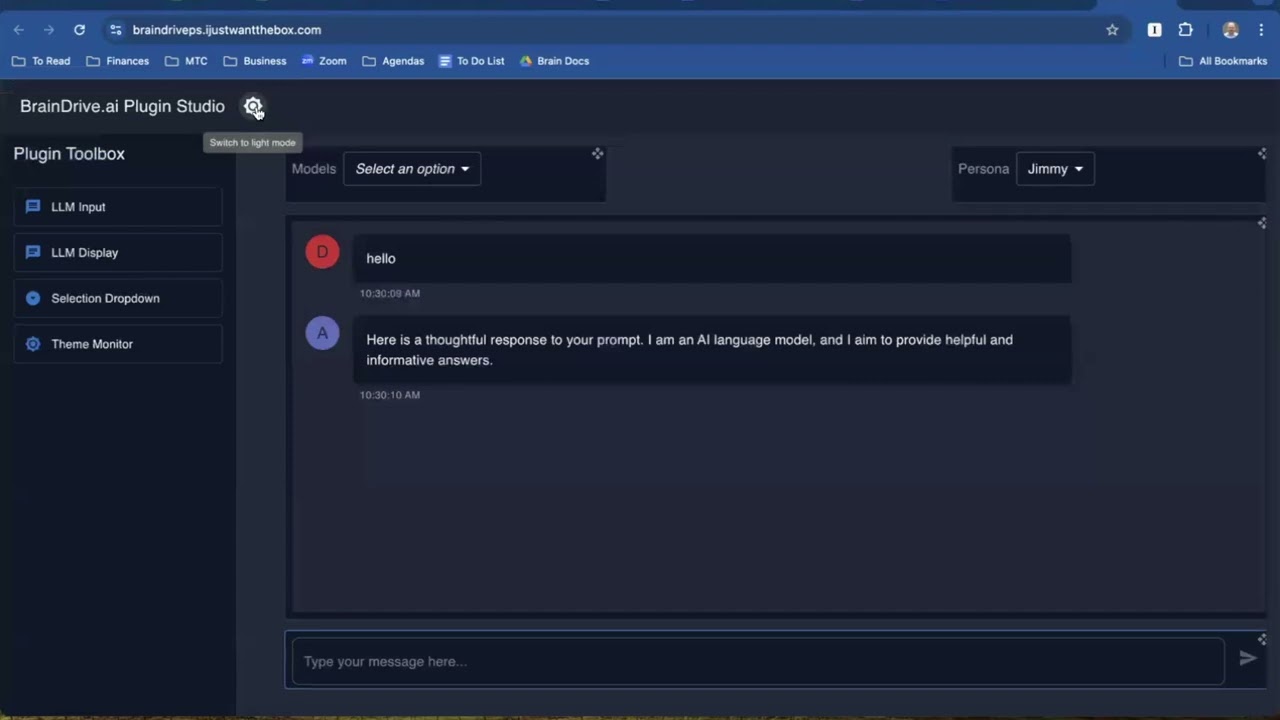
Chat Interface Milestone: Our redesigned chat experience now feels production-ready—with smoother scrolling, fast switching between chats, and a better structure for adding new features like personas and prompt tuning.
Developer Experience Boosted: Plugins now support versioning, testing, and rapid iteration—huge time saver for developers.
What’s New
Plugins Now Install Automatically from GitHub Releases
Choose versions, install from public repos, and share code across users via a new shared repository—more efficient and less redundant.
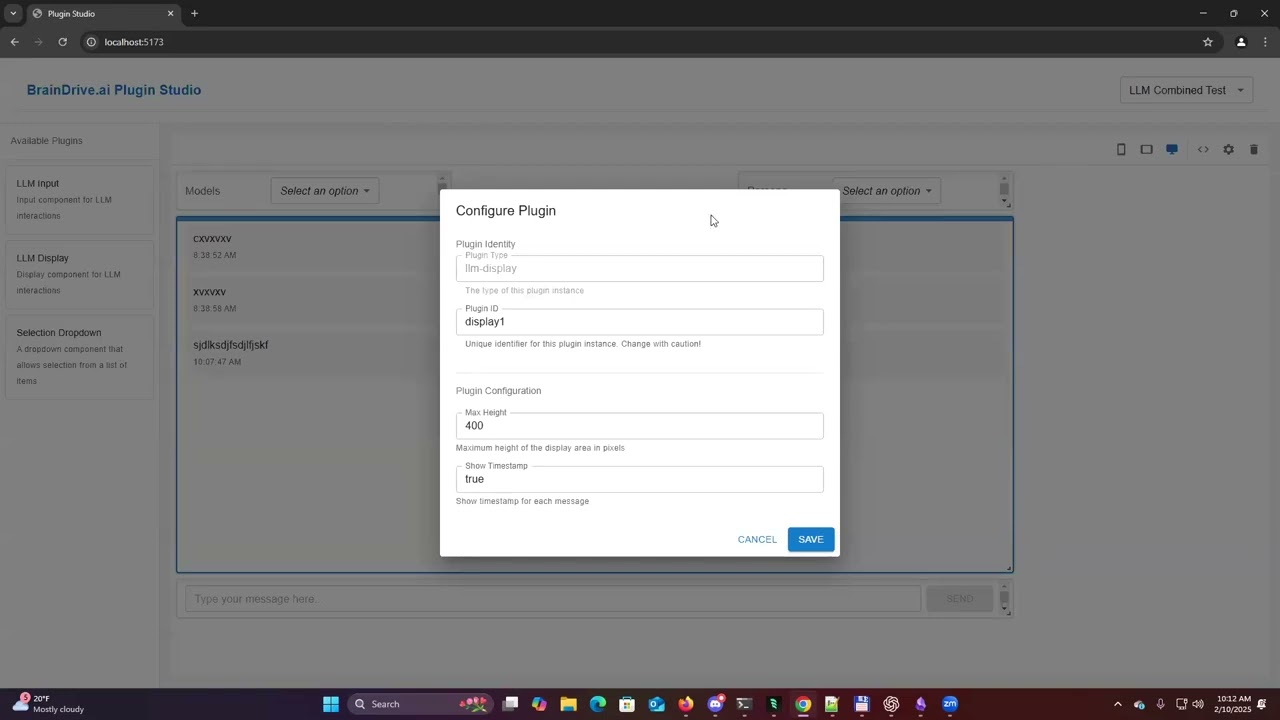
Plugin Testing & Debugging Built In
Test buttons now identify issues before they cause problems—no more “black box” debugging. Especially helpful for onboarding new devs.
New Chat UI Foundation
Clean, familiar interface built around our core interaction: “chatting with your own AI system”. It’s minimal, fast, and future-proof.
Page-Based Plugin Structure
We’re evolving beyond “just chat” to a modular, page-based system. Each use case (e.g., summarize articles, reply to email) will have its own page—fueled by plugins.
Dev Roadmap: What’s Next
We’re opening the gates to external developers starting this week. Priorities:
Model Connector Plugins
Support for Groq, OpenRouter, Claude, OpenAI, and others—each as its own plugin for clarity and modularity.
Ollama Model Manager
Add, remove, and manage local models directly from the interface—no CLI needed.
Personas Plugin
Quickly switch system prompts and settings per persona (e.g., “Coding Coach”, “Creative Writer”).
Use Case Plugins
Initial focus: article summarization and email replies, to refine the plugin experience and templates.
Prompt Library
Shared access to reusable prompts across pages.
Chat with Docs
We’re pivoting memory work toward practical RAG features like chatting with uploaded documents and use-case-based knowledge bases.
Non-Dev Work
Ultimate Guide to Local AI (For Non-Devs)
Almost finished! A living document for people who want to own their AI system without technical expertise. Will include BrainDrive walkthroughs now that the new interface is ready.
Image Work & UI Integrations
Soon we’ll add image generation tools (like ComfyUI) to BrainDrive as optional plugins or linked guides.
ModelMatch Update
Our dev Victor submitted an early version of the frontend. We’re reviewing now and will meet with him this week. Goal: A clean, easy way to match local models to your hardware and use case.
Final Notes
This is a big milestone week: The code is stable, the core experience is solid, and we’re ready to bring in outside developers. We’re shifting momentum toward building an ecosystem.
This is our WordPress moment for AI.
Not just another chat wrapper—a foundation you can build on, own, and extend.
We do these dev calls live every Monday at 10am ET. Jump into the forums to join the conversation. Want to contribute? Keep an eye out for our developer task list and plugin bounty program going live this week.
Please find this week’s dev call live stream recording below. I have also included an AI powered overview of our discussion for those who prefer to read. We do these calls every Monday at 10am Eastern time and stream live on the BrainDrive youtube channel. Questions, comments, concerns, and ideas welcome as always, just hit the reply button.
Thanks,
Dave W.
Celebrations
Plugin Manager Milestone:
We officially transitioned to a new plugin-based interface, replacing our earlier chat setup. It’s smoother, more extensible, and will serve as the foundation for custom workflows. Community developers can now build and test plugins directly.
Encryption Support:
Plugins can now encrypt specific fields in the database with a single line of code—especially useful for sensitive data like API keys or therapy logs.
Community Contributions Growing:
We’re now onboarding more developers! We have multiple plugin contracts in progress and are actively working with community members to expand BrainDrive’s capabilities.
Challenges
CapCut Glitch:
Dave J ran into issues with CapCut dropping audio in exported videos—wasted hours debugging, ended up switching to OBS. A good reminder that even simple tasks often take more time than planned.
Unresponsive Contractors:
Unfortunately, another dev dropped out without notice. These things happen, but we continue pushing forward by broadening the team and lowering single points of failure.
Roadmap Updates
We’ve officially shifted the next dev milestone (v0.5) to focus on Adam Carter (developer) needs. Why? Because supporting plugin development and extensibility is essential before we can fully serve Katie Carters (non-technical creators).
New Focus for v0.5: Developer Data Workflow
Encryption (done)
Plugin-level data storage
Page-specific metadata (preserved across devices)
Conversational context tied to page/app
System-level persona support baked into BrainDrive Core
We’re calling the previous “0.5” work the new v0.5.5, which includes the dashboard and installer prep. Once we finish these, we’ll move into packaging everything for standalone install.
Experiments & Prototypes
Model Match (Evaluator) Prototype:
Navine delivered a working prototype to evaluate summarization quality across models like GPT-4o, Claude, and DeepSeek.
Judges include TwinLock, JudgeLo, and a 50/50 blend
Next step: apply to subjective domains like therapy model evaluation
This tool will eventually power our “best model for X” answers.
Local AI Content Creation Process:
Dave W shared progress on the content writing assistant flow for Katie Carter:
Persona definition → Goal definition → Keyword/Reddit research → Outline → Writing → Fluff removal → Images → SEO
Turns AI into a co-pilot, not a content factory
Will become part of a larger content-writing plugin and educational material
Image Generation Insights:
Found that creative scenes (e.g., product mockups) work well with AI, but infographics are still better done manually via tools like Canva.
Hosting Strategy Discussion
We had a broader discussion about managed hosting and what Adam Carters really want:
Yes to local-first philosophy.
But many still want the option to host in the cloud—with ownership and exit rights intact.
We’re exploring how to prototype a hosting offering using 3rd-party GPU services without compromising control.
We believe we can offer a solution that:
Runs large models efficiently
Keeps ownership with the customer
Avoids ecosystem lock-in
Publishes hashes to verify what’s running
What’s Next
Beck is shifting from memory to “chat with your documents” functionality after discovering that current local models still struggle with dynamic memory context.
Personas will be added to the BrainDrive Core for universal access across plugins.
More plugin assignments going out to devs this week (LLaMA, OpenAI, etc.)
Installer-focused work begins once new v0.5 wraps
Join the Conversation
We post all dev call videos and updates here in the forums and welcome your feedback and questions.
If you’re a developer, designer, or creator looking to build on BrainDrive—or just want to own your AI future—jump in.
Please find the recording of Monday’s development call followed by an AI powered summary of the call. We livestream these calls on our Youtube channel ever Monday morning at 10am eastern so feel free to join us live when available.
Here’s a community forum post to accompany the latest BrainDrive development call video, written for readers who prefer summaries over video content:
Weekly Focus: Developer Onboarding & V5 Progress
We’ve been onboarding external developers to help with plugin development and learning a ton in the process. The results? Mixed but valuable:
Key Takeaways:
Installer works well – One developer successfully deployed their plugin using it.
Documentation needs improvement – Several developers hit snags that could’ve been avoided with better tutorials.
Not all devs had local AI experience – Future job posts will be clearer that BrainDrive is an AI-driven project.
New videos & docs coming – A full “Hello World” plugin build video and targeted mini-videos are in the works.
We’re shifting gears: instead of optimizing for speed, we’re prioritizing documentation quality this week—even if that delays code. It’s a long-term win.
Plugin Development: What’s Working, What’s Not
We’ve been testing two plugin tracks:
OpenAI API integration
Local model integration with Ollama
Out of six developers:
Two are still in progress (one more promising than the other)
The others didn’t deliver usable results
Lessons learned:
Developers need a clearer vision of UI/UX expectations
Some developers lacked basic AI familiarity
We’re refocusing hiring on more experienced React developers (think U.S., G7, or Eastern Europe talent)
Next step: Post revised jobs with improved onboarding materials and a short intro video.
BrainDrive Memory: Hosted vs. Local
We’ve been running real-world tests on BrainDrive Memory:
Hosted version works well: Memory extraction, updates, and RAG all functional.
Local version struggles: Slow document processing, errors, and poor accuracy.
The conclusion?
Local AI is great—for basic chat or small models. But for serious memory, RAG, or multi-doc search, cloud self-hosting currently wins on performance and reliability.
This led us to refine our core positioning:
“We’re not local-only. We’re no-lock-in.”
It’s about owning your stack—not where it physically runs.
This approach:
Lets you mix local + cloud
Enables portability
Avoids lock-in at key layers like the embedding model
New documentation & onboarding content for plugin developers
Updated developer hiring push
Finalizing messaging around “cloud self-hosting without lock-in”
Community Note
We’re in the “lonely early” phase—quiet forums, empty chairs. But we’ve done this before. With each video, doc, and plugin, we’re laying the groundwork for a thriving, builder-owned ecosystem.
Want to help? Join the conversation in the comments. Build something. Break something. Ask questions. That’s how movements start.
 Action Items for Next Week
 Pre-Release Fixes (Due by Monday):
 Newly Discovered Bugs:
 Wins & Celebrations
 Challenges
 Progress from Last Week’s To-Dos
 This Week’s Priorities
 Coming Up Next
 What About Videos?
 Final Takeaway
 Plugin System Coming to Life
 Brain Drive Concierge Prototype
 Local Memory System (RAG) In Progress
 Tooling & AI Development Insights
 What’s Next
 What’s New
 Non-Dev Work
 ModelMatch Update
 Final Notes
 Jump into the
  Want to contribute? Keep an eye out for our developer task list and plugin bounty program going live this week.
 Plugin Manager Milestone:
 Encryption Support:
 Community Contributions Growing:
 CapCut Glitch:
 Unresponsive Contractors:
 Plugin-level data storage
 Model Match (Evaluator) Prototype:
 Image Generation Insights:
 Hosting Strategy Discussion
 What’s Next
 Weekly Focus: Developer Onboarding & V5 Progress
 Upcoming Priorities
 Join the conversation in the comments. Build something. Break something. Ask questions. That’s how movements start.