We have finally completed WhyFinder v2 and brought the full flow together in one place.
This version connects the Why Finder, the Ikigai Builder, and a staging version of the Socratic Decision Helper into a single guided self discovery journey.
The focus this time was clarity. No looping conversations, no mixed context, and outputs that actually reflect what the user shared.
WhyFinder helps you uncover your core Why through structured conversation and then expands it into a complete Ikigai map covering what you love, what you are good at, what the world needs, and what you can be paid for.
The goal is not motivation or advice, but understanding and alignment. Each session creates reusable profiles that can be saved and revisited.
In parallel, I have been discussing with @davewaring the next step for BrainDrive. We are planning an AI powered evaluation plugin that can act as a judge using both state of the art cloud models like GPT and Grok, as well as local and hosted models via OpenRouter. This will let us evaluate reasoning and outputs across large models in a consistent way.
Thanks @navaneeth ! I made it through the whyfinder portion. I have a recording which I gave some feedback in but I would say this is a very strong start and the why statement that I got was good so I’m excited about it. I’ll post the recording of the video here soon.
When I got to the end of finding my why I didn’t see a next step other than starting a new session. How do I get to the Ikigai portion?
I also notice that the link above says v1 so maybe I need a different install link to get the Ikigai?
Actually I was able to update the plugin in the dashboard to v2. If I go through finding my why again what will happen in v.2 vs. V.1 to get me to the Ikigai portion?
V1 is just the Why Finder we built a week ago, so it’ll only output the Why statement and then show basically nothing after that, because we never coded any post Why flow into it.
If you switch to V2, you’ll still get the Why statement but it won’t end the session there. Instead, it will:
Show options to save your Why profile
Give a button to move to the Ikigai phase
Continue with the next questions, exactly like I demonstrated earlier
The repo name is still v1, but if you check Releases, you’ll see two releases: v1 and v2.
To get the new behavior, you must update the plugin from the plugin manager to v2.0.0.
If you stay on v1, you’ll only see the Why statement and the session will end.
Update to v2.0.0 and you’ll get the save Why option plus the Ikigai flow continuation.
Navaneeth gave me a walkthrough of the new WhyFinder plugin which now includes the Ikigai builder which helps you find the intersection of what you love, what you are skilled at, what there is demand for, and what you can be paid for.
The idea here is to turn your BrainDrive as a “personal compass” to help BrainDrive Owners make better decisions.
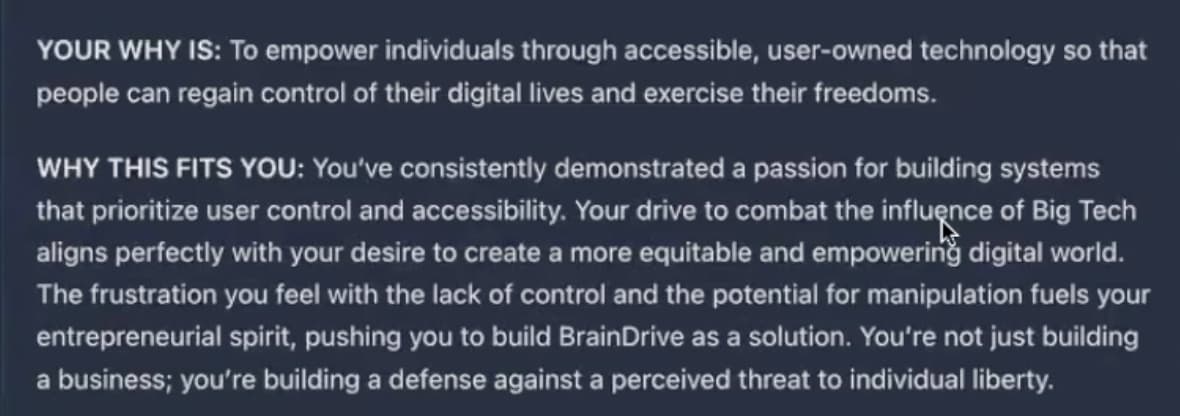
Navaneeth and I ran through WhyFinder today to find my personal why. Here is what WhyFinder came up for my personal why statement. I think anyone who knows me would agree that this is in line with what one would expect and I was pretty happy with it as well:
Overall I would say that this is a really good start the bones of the plugin are really good and we have some concrete next steps on what we want to improve.
We also discussed creating an evaluation plugin that will allow us to score not only WhyFinder but also other chat based experiences that people may develop in the future.
Full discussion recording below for anyone who is interested:
Questions, comments, ideas and concerns welcome as always.