Weekly Dev Call Updates — Building BrainDrive in Public

This is our running thread for weekly development call summaries. Every Monday at 10 AM Eastern, we do a livestream where we share what we built last week, demo new features, and plan the week ahead.

We’ve been doing these calls since the early days of the original BrainDrive. Our previous thread has months of weekly updates documenting the journey — from plugin architectures to installer debugging to a full architectural pivot.

Now we’re in a new chapter. BrainDrive has been rebuilt from the ground up on the Personal AI Architecture — an open, MIT-licensed system where every component is swappable and your memory is truly yours. The product is live, the code is public, and we’re pushing toward our first users.

Fresh thread to match the fresh start, but the spirit is the same: build in public, share the progress, and invite anyone who’s interested to follow along or jump in.

New updates will be posted as replies below.

April 13, 2026 Update

This week’s call covered new backup and migration features, a security audit wrap-up, and the plan to push toward soft launch this week.

Key Highlights

  • Library migration and GitHub backup features are live — move your memory between systems and back it up automatically
  • Context window optimization — structural content (agent file, plan, spec) now prioritized over conversation history
  • Branch protection, Ollama, Mac install fixes, and sidebar flicker all resolved
  • Forum redesigned with brand alignment, plus an AI-powered content pipeline for video clipping
  • Push-to-launch mode: targeting 5-10 early users this week

What We Covered

Library Migration & Backup: Dave J demoed two new features in settings. Library migration lets you download your memory and move it between systems — local, managed hosting, laptop, desktop. GitHub backup lets you automatically back up your memory on a schedule (manual, hourly, or daily) without consuming any LLM tokens. Backups exclude API keys and secrets by default for security.

Last Week’s Progress: Terms of service and legal policies published on braindrive.ai. Branch protection enabled on the repo. Ollama working. Build process standardized — pre-built images for non-dev users, Docker with cloned code for developers. Context window error fixed with a new priority system. Mac install issues and sidebar flicker resolved.

Operations & Content: Dave W completed a security and services audit across all systems, adding 2FA everywhere. The community forum got a brand refresh. An AI image generator was built for brand-aligned content, and a video pipeline now auto-clips dev call segments and posts them to the forum — replacing what used to be 1-2 hours of manual work.

This Week’s Plan: Dave W is finishing the course, making agent.md file improvements, and cleaning up small UI issues. Dave J is verifying builds (removing a likely-artifact “quick start” build), implementing SMS/texting via his Vibe Runner agentic coding harness, reviewing the admin dashboard, and automating the full build/changelog/release pipeline with date-based versioning.

What’s Next

Both Daves are in push-to-launch mode. Goal for the week: local install polished, agent files optimized, SMS as a second interface, and early users on the platform.


These calls happen every Monday at 10 AM Eastern on YouTube. Recordings are posted here.

Watch the full recording:

April 20, 2026 Update

This week’s call was a working session on the Monday release rhythm, the update system landing this week, and a strategic course-correction on how non-technical users get BrainDrive on their phone.

Key Highlights

  • Update system ships this week — code updates push automatically; file and onboarding updates go through an AI-mediated review in BrainDrive Plus One, so nothing changes without your approval.
  • Messaging strategy pivot. SMS for non-technical self-hosters hit a wall (U.S. A2P 10DLC registration is per-user, $20+ setup, 24-hour approval). The new recommended mobile path for non-technical users is Tailscale — no domain, no tunnel paperwork, just follow a setup guide.
  • BrainDrive Models launch is close. Security audit handed to Nav after the call; a day or two of fixes left.
  • Two paid offerings, clarified: BrainDrive Models (pay-as-you-go model routing — use SOTA models without your own API key) and BrainDrive Concierge (managed hosting + Models + VIP services).
  • Dependabot grouping is live in the repo — low/medium/high SemVer groupings keep the dependency noise manageable.

What We Covered

Monday release rhythm. Weekly changelog walkthrough covered what shipped: prompt-driven onboarding, Docker image signing/verification, Dependabot PR grouping, the public agent.md boot file, settings modal polish, GitHub backup + migrate flow, chat activity indicator, API key validation, and the managed-hosting starter pack. A new idea parked: move the release from Monday to Friday so livestream viewers can download the newest image during the call itself.

Quick-start build going away. Going forward there are three modes: dev, local, and production. Deprecation notices this week, full removal next.

Update system. Dave J implemented the spec Dave W wrote last week — branch lands in this week’s dev release. Every BrainDrive will know when there’s an update and route any file-level changes through a conversational review inside Plus One. Full walkthrough next week once Dave W has tested it.

SMS rethink. Dave J’s hands-on attempt to get SMS working locally confirmed it requires a public domain, a tunnel, and Twilio organizational paperwork for every owner — a non-starter for the non-technical audience. The Twilio work isn’t wasted: it becomes a BYO path for power users (Dave W will make a how-to video) and the foundation for SMS on Concierge. For everyone else, Tailscale is the path forward.

Agent.md as engine. The broader direction: shift capabilities from coded features into prompts that live in agent.md files. Users can open those files up and reshape BrainDrive to match how they work. Less code, more behavior that’s legible and editable.

What’s Next

Nav’s security audit tonight unblocks Models. Dave W is content-cadence next week (videos, lead capture on braindrive.ai, ebook already published). Dave J’s next priority after current in-flight work: polish the Personal AI Architecture boilerplate repo so it’s exciting to build on, not dense to read.


Watch the full recording:

April 27, 2026 Update

A cleanup-and-lock-down week. The new update sequence didn’t ship — Dave J pulled it back after realizing the first cut was over-technical — but a lot of foundational work landed across the changelog, dependencies, install paths, and the Personal AI Architecture repo. The big call for this week is a polish freeze: dial in what we already have before adding anything new.

Key Highlights

  • Changelog automation is complete — both Daves now in lockstep on what’s shipping
  • Quick Start retired — replaced with dev (Docker + cloned repo) and local/production (pre-built images)
  • Dependency + security sweep across client/web, Stripe billing, and purchase routes
  • Personal AI Architecture repo now a runnable TypeScript reference impl with a compatibility test suite — up and running in 5 minutes
  • This week: polish freeze on the interview → spec → build → execute flywheel

What We Covered

Update sequence pulled back. First cut was getting too clever; better to ship a simpler design. That work moves into this week with a tighter spec.

Changelog automation. When a build version locks, Dave W gets an email automatically and Dave J gets a copy. No more guessing what’s actually in the build vs. still in a draft PR.

Dependencies & security. Small but important cleanups across client/web, Stripe billing (Nav + Dave J on client/managed-hosting consistency), and manage-client purchase routes. With security stories piling up across the ecosystem, staying current matters.

Preferences got more forgiving. If your data has settings from a different version, BrainDrive now ignores what it doesn’t recognize and keeps moving — no breakage if you roll a version back.

Goodbye Quick Start. One path for developers (dev: Docker image + cloned repo), one for everyone else (local / production: pre-built images, same image — production is what we use for managed hosting). Memory still persists on your hard drive, not inside Docker — ownership stays the same.

Personal AI Architecture repo cleanup. The old scaffold code is gone. What’s there now is a clean TypeScript reference implementation with npm install + a test suite — clone it, run it, start poking at it in about 5 minutes. The compatibility tests are the interesting bit: change something and immediately see whether you’re still following the architecture. Next step is turning it into a real template you can clone and rename.

The “code is cheap” era, in practice. Dave J spent the weekend on a side experiment — found an MIT-licensed multi-agent dev-squad project written for Claude, ripped out the provider layer, and refactored it to work with Codex (his preferred tool). That’s the BrainDrive vision in miniature: you don’t have to settle for someone else’s cookie-cutter product. Fork it, swap the parts you don’t like, make it yours.

What’s Next

Polish freeze. A friend of Dave W’s tried BrainDrive end-to-end last week — the destination was great, but several steps along the way broke. That’s the work for this week.

We’re not trying to out-feature Open Claw on breadth — we’re going deep on a tight, focused flow: interview → spec → build → execute. That flywheel has to spin smoothly, every time. With AI-assisted dev it’s easy to get to 95%; the last 5% is where the entire differentiation lives. Or as Dave J put it: the grind.

That’s where this week goes.


Watch the full recording:

May 4, 2026 Update

A “battening down the hatches” week — and a new direction we didn’t see coming. Last week’s polish freeze stuck, the testing harness is dialed in, and Dave J spent the weekend proving out a native desktop installer that’s under 1 MB and just works. That changes the plan.

Key Highlights

  • Native desktop installer (Rust + Tauri) running — Mac version this week
  • After desktop: iOS + Android apps via Capacitor, with cross-device auto-sync as the headliner
  • New starter-pack memory update system ships today — AI advises you on AGENT.md changes instead of forcing or skipping them
  • Personal AI Architecture mini-course in production: 5–6 lessons, under 30 minutes, “chat with documents” as the build target
  • Anthropic pulling Claude Code from the $20 tier this week was an unintentional billboard for everything BrainDrive is about

What We Covered

Starter-pack updates, the AI way. A lot of BrainDrive’s behavior lives in AGENT.md files, which means weekly updates often touch your prompts. Take-it-or-leave-it is wrong; silently overwriting is worse. The new system uses the model itself to compare incoming changes against your current files, apply what makes sense, and tell you what it did (or refuse if you’ve gone so deep it can’t tell). First cut touched 52 files — Dave J rewrote it down to 4 code files + prompt work. Live today, with iteration through the week.

The Anthropic moment. Claude Code disappeared from the $20 plan this week. If your entire workflow lived there, you woke up Monday locked out. That is the case for owning your stack — not as a slogan, but as a Tuesday morning emergency you don’t want to have.

Native desktop installers. Dave J built a Rust + Tauri auto-installer last week and got the runtime under 1 MB over the weekend. No Docker, no commands, no browser tabs — double-click and you’re using BrainDrive. Mac build comes online this week so Dave W can test it. Linux is intentionally skipped (if you’re on Linux, you already know Docker).

Mobile is next, not later. Capacitor lets the same React app run as iOS + Android native apps. Even if it’s a medium lift, mobile is the multiplier — meeting people where they are instead of waiting for them to come to a desktop. Pairs with auto-restore on top of the existing autosave so you can move between desktop and phone without missing a beat.

Personal AI Architecture mini-course. Instead of building a Python version of the template right now, Dave W is producing a 5–6 lesson, sub-30-minute course showing the full PAA flow end-to-end — clone the template, write a small spec, run interview → spec → build plan → build → conformance tests, end up with a working “chat with your documents” app. Big gain: developer feedback on the architecture itself, plus a real cutover for the old Digital Brain Base YouTube channel, which becomes the PAA channel for the developer persona (BrainDrive’s channel stays focused on the non-technical user).

Managed hosting + billing. Nav merged the billing infrastructure work today and is recording the staging-to-prod push so the process is reproducible. Dave W should be back up on managed hosting after that lands.

What’s Next

This week: Dave W on the PAA mini-course. Dave J on the Mac installer, plus running the full Monday playbook end-to-end without changes.

Next: Capacitor mobile builds, then cross-device auto-sync, then the BrainDrive heartbeat (outbound notifications — daily to-do lists, BrainDrive talking to you instead of only the other way around).

The grind continues. The roadmap just got more interesting.


Watch the full recording:
May 11, 2026 Update

This week’s big shift: native installers for Mac and Windows are shipping live on braindrive.ai today, the PAA mini-course is wrapping up, and we sharpened how we describe Phase 2 of the roadmap. Mobile is officially the next bucket.

Key Highlights

  • Mac + Windows native installers going live today on braindrive.ai — single download, native app feel, no Docker required.
  • PAA mini-course finishing today. Dave demoed an end-to-end build on the livestream: prompt → interview → spec → build plan → working “chat with docs” app, all from the TypeScript template. The app correctly answered “What is BrainDrive’s mission?” using the PAA reference docs (vs. the AI’s training-data guess of “BrainDrive is a notepad application” without them).
  • Phase 2 description sharpened: Phase 2 (Benefit) is BrainDrive acting as your advisor with all of your context. Phase 3 is BrainDrive acting on your behalf. You don’t delegate action until you trust the advice.
  • Mobile is next. Capacitor wrap of the existing app for iOS + Android. Built for the technical-owner persona first, with all three model paths supported (BrainDrive Models, OpenRouter, and your local Ollama over Tailscale).
  • Cross-device sync via the existing GitHub backup — no new infrastructure, no visible sync button. Once your GitHub backup is configured, your phone and laptop just stay in sync automatically.

What We Covered

Installer status. Mac and Windows are both built and working. The only remaining bug before going live: the in-app community link doesn’t open a browser yet (URL handler not wired into the Rust side). Dave J’s ETA is end of day, plus a backwards-compat re-test against the Docker stack before merging the installer branch into main. Docker stays available for Linux and developer setups; native installers become the default for end users.

Course demo on the livestream. Dave ran the whole PAA mini-course process live — the prompt that sets up the template, the interview process for chat-with-docs, the spec, the build plan, and then the actual working app indexing the PAA repo. Dave J: “Combine the template with the reference documentation, you basically have the AI heading right down the highway. All you need to do is tell it what flavor of cake you want, and it will bake it.” Course is aimed at the vibe-coder-friendly local-AI community as the launch audience.

Roadmap reframe. Phase 1 (Own — PAA + BrainDrive) is done. Phase 2 (Benefit) needed sharper language: BrainDrive as your advisor with all your context. The two next-step buckets that follow from that framing are (1) document processing — uploading bank statements, transcripts, medical records so the advisor has more context — and (2) phone access — taking your BrainDrive with you so it captures context as it happens. Both serve the same goal: more context to the advisor.

Mobile first, document processing second. Both buckets are worth shipping, but Dave J’s installer momentum makes mobile the cleaner next lift. Sync uses the existing GitHub-backup mechanism — auto-pull at startup, auto-push on change, no manual restore. Configuration stays in Settings; the chat interface stays clean.

Concierge re-positioned. Less “monetize $25/mo right out of the gate”, more “build buzz with native installers + mobile + the PAA course, and let monetization opportunities follow.” A future $5/mo cross-device-sync product floated as a possible new Concierge entry tier, but only after mobile + GitHub-sync are live.

What’s Next

Dave J: finish installer polish today, get them live, then start on the Capacitor mobile build. Dave W: finish the PAA course, promote it across the local-AI community, and update the existing BrainDrive course to lead with the native installer instead of Docker.


Watch the full recording:
May 18, 2026 Update

Big week of progress — budgeting V1 working end-to-end, doc processing about to ship as a reusable substrate, our test harness running fully on its own, and a sharpening of where BrainDrive’s video content goes from here.

Key Highlights

  • Budgeting V1 is working. Upload your bank/credit card statements → BrainDrive interviews you about your goals → produces a real budget. Powered by Haiku 4.5.
  • Document processing ships with budgeting as a reusable substrate — every future life-area page (fitness, career, health) can leverage the same upload → parse → memory pipeline without further integration.
  • Our test harness is running end-to-end. Fresh Docker container per run, full path from registration through conversation through budget produced, with AI judging AI. ~7.5 minutes per test.
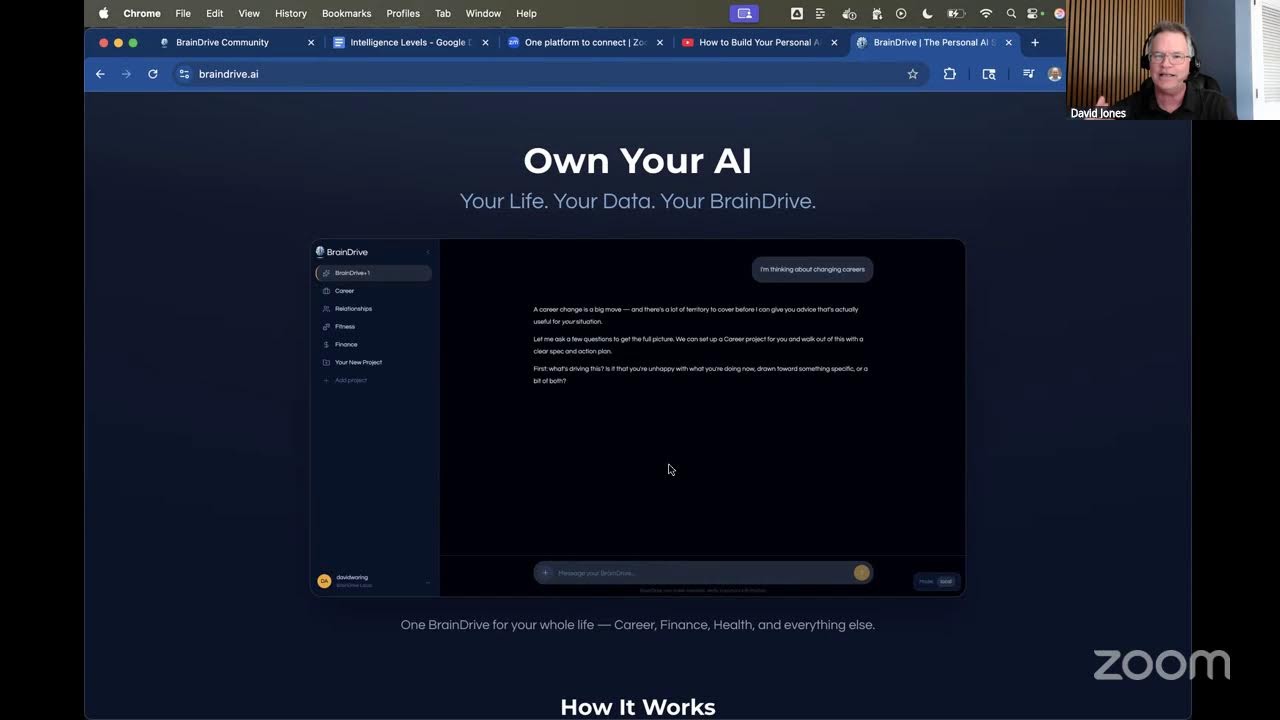
  • braindrive.ai repositioned around “Own Your AI.” New hero, About page rewritten around ownership, install CTA goes straight to install.
  • Adopted Remotion (code-driven video tool) as our default for owned product videos — first product walkthrough video coming this week.

What We Covered

Budgeting V1 working. Dave J spent the weekend rebuilding the fictional Katie financial dataset so the persona, statements, and life all actually align — and immediately the tests started passing. Document uploads work end-to-end now with PDFs, spreadsheets, and images on Haiku 4.5. Coming next: testing on real phone photos of statements.

Document processing as a reusable substrate. The big realization on the call: doc processing isn’t just for budgeting — every life-area page (fitness, career, health, relationships) will eventually need owners to upload documents. Rather than build it twice, the code is structured so the generic upload-and-parse path is broadly available the moment budgeting V1 lands. Ship one thing, get the foundation for everything else.

Test harness running on its own. Dave J rebuilt what started as a vibe-coded prototype into a real CLI harness. It spins up a fresh BrainDrive instance in Docker, registers a new account, sets up the model provider, navigates to the Finance page, uploads documents, runs the conversation, and produces a budget — then a stronger AI model grades the whole conversation log. “25 employees, right here.” The harness is generic across life-area pages, so fitness V1 will need only new prompts, not new infrastructure.

Each life-area page = its own product. Finance, fitness, career, relationships — each gets its own competitive landscape research, its own roadmap, its own content arc. Same approach we ran on budgeting (/landscape → spec → build), now repeated per page-product.

Marketing focus on BrainDrive use cases. With the desktop installer making BrainDrive accessible to non-technical owners, all new video production effort goes to the BrainDrive YouTube channel and use-case content. The Personal AI Architecture channel stays live as a backstop. Adopted Remotion (a React-based video tool) for owned product videos — first one being the new homepage walkthrough.

What’s Next

This week: budgeting V1 ready for end-to-end testing tomorrow, doc-processing substrate split out, fitness as the next life-area page. Marketing: production process dialed in on the first foundational Katie piece, plus the homepage product video.


Watch the full recording:
June 1, 2026 Update

This week’s call was a two-parter: Dave J walked through what shipped last week, and Dave W gave the first look at how we plan and prioritize the work — the “front end” of what we’ve started calling our software factory.

Key Highlights

  • Memory architecture redesign shipped — apps now follow rule files, and every agent/rules file has a companion -user file you can edit to customize behavior without your changes getting overwritten on updates (validated with a one-line “talk like a pirate” test).
  • Windows + Mac installers completed and rolling out — always the latest build straight from the website, no version juggling.
  • Multi-file uploads for budget statements (upload them all at once) plus the usual dependency/security cleanup.
  • A real lesson on testing: our test harness is great at catching functionality bugs, but it was missing user-experience problems. That’s our focus this week.
  • Our planning + prioritization process got its first public walkthrough — how we decide what to build so AI accelerates us toward the goal instead of scattering us.

What We Covered

What shipped last week: We rebuilt how your memory is structured and, more importantly, how apps live inside it without burying your own information. We finished the Mac installer to match Windows, so both desktop builds now distribute automatically as the latest code. And we made document uploads less painful (more than one file at a time).

The testing gap: When Dave W dogfooded the budgeting flow, he caught a stack of UX issues that the AI tester — and our functionality-focused test harness — sailed right past. Functionality testing confirms a button works; it doesn’t tell you the experience is good. Because BrainDrive is very user-facing software, we’re extending the harness to test the whole owner journey end to end (sign in → set up → interview → build a budget → compare month to month) and flag friction that isn’t a bug but still makes someone close the app.

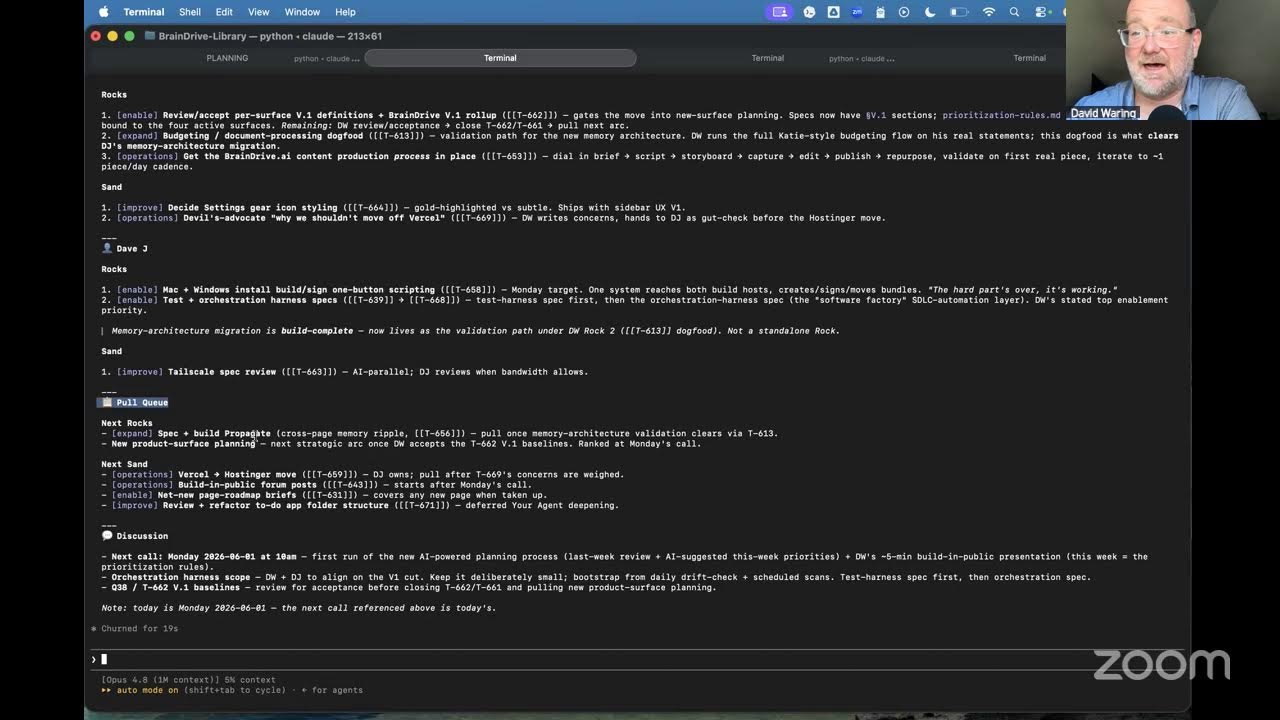
How we plan (the software factory): Dave W laid out our roadmap — five phases (Own, Benefit, Connect, Earn, Decentralize); we’re in Phase 2, Benefit, which is your four default pages plus Your Agent. The work breaks into four buckets (foundation, your agent, default pages, add-on pages), each with its own roadmap that rolls up into one product. To decide what makes V1 of a page, we run a research process with the AI — brainstorm → market landscape → search demand → interview → V1 cut → build plan. And we prioritize in tiers, with a simple rule most open-source projects skip: fix and polish what already ships before chasing anything new. The factory is the front (planning), the middle (orchestration), and the back (the test harness).

What’s Next

Get the whole software factory turned on this week — even if it’s sputtering a bit — dial in the budgeting app as the template for faster apps to come, and keep pushing the content process. Next Monday we’ll go deeper on the full planning process and where we are on automating our release + testing pipeline.


Watch the full recording:
June 8, 2026 Update

This week’s livestream was a recap of a “different kind of week” — one spent building the test harness that lets a two-person team out-ship much larger ones — plus the first full look at what we’ve started calling the BrainDrive Factory: the loop we use to plan, build, and improve everything we make.

Key Highlights

  • The test harness is leveling up — from just running tests to diagnose → repair → retest, with checkpoints along the way, so issues get fixed in the loop instead of kicked back to us.
  • It now tests the experience, not just the function — videos, screenshots, and full conversation logs — so we can catch UX problems without 100 hours a week of manual clicking.
  • Regression by default — every run exercises the whole gamut (register → log in → set up a provider → interviews → core projects), because nobody manually goes backward to check everything still works.
  • A standout model find: NVIDIA’s new Nemotron Ultra sailed through the budgeting flow where another model got stuck — and it’s one of the truly open models (open weights and open training data, a US company, self-hostable in a fully isolated box).
  • The BrainDrive Factory: Plan → Prioritize → Build → Educate → Promote → Learn — with one big mindset shift driving it all.

What We Covered

The test harness, leveled up: Last week was less about shipping a feature and more about building the machine that ships features. The harness now goes beyond “does it work” to diagnosing what broke, repairing it, and retesting — with checkpoints so nothing silently regresses. Crucially, it now verifies the experience too (video, screenshots, full conversation logs), which is where the bugs that actually annoy users tend to hide. And it runs the full flow every time, not just the new thing — our spec’s user stories double as the regression suite, so a failure either means a harness fix or a missing user story to add.

Nemotron over the alternative: While dogfooding the budgeting interview, one model got creatively “stuck” — insisting a Roth IRA was something it wasn’t, because it preferred its own narrative over the facts. We tried NVIDIA’s Nemotron Ultra and it ran through with flying colors. Beyond performance, it’s one of the most genuinely open-source models out there: open weights and a large amount of open training data (rare), from an American company, and self-hostable as a fully isolated black box if you have the hardware. NVIDIA’s free-access program makes it easy to test against right now.

The BrainDrive Factory: As AI starts automating knowledge work, every company will want a “digital factory” the way physical producers have physical ones. Ours runs the loop Plan → Prioritize → Build → Educate → Promote → Learn, with a skill behind each step (we’ve been posting the planning and prioritization workflows to the forum). The big shift: don’t optimize the product, optimize the factory that builds it — fix the machine, not the individual can — which is how a two-person team scales by partnering with AI.

What’s Next

Get the harness locked and running by the end of this week, then turn back to shipping BrainDrive itself the following week — taking budgeting from v1 toward v1.1 and regression-testing the whole thing to confirm nothing broke.


Watch the full recording:
June 15, 2026 Update

This week’s call was a status check on the “factory” — the test and build harness that will let us develop BrainDrive faster — plus a walkthrough of the full V1 roadmap and where we go after it.

Key Highlights

  • The test harness is essentially done — a fully automated QA teammate that runs every interview/spec/build flow and scores it.
  • We stood up a dedicated dev/staging branch so nothing reaches owners until it’s been vetted.
  • Switching the default model to NVIDIA’s Nemotron — it beat our previous model in testing and is dramatically cheaper.
  • New installs will get free starter credits so you can try BrainDrive with zero friction.
  • Mapped the road past V1: Heartbeat → Hands → Sharing.

What We Covered

The test harness. Building a personal AI system means testing the same flows over and over, and a human can only run the interview process so many times before the quality slips. So we built an automated tester that runs BrainDrive like a real owner would — across Chrome, Firefox, and Edge, and across desktop, tablet, and mobile — and produces screenshots, video, logs, and scorecards for functionality, UX, and model performance. It’s working; the remaining items are getting it running on Mac/Safari and a full mobile pass.

The build harness. The other half of the factory. You hand it an accepted spec and it breaks the work into milestones, writes the code in a branch, and hands it to the test harness to verify — looping until it passes. This is the piece that lets us stop hand-writing code. We’re treating it as our number-one priority: if you’ve decided to mass-produce a product, you spend your time building the factory that produces it.

A dedicated dev branch. We added a staging step so changes flow dev → main → weekly release. Developers and owners only ever see work that’s already been reviewed, which keeps the main release stable while we move quickly underneath it.

Models. We’re moving the default BrainDrive model to NVIDIA’s Nemotron — it outperformed our previous default and is far cheaper to run. A full financial interview, including document processing, costs well under a dollar. Because of that, new installs will start with free credits so you can get real value before deciding to add any of your own.

The road past V1. V1 is the core coaching loop — your BrainDrive interviews you, builds a plan, and journals progress with you across each area of life. After that: Heartbeat, where your coach starts checking in with you instead of waiting; Hands, where it pulls in context from places like search, email, and calendar; and Sharing, where you can package what you’ve built and share it with other owners. A design principle we like: tools bring their own model, so the core stays small and you can attach a more powerful brain only where a task actually needs it.

What’s Next

Finishing the test and build harness is the week’s top priority, with the model switch close behind. From there we start cranking through the V1 list.


Watch the full recording: https://www.youtube.com/live/Qs64dW4MH8c?si=fxhe8TZAw0CNtV2I
June 22, 2026 Update

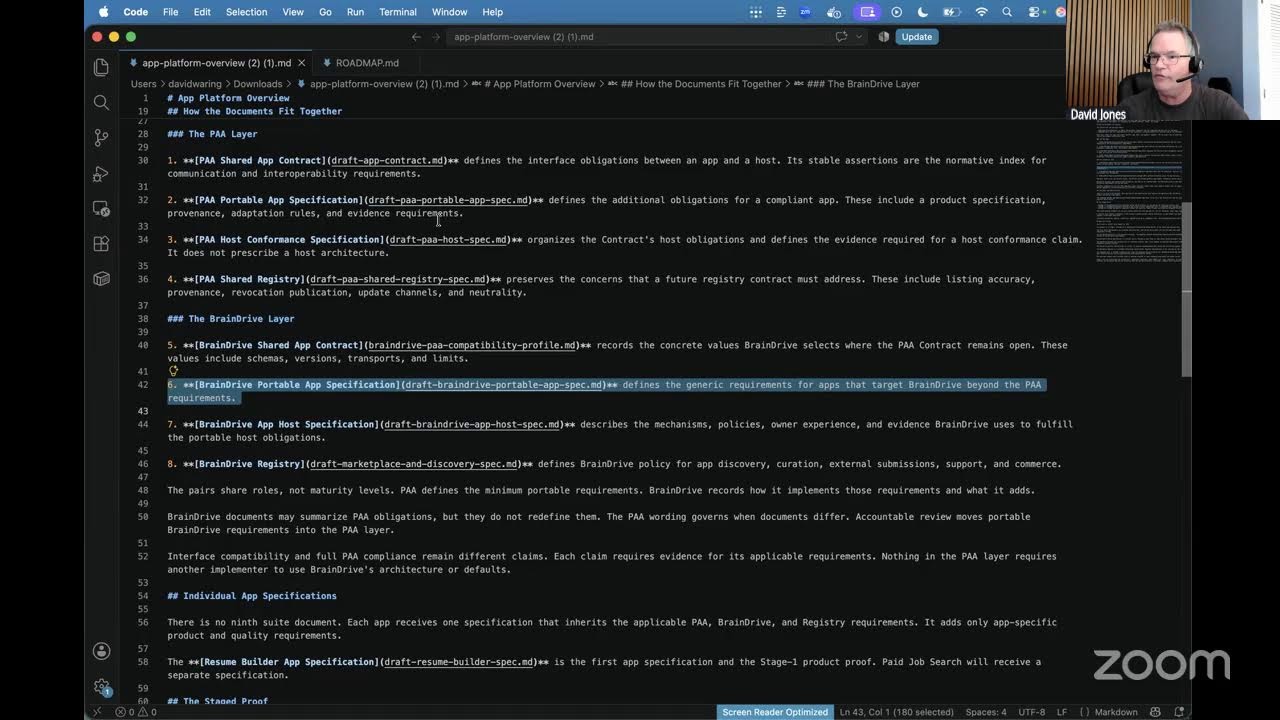
Good Monday! This week’s call had a bit of everything — a fresh way of thinking about where AI is heading, a new model under the hood, and real progress on the “factory” that builds and tests BrainDrive. Here’s the recap.

Key Highlights

  • AI Knowledge Factories — a framing for what this whole shift actually means for knowledge work.
  • Dev → Production channel separation is live — so you can always tell what’s shipped vs. what we’re still testing.
  • Model flexibility in action — we moved our default model again, and the point is that you can.
  • The build + test harness keeps maturing — this is the machine that builds BrainDrive.
  • Building in public + the content factory are spinning up.

What We Covered

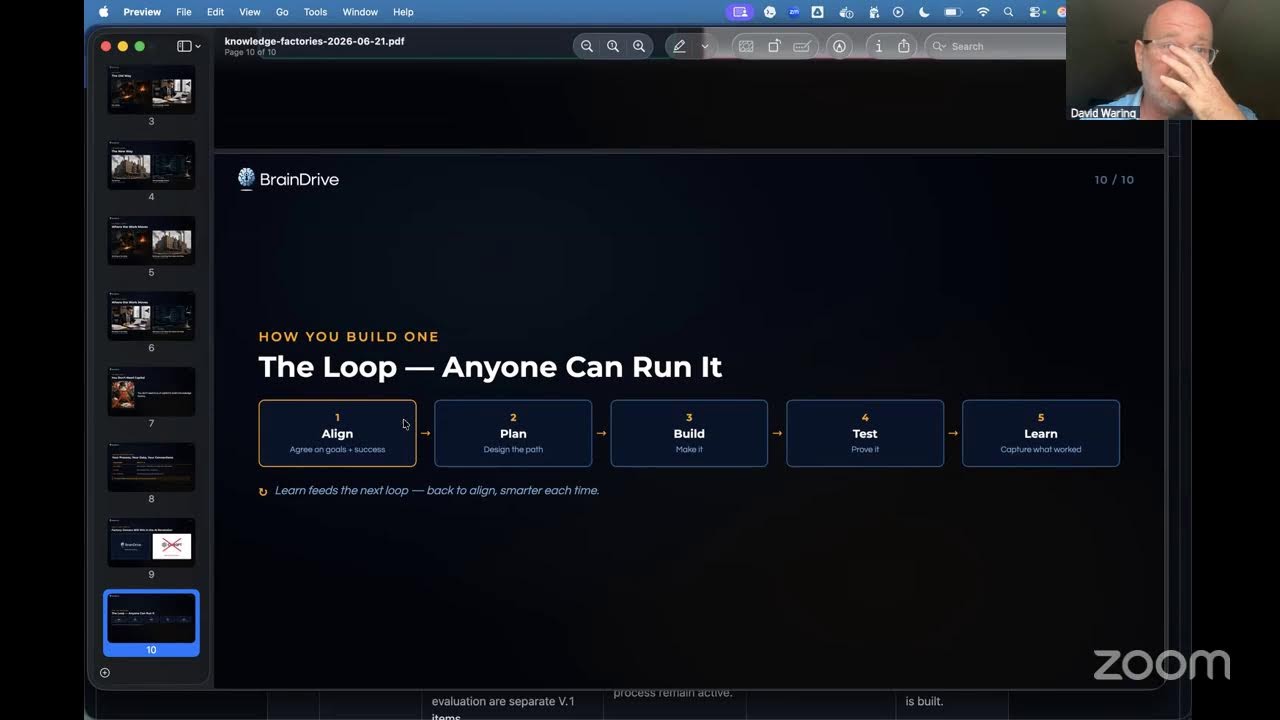
AI Knowledge Factories. Dave walked through a framing we’ve been circling for a while: AI is the new electricity. Electricity powered the physical factory and automated manual labor; AI powers the knowledge factory and automates cognitive labor. You move from working on the thing (the memo, the contract, the line of code) to working on the thing that makes the thing — your own knowledge factory. What makes one factory different from another isn’t the model — it’s your process, your data, and your connections. The model is the commoditized part (the electricity). The thing that matters is that you own your factory. Build it on ChatGPT and OpenAI owns it — just ask anyone who built a business on custom GPTs. Build it on BrainDrive and it’s yours: your processes, files, and data live on your computer (or a host you choose), under your control.

Model choice & switching. The bigger story here is how easy switching has become. We recently moved to NVIDIA’s Nemotron 3 Ultra — and we’re already moving again, to the new GLM model that’s benchmarking near the frontier and is fully open-source. New open models are landing constantly, and our stance is simple: keep the best one in the driver’s seat and upgrade whenever something better shows up. The model is a swappable utility — pick BrainDrive Model, any of 400+ models on OpenRouter, or run free and fully private on your own machine with Ollama.

Dev → Production channels. This was the first week running our new dev/staging channel, with a changelog so you can always see what’s live vs. what’s still being tested. Everything ships to dev first, gets put through the test harness and hands-on review, and only then moves to the main release. Fewer “did I break something, or did they?” moments for everyone.

The build + test harness. The test harness now runs full interviews against multiple personas and grades each run on functionality, UX, and the model itself — with logs, screenshots, and video for every run. The builder can take a change request and carry it through the whole pipeline (branch → build → hand off to testing). Next up: feeding it full specs that it breaks into milestones and works through. This week we’re mapping the entire factory end to end so we know exactly what’s done and what’s left.

Building in public. The content side is coming online too — including tools we’re building alongside the writing, like a calculator that recommends which local AI model your computer can run.

What’s Next

Map the full factory, keep tuning the builder, and bring the to-do list and journaling along. More next week.


Watch the full recording:
June 29, 2026 Update

Big week: BrainDrive went live on braindrive.ai, our release automation is now working end-to-end, and a simplified starter pack opened the door to running BrainDrive on local models.

Key Highlights

  • BrainDrive is live on braindrive.ai — running on GLM-5.2, with signed Mac + Windows desktop installers.
  • Release automation works end-to-end — Dave J ran the full release live in about 20 minutes, start to finish.
  • Local models are now viable — on the simplified starter pack, mid-tier open-source models (Gemma 4, Mistral, Qwen MoE) can drive the core BrainDrive experience; we demoed Gemma 4 running locally via Ollama on the call.
  • Child apps become tools, not built-ins — heavier capabilities will come in as MCP tools (“the hands”) rather than being piled onto the core model.
  • This week’s #1 priority: finish both halves of the test harness — the conversation/quality side and the runtime/UX side.

What We Covered

Going live + release automation: After a couple of releases that were more painful than they should have been, Dave J built out full release automation and ran it live over the weekend — Mac and Windows signed, website and everything updated, in about 20 minutes. That was the “flip the switch” milestone, and BrainDrive is now live on braindrive.ai on GLM-5.2.

Models — dialing in personality: Last week was a model dial-in week; we flip-flopped a few times before settling on GLM-5.2 for the live default, largely because personality matters when you’re going to work with the same AI over months. Interestingly, on our test harness the smaller Haiku model still scores highest — a reminder that for this focused use case, more agentic horsepower isn’t always better.

Local models on a normal laptop: Because we simplified the starter pack, mid-tier local models now pass our (still-improving) harness. We ran Gemma 4 locally via Ollama live on the call — a real step toward running a genuinely private BrainDrive on consumer hardware.

Architecture direction: Rather than building apps into BrainDrive, we’re leaning on the open-source tool ecosystem — child apps become MCP tools with their own environment, model, and instructions. That keeps the core simple and focused on helping you define and reach your goals, while giving BrainDrive “hands” to do more over time.

What’s Next

Finishing both halves of the test harness is the week’s #1 priority, then dividing up the user stories. We also decided to extract document processing for now (re-adding it later as a tool), move the to-do list to V1.1 so we can focus on journaling first, and keep the auto-provisioned model key single-install for now.


Watch the full recording:

July 6, 2026 Update

This was the week the whole thing came together: journaling went live, which means the full BrainDrive loop — orient, align, plan, execute, and propagate — now works end to end.

Key Highlights

  • Journaling is live — the missing piece of the core loop. You can now check in with your AI on progress, and it updates your goals and plan accordingly.
  • The full base loop works end-to-end — orient → align → plan → execute → propagate — demoed live on the call and going to the website today.
  • This week’s goal: close and polish the entire V1 loop — “V1 done, polished, everything.”
  • Back-end hardening underway — model routing, retry-on-failure, and automatic key provisioning are all spec’d and getting coded this week.
  • Documentation pass coming — with the code in strong shape, we’re turning attention to bringing the public GitHub repo’s docs up to par.

What We Covered

Journaling — the loop closes: Before this week you could talk with your AI to set goals and build a plan, but there was no way to come back and report progress. Now there is. On the call Dave W logged a real journal entry live (“had my first gym session…”), and BrainDrive captured it to the journal and re-surfaced the next step from the plan. That completes the full cycle — orient, align, plan, execute, propagate — and it’s the foundation everything else builds on.

A model with personality: We’ve dialed in GLM-5.2 as the default. Because you’re going to be working with the same AI over a long stretch, personality matters — this should feel like sitting down with an expert coach, not a lecturer.

Test harness + build harness: Our model-evaluation harness runs three personas across every page (72 runs per pass) and now closely matches human judgment; the main thing left is making it faster. The build harness keeps improving as we use it. This is the “software factory” that lets a small team build BrainDrive without becoming a big-tech company.

Back-end polish: Everything under the hood — model routing across providers, retrying failed calls instead of surfacing errors, and automatic key provisioning — is spec’d and getting coded this week, so owners never have to think about it.

What’s Next

The goal for the week is to close and polish the entire V1 loop. Dave J is coding through the back-end specs and then bringing the GitHub repo’s documentation up to par; Dave W is finishing the evaluation harness and moving to content. One note: BrainDrive is in beta — it’s the vision and a strong first version, so try it and tell us what works and what breaks.


Watch the full recording:

July 13, 2026 Update

Quick Monday livestream this week — Dave W is working from the lake in North Carolina, so the call focused on locking in the week’s priorities: maturing the new release automation, the simplest possible path to free beta keys, and growing the audit work into a development engine.

Key Highlights

  • Release Bridge back end is done — the release currently live went through the entire new automated process end-to-end
  • Free beta keys: keep it simple — we’re using OpenRouter API keys directly (with GLM 5.2) instead of building a custom gift-key system
  • Email validation is now enforced on both the client and hosting side, closing a gap for custom-built clients
  • The money audit is growing into a general “auditor” agent — audit reports are already pointing at where we should code next
  • Reddit debut lesson: the user-owned AI message resonates, but the goal-setting value is what earns action

What We Covered

Release Bridge (release automation): Dave J built the back end of the new release software over the weekend, and the current release ran through the entire process. The goal is one script — a pre-flight that checks everything, then execute, with two human-in-the-loop stops — bringing a release from “15 minutes that becomes 2 hours” down to a confident sub-20-minute process. He’ll run at least two more releases through it this week to mature it. Changelogs, the Docker image, the Windows Tauri build + signing, and the Mac build + notarization all flow through it.

Free beta API keys: After mapping the weak points of a custom giveaway system (key reuse, memory portability enabling piggybacking, audit accuracy, and never touching the existing Stripe money chain), we landed on the simplest solution: create API keys directly on OpenRouter and hand them to beta testers to use with GLM 5.2. No new code, no new attack surface. A more sophisticated free-credits system stays an open idea thread for later.

The Auditor: What started as a “money trails” audit — verifying every path where money moves through BrainDrive — produced reports good enough to steer coding priorities and catch issues before anyone else does. This week’s push: turn audit findings into work specs and run them through the build process, expanding auditing beyond money into BrainDrive’s broader workflows.

Reddit debut + messaging: Our post in r/EntrepreneurRideAlong drew a lot of views and very positive feedback on self-sovereign, user-owned AI — people get it. The takeaway: ownership resonates verbally, but the goal-setting process (interview → spec → plan → journal) is the value that drives action, so that leads the message with ownership as the kicker. A follow-up post on making BrainDrive as easy as possible is in the works.

What’s Next

Dave W is focused on getting the content engine going (local AI guide, email platform migration, analytics verification). Dave J: two more releases through the Release Bridge, building Tailscale support (spec is done), documenting the Hetzner backup process, figuring out server-side updates without interrupting owners, and turning audit output into specs. Audit → find the work → do the work → release the work.


Watch the full recording:

July 20, 2026 Update

Big milestone this week: with Tailscale mobile access finished and demoed live on the call, the BrainDrive V1 MVP is complete. Now the question is what comes next — and we’d love your input.

Key Highlights

  • V1 is done. Every item on the V1 runway is now shipped: desktop + web access, the BrainDrive model (add credits and go), automatic API key provisioning, the spec-anchored test/build harness loop, the runtime baseline across all default pages, model evaluation (how we landed on GLM 5.2), journaling, and now Tailscale.
  • Tailscale mobile access demoed live — install Tailscale on any device, click a button, and you can securely access the BrainDrive running on your home computer from your phone, privately, anywhere.
  • First look at the Factory — Dave J demoed the build system we use to develop BrainDrive itself, running its first end-to-end build.
  • Release process matured — releases now run start to finish, changelogs through repo push, without hand-holding.
  • What’s next: two paths on the table — a local model that runs BrainDrive fully offline, or a SaaS version with full exit rights. We’ll be debating this in the forums this week.

What We Covered

Tailscale wraps V1: BrainDrive runs locally on your own computer — which used to mean you had to be at that computer to use it. With Tailscale integration, you can now reach your BrainDrive securely from any device with an internet connection. As long as your home computer is on, your BrainDrive goes where you go.

The Factory: Dave J walked through the build system that develops BrainDrive: start from a repo or a fresh project, write a specification with reference files and screenshots attached (“here’s the bug, here’s what it should look like”), resume and re-verify previous runs, and track token costs per run and per project. Its first test build ran in one shot. Next up: running BrainDrive itself through it.

What comes after V1? We debated three options and narrowed to two:

  1. Go local. Get a small open-source model (something that runs on a 16GB MacBook) working well for BrainDrive’s core interview → goals → plan → journal loop. That would make BrainDrive one of the only apps that actually does something useful running 100% locally — no API key, no cloud.
  2. SaaS with exit rights. A hosted BrainDrive you can use from any device — including phones, which is how a lot of people compute now — with the guarantee that you can export everything and move to your own hardware at any time. The WordPress/WP Engine model, without the drama.

Adding more features (heartbeat check-ins, to-do management, web search) is on the roadmap, but we think the core loop is worth showing people first — we want feedback from real owners before deciding which capability matters most.

What’s Next

We’ll post where we land on the local-vs-SaaS question here in the forums this week — if you have an opinion, we genuinely want to hear it. Reply here or join next Monday’s call. Either way, content keeps shipping now that the MVP is real.


Watch the full recording:

July 27, 2026 Update

This week’s call was a milestone: the base foundation BrainDrive experience — the V1 we’ve been building toward all summer — is done and working, and we walked through it live on the stream.

Key Highlights

  • The V1 base foundation is complete: one-click desktop install (Mac + Windows), Docker for developers, the BrainDrive Models easy button with automatic API key provisioning, journaling to close the define → plan → execute loop, and Tailscale-powered browser + remote access.
  • Live demo of mobile access: Dave W pulled up his personal BrainDrive on his phone from anywhere via Tailscale — everything still running locally on his own computer, free for individuals, secure even on coffee-shop Wi-Fi.
  • Local models are getting close: Gemma 4 31B ran the full interview → goals → plan loop locally. The 12B-class model (the one that fits a 16GB laptop) handles the goals and plan too, and only stumbles on longer-horizon memory updates — that gap is the current focus.
  • First paying customers are arriving — a small but real signal as promotion ramps up.

What We Covered

The foundation walkthrough: BrainDrive is an MIT-licensed, user-owned AI system. You own your copy, your memory and chat history live on your computer, and you can power it with the BrainDrive model, 400+ cloud models via OpenRouter, or 100% local models through Ollama. The default Finance, Fitness, Career, and Relationships pages show how to partner with your AI to define what success looks like, build a plan, and keep it current as you execute.

Browser + remote access: turn on browser access to use your BrainDrive from any device on your home network; turn on remote access (via Tailscale) to reach it securely from anywhere — soccer games included — while everything keeps running locally.

Local model progress: the work now is making the process robust on smaller models — refining the instructions first, then adding lightweight checks only where genuinely needed, all verified through our testing harness.

What’s Next

A cleanup-and-polish week: bringing the public repo’s documentation fully up to date for developers, a small free-credits program so beta testers can try BrainDrive Models on us, wiring the money-audit process into our build/test factory, and continuing the local model work. Once that’s buttoned up, we start on the first sellable skill pack — and after that, hands (MCP and agentic capabilities), where things really start to take off.


Watch the full recording:

August 3, 2026 Update

This week’s call covered the final cleanup on Version 1, a major push on developer documentation, and a sneak preview of where BrainDrive is headed next: giving your AI hands to execute in the real world.

Key Highlights

  • Provider bug fixes are wrapped up — clearing the way to bring beta testers on board and get more eyes on the system
  • A full developer + AI documentation system is nearly complete: ~200 documents organized by system (not by file), with direct links into the code
  • We’re hardening our spec process so AI coding tools build exactly what’s specified — nothing extra
  • New content is live: “How I Use AI to Run My Business” and the Local AI for Non-Developers guide, with a video course on the way
  • Sneak preview: stages 3 and 4 of the roadmap — the “hands” of BrainDrive and an open economy of tools built on top of it

What We Covered

V1 finalization and beta readiness: Last week was about dotting i’s and crossing t’s on Version 1. The provider-section bug fixes are in, which helps us bring beta testers on board and accelerate testing — more eyes means we catch and fix issues faster before moving into bigger things.

Documentation for developers and AI: Since developers will likely be our first users, we spent the back half of last week professionalizing the GitHub repo and building a documentation system that works for both humans and AI. It’s organized by system — the gateway, for example, gets a plain description of what it does plus links straight into the code, so a developer (or an AI building its context window) can go from docs to the exact right spot in one click. No more searching the entire codebase.

Keeping AI builders on-spec: Today’s AI coding models are aggressive — give them a simple sentence and they’ll code all day, sometimes adding features nobody asked for. We talked through how to build a wall against that: clearer rules in our spec and implementation-plan templates so the AI fixes and adds only what’s defined, and nothing else.

Content updates: Dave W published “How I Use AI to Run My Business” on his personal blog — a look at the fully custom setup we run BrainDrive on, and what we’re building toward making easy for everyone. The Local AI for Non-Developers guide is also live, walking through how genuinely possible it is to run AI locally today — and why the context you bring to your AI matters more than which model you run. Videos on both are coming next.

What’s ahead — the hands of BrainDrive: With the brain in place (your models plus your memory working together to define and reach your goals), the next stage is having your AI execute for you in the real world. Where some agent projects have taken a do-everything-at-once approach — with the security problems to match — we’re rolling out carefully-scoped, low-risk use cases one at a time. The end goal: anyone can build a use case on BrainDrive, offer it to other owners for free or for sale, and grow an open economy that competes with Big Tech’s closed ones.

What’s Next

More on the roadmap next week once we’ve finished our detailed planning conversations. Join us live every Monday at 10 a.m. Eastern — and for all our content by email, sign up at braindrive.ai or community.braindrive.ai.


Watch the full recording: