Hi All,
If you rebase your BrainDrive you’ll now notice an additional button in the upper right hand corner.
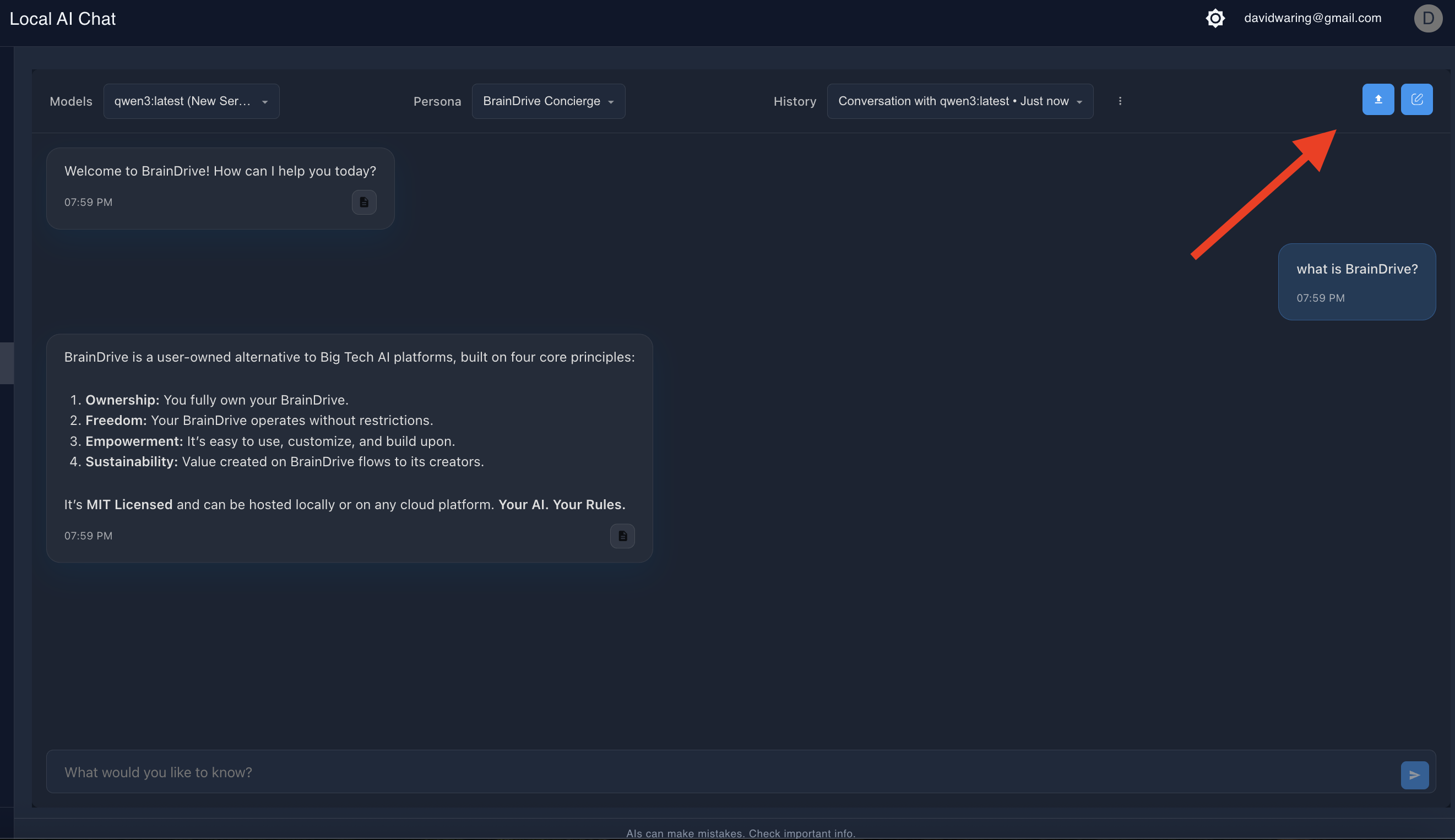
This is our first step towards adding full chat w/docs functionality to the AI chat plugin.
When you upload a text or Markdown file (more formats coming soon), the system reads the file and sends its contents to the BrainDrive processing service. The service breaks the text into smaller sections (called “segments”) based on size limits, making sure the content fits safely within the system’s limits. If your file is too large, the system keeps as much as possible and notes that some text was cut off. It then returns the segments and details like the file name, how much text was processed, and whether anything was trimmed, so the chat can use that information in your conversation.
Give it a try and let us know what you think.
Thanks!
Dave